

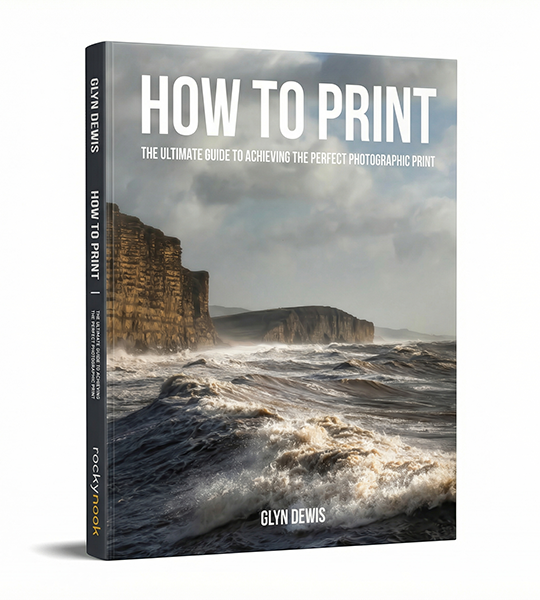
HOW TO PRINT
Published by Rocky Nook
The art of printing photographs has become a forgotten final step for many photographers, yet nothing compares to holding a beautifully printed photograph in your hands - the culmination of your creative vision from capture to final output. In How to Print, photographer and educator Glyn Dewis demystifies the often intimidating world of photographic printing with a comprehensive guide that offers clear, accessible instruction.
Dewis guides you through every aspect of the printing workflow, from monitor calibration to paper selection, and from color management to final presentation. Whether you’re printing at home on an inkjet printer or preparing files for a professional lab, How to Print eliminates the frustration and disappointment of mismatched colors and poor output quality.

Photoshop Layers & Selections Workshop
Published by Rocky Nook
Learning the basics of Photoshop is an admirable feat. Unfortunately, that's exactly where most people end their Photoshop journey, with a fundamental appreciation of the program and the ability to execute a few helpful techniques. But without a full understanding of and capability with layers and selections (arguably Photoshop's most powerful tools) you're leaving the vast majority of Photoshop's power and potential untapped.
Photographer and author Glyn Dewis's new book, The Photoshop Layers and Selections Workshop, is here to change all that. The author of the bestselling The Photoshop Toolbox, Photograph Like a Thief, and The Photoshop Workbook, Glyn focuses on layers and selections in this book, knowing that if you can learn and master these two features, you'll have everything you need to maximise Photoshop's potential, bring out the best in… (Read more)

The Photoshop Toolbox
Published by Rocky Nook
Adobe Photoshop is one of the most powerful image-editing applications ever created, but it is also widely thought to be difficult to learn, infinite in scope, and nearly impossible to master. For these reasons, many photographers choose to stay exclusively with Lightroom for all their photography needs.
But for those photographers who subscribe to the Adobe Creative Cloud Photography plan--which includes both Lightroom and Photoshop--to leave Photoshop unopened and unexplored is to deny yourself the ability to take your creativity and expression to a whole new level.
In The Photoshop Toolbox, photographer and bestselling author Glyn Dewis breaks down Photoshop into just three main features: layer masks, brushes, and blend modes. Glyn has… (Read more)

Photograph Like a Thief
Published by Rocky Nook
No photographer works in a vacuum. Photographers, like all artists, stand on the shoulders of those who came before them, and they are informed and influenced by those working around them contemporaneously. If you are striving to find your own style, one of the most powerful exercises you can practice is to find influence and inspiration in the work of those around you, and then emulate that work in an effort to define, shape, and grow your own photographic voice. By collecting, imitating, and eventually reshaping and combining the work of those around you, your unique voice can be found and the quality of your work can soar.
In "Photograph Like a Thief!," photographer, author, and retoucher Glyn Dewis embraces the idea of stealing and recreating others work in order to improve as an artist. By stepping inside others images, you can learn to reverse engineer their creation, then build an image yourself that simultaneously pays homage to that work yet is also… (Read more)

The Photoshop Workbook
Published by Peachpit Press
The Photoshop Workbook: Professional Retouching and Compositing Tips, Tricks, and Techniques reveals the creative skills that photographer and retoucher Glyn Dewis uses for his global clients. In this guide you will learn not only his step-by-step Photoshop techniques, but how and when to apply them so that you, too, can take your images to a whole new level. Glyn starts by covering the individual Photoshop skills that are the essential building blocks of his process:
• Mastering selections and cutouts with the Pen tool and other important tools
• Dodging and burning, adding textures, transforming a location, and using the “power of gray” for composites
• Applying lighting effects such as spotlights, beams, realistic shadows, reflections, and street lighting to images
• Creating special effects, including… (Read more)