Glyn Dewis
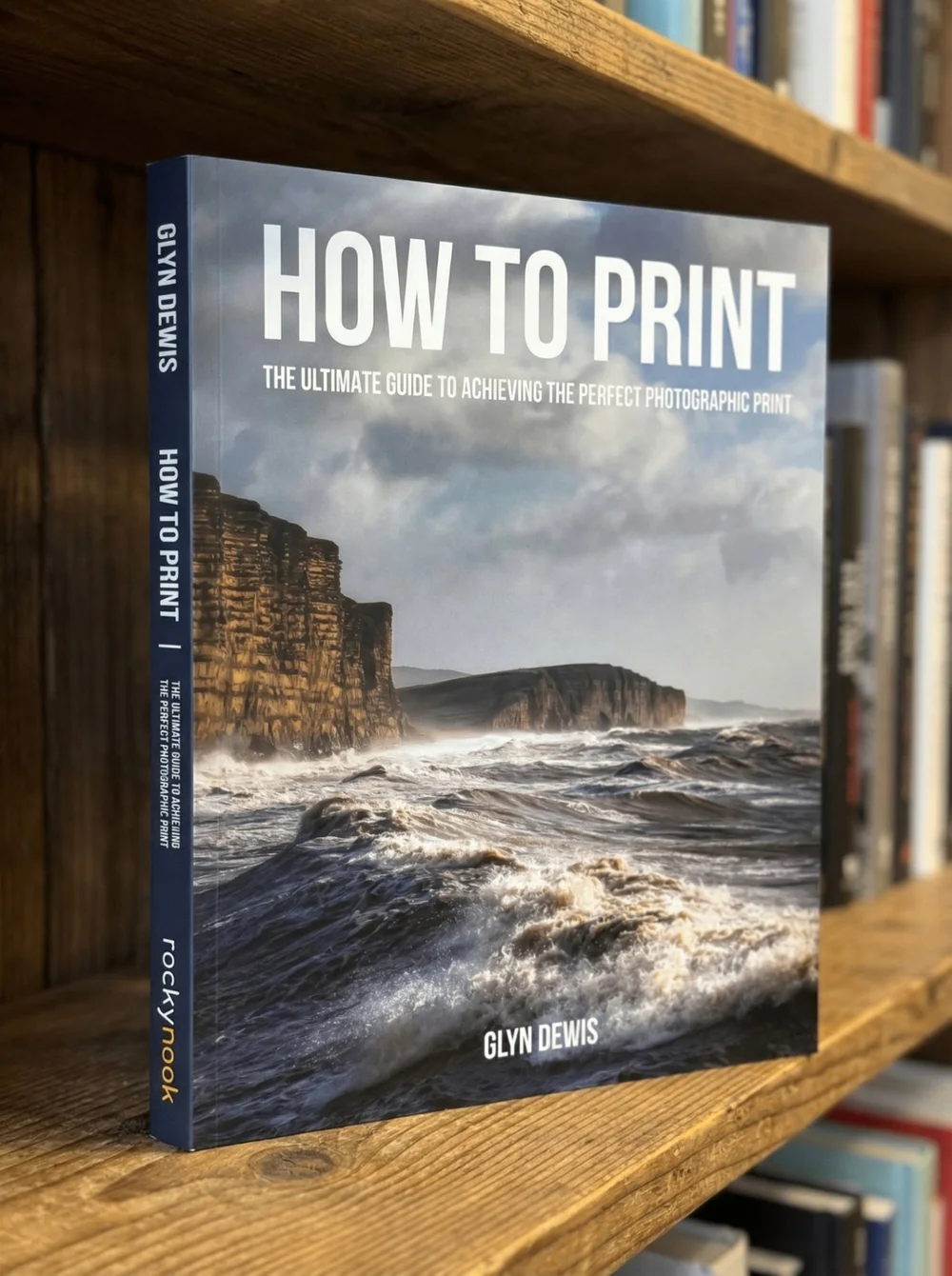
How to Print
Published by Rocky Nook
Official book companion resources
5.0 out of 5 on AmazonWelcome to the official companion site for the How to Print book. Here you'll find new videos made since the book went to print, answers to the most common printing problems, and the Evaluation Print.
Reader reviews
5.0 out of 5 on Amazon
Rated five stars by readers on Amazon.
“I would give this book more than 5 stars if I could.”
Verified Purchase, Amazon US
Enjoying the book?
Reviews are the single biggest thing that helps other photographers find How to Print. If the book has helped you, a couple of lines on Amazon would mean a lot. Thank you.
Leave a review on AmazonUpdates
New since the book
Printing doesn't stand still. These videos cover things that have come up since the book went to print.
Why Your Prints Are Too Dark
Prints darker than your screen? It's almost always screen brightness. Why the usual 80 to 120 candela advice can cause it, the settings I calibrate to, and a free way to check without a calibrator.
Why B&W Prints Turn Green or Magenta
Why black and white prints pick up a colour tint, and how to stop it with the black and white mode on Canon and Epson printers.
Your Mac Is Changing Your Prints
Your Mac may have quietly installed an AirPrint driver instead of the full printer driver. How to check, and how to fix it.
The How to Print video course
Ready to go deeper?
The ultimate guide to achieving the perfect photographic print
How to Print demystifies the often intimidating and frustrating world of photographic printing with a comprehensive guide that offers clear, accessible instruction.
“Glyn, I had very high expectations for this course and, believe it or not, even those expectations were exceeded. Thank you. I appreciate the effort you put into the course.”Mark Trueman
What it covers
- Hardware
- Display Calibration
- Printer Quality / Health Check
- Printing a Black & White Image
- Printing a Colour Image
- Colour Space
- Resolution and Resizing Images
- Sharpening
- Soft Proofing
- Paper
- Printing Software
- Complete Printing Workflow
- Using a Printing Lab / Company
- Presenting and Displaying Prints
Printing help
Fix a printing problem
Quick answers to the questions I'm asked most. Type a word or two to find yours.
Nothing matched that. Try a different word, or ask in the free Photography Community below.
Prints don't match the screen
Why are my prints darker than my screen?
Almost always because the screen is too bright. A screen is lit from behind and a print only reflects the light that falls on it, so the two can never match exactly, but a screen at its default brightness makes the gap far worse. The common advice of 80 to 120 candela can still be too bright; I calibrate to 60. The room matters too: a dim room makes the screen look brighter than it is.
Watch the videoI don't own a calibrator. Can I still check my screen?
Yes. There's a free way to check, and I show it near the end of the video (from 13:02).
Watch the videoShould I just brighten the photo before printing?
No. That fixes one print and breaks the file for everything else. Trust the histogram, which shows how bright the file really is, and fix the screen instead.
Why do the colours in my print look different from the screen?
The usual causes, in order: the screen isn't calibrated, the wrong paper profile is selected, or colour is being managed twice (by both the software and the printer driver). Print the Evaluation Print first to see whether the printer itself is behaving. See Chapter 3.
What is soft proofing and do I need it?
Soft proofing shows on screen roughly how the photo will look on a particular paper. It's most useful on matt and fine art papers, where blacks are weaker and some colours can't be reproduced.
Colour casts
Why does my black and white print have a green or magenta tint?
The printer is mixing colour inks to make grey, and any small imbalance shows as a tint. Canon and Epson photo printers have a black and white mode that avoids this (Epson calls it Advanced Black and White Photo). Switch it on in the driver, or in Canon Professional Print & Layout or Epson Print Layout.
Watch the videoI've used black and white mode and still have a tint. Why?
The setting doesn't fix everything. I cover when it won't help, and what to do instead, from 08:55 in the video.
Watch the videoCan I make a black and white print warmer or cooler on purpose?
Yes. The black and white mode has warm and cool tone options.
Watch the videoMy colour prints have a magenta cast and I'm on a Mac. What's wrong?
Your Mac may have installed an AirPrint driver instead of the manufacturer's full driver. AirPrint gives you fewer settings and poorer colour. Remove the printer, install the full driver from Canon or Epson, then add the printer again choosing that driver.
Watch the videoThe print looks fine in one room and tinted in another. Why?
The light you view a print under changes its colour. Judge prints in the light they'll be displayed in, or under daylight-balanced light.
Printer and settings
How do I know my printer is working properly?
Print the Evaluation Print from this page before anything else. If that looks right, the printer is fine and any problem is in the file or the settings. See Chapter 3.
Should Photoshop or Lightroom manage colours, or the printer?
One or the other, never both. In most cases let the software manage colour with the correct paper profile, and turn colour management off in the printer driver. The exception is black and white mode, where the printer takes over.
What is an ICC profile and where do I get one?
A profile describes how one printer, ink and paper combination reproduces colour. Paper makers supply them free for their papers; download the one for your exact printer model and paper.
Which media type do I choose for a paper that isn't from my printer's maker?
The paper maker tells you which media type to select, usually on the same page as the profile download. It controls how much ink goes down, so it matters.
Why are there lines or bands across my print?
Usually a blocked nozzle. Run a nozzle check, then a head clean if there are gaps. Printers that sit unused for weeks are more likely to block.
Do I need to sharpen for print?
Yes, a little more than looks right on screen, because ink spreads into the paper. Matt papers need more than gloss.
Paper
Why do my blacks look weak on matt paper?
Matt papers can't hold as deep a black as gloss or baryta. Soft proof first so you can adjust for it, and choose matt for images that suit a softer look. See Chapter 10.
Do I need to let prints dry?
Yes. Colours settle as the ink dries, so give a print time before you judge it or frame it.
Still stuck?
Ask in the free Photography Community. I'm in there most days, and good questions get added to this page.
Essential tool
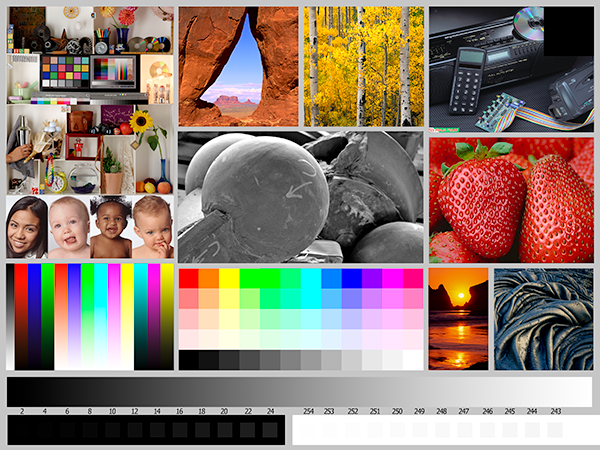
The Evaluation Print sheet
Before you begin, it is vital to confirm your printer is performing correctly. This simple check ensures you avoid wasting expensive paper and ink on a substandard print, and can be done using this Evaluation / Test Print Sheet.
- Pre-calibrated for professional inkjet printers
- Tests colour gamut, shadow detail and highlight retention
- Includes alignment grid and sharpness targets
- Ready-to-print TIFF format
Detailed usage instructions are included in Chapter 3.
Every Monday
The Weekly Creative
My quick, no-fluff weekly email that keeps your creativity current: printing, Photoshop and Lightroom updates that actually matter, new gear and firmware, AI tools worth knowing about, and a practical tip of the week.
I respect your privacy. Unsubscribe at any time.

Don't print alone
Join the free Photography Community on Skool
Like-minded people
Connect and hang out with like-minded people from all over the world.
Active community
Be part of a community that is always there to listen, share and help.
Learn and grow
Courses, workshops, live calls, feedback and guidance.