Photoshop has had a facelift. Not a new tool, not another AI button. The actual look of the thing, the panels and pickers you stare at all day, redrawn for the first time in over a decade.
It's in the beta for now, so if you want a go you'll need to install the Photoshop beta from your Creative Cloud app. A "modern UI" option had been sitting in Technology Previews for a while, but it only touched a handful of dialogs. The real change arrived with beta 27.12.0 at the start of October, and it's carried on through 28 and 28.0.1 since.
Why it looks different, not just rearranged
Adobe are calling this the first phase of a refreshed interface, "the first significant refinement of Photoshop's UI in more than a decade". It's built on Spectrum, their own design system, and the point of it is a Photoshop that's easier to read and sits consistently alongside Lightroom, Bridge and Premiere.
You see it first in the toolbar. There's more space between things, the icons have been redrawn and cleaned up, and the active tool now stands out with stronger contrast so you can tell at a glance what you've got selected. The options bar along the top gets the same treatment. One change you'll notice straight away: tool groups open on hover now, rather than the old click-and-hold with a tiny triangle as the only clue there was more underneath. Not keen? You can turn that bit off in Settings or Preferences > Tools, by unticking "Show Tool Groups on Hover in the toolbar".
The colour picker and adjustments are where you'll feel it
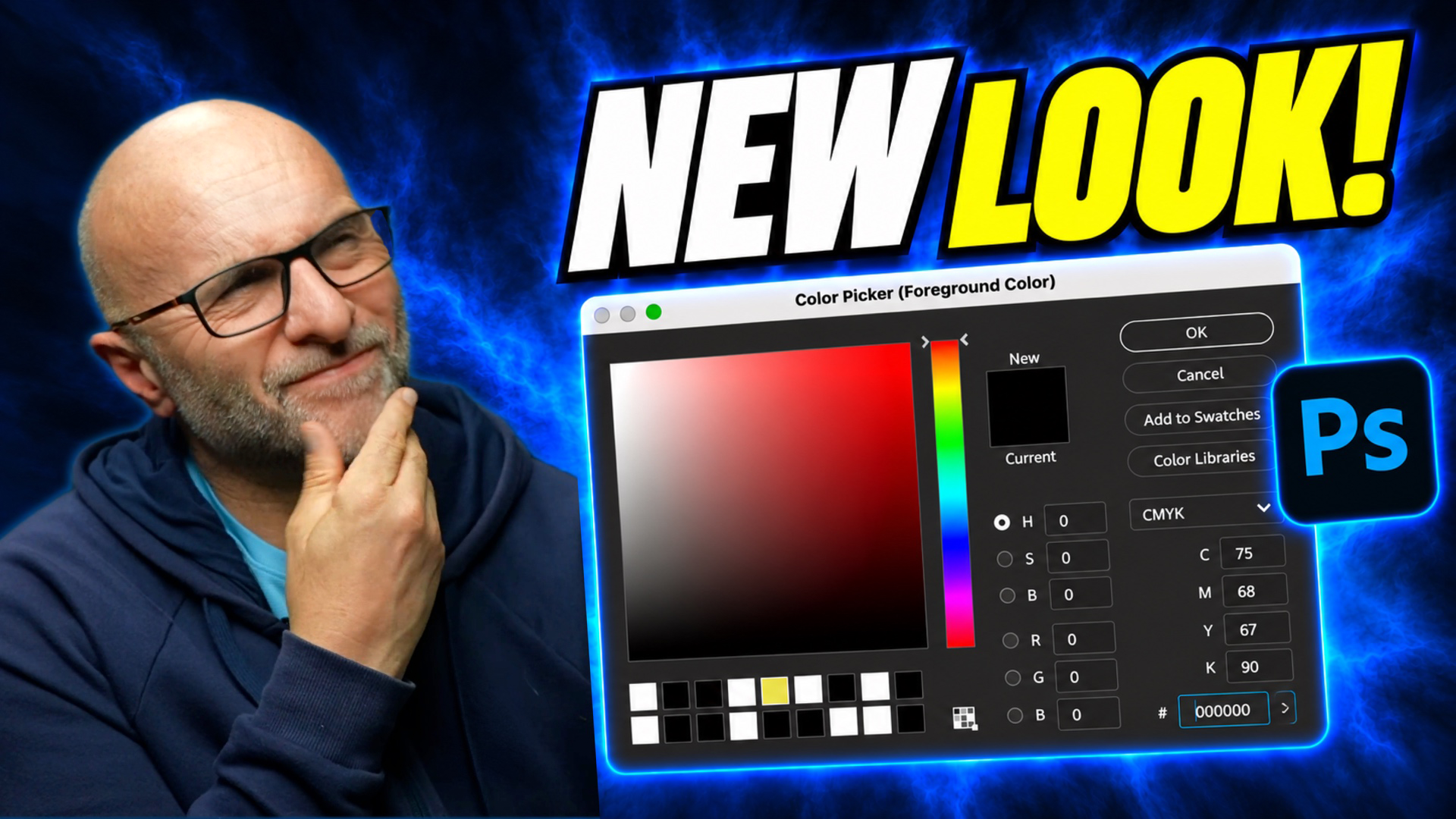
The Colour Picker has changed the most. You now get two rows of recently used swatches under the colour field, pulled from the same recents as your Swatches panel. HSB and RGB are still there, and CMYK has moved into a drop-down on the right. The real benefit is simple: mix a colour, carry on working, then come back to it later and it's sitting right there in your recents.
Curves, Levels, Hue/Saturation and the gradient fill layer have all been reworked too. Smoother look, clearer colour cues, better contrast. Here's the part that matters though: they all work exactly as they did before. Nothing has moved in terms of what the sliders actually do. The big visual change is that the old channel and colour-range drop-downs are now rows of little coloured circles. So on Hue/Saturation, for example, the slider tracks are coloured, which means you can see what Hue is about to do before you move anything. Adobe say 24 panels and pickers have had this first-phase treatment in all.
Quick Compare saves you toggling layers
Slightly separate from the new look, and it actually landed a few weeks earlier, is Quick Compare. You'll find it at the bottom of the toolbar, under Quick Mask (the little split rectangle). Click it and Photoshop shows you "before", meaning how the image looked when you opened it this session, against "after". Single view flips between the two. Split view gives you a draggable divider, and zoom and pan both work. Click again to come back out. No more hiding layers or digging through the History panel just to see what you've changed.
Turning it on, and off, takes a couple of clicks
Go to Settings on a Mac, or Edit > Preferences on Windows, then Interface. Right at the bottom there's an Options section with "Enable Modern User Interface". Underneath it is "Enable Modern Color User Interface", which only does anything if the first one is already on. So you can have the new layout on its own, or the new colours as well. Don't get on with it? Same place to switch it all back off.
It's a beta, so expect a few rough edges
A few people on Adobe's own forum have reported teething problems, which is exactly what a beta is for. Some have seen tool flyouts not displaying properly, jumping between the top and bottom tool so you can't reach the ones in the middle (Adobe have that marked as in development). Others have reported the coloured circles showing the wrong colours, or in the wrong order (Adobe's first suggestion there is to reset your beta preferences). A few have found tool groups going back to the first tool on relaunch rather than the last one you used (Adobe's director of product management for Photoshop has replied to say they'll look into it).
My own take? I like it. I like seeing the thing move forward, and it shows there's real work going into a platform I use and love. I've been running it in beta and pre-release, and yes, it takes a bit of getting used to. But once you're familiar with it you're moving just as quickly as before, if not quicker. I'm all for it, and I'm leaving it on.
As for when it lands properly, Adobe haven't officially said. Adobe MAX runs from the 10th to the 12th November, and this is exactly the sort of thing they tend to announce there. I'll let you know the moment I hear, along with anything else from MAX worth knowing about.
So, over to you. When the new look turns up in front of you, are you the sort who'll switch it straight on and get used to it, or will you want it off and stick with the Photoshop you know?