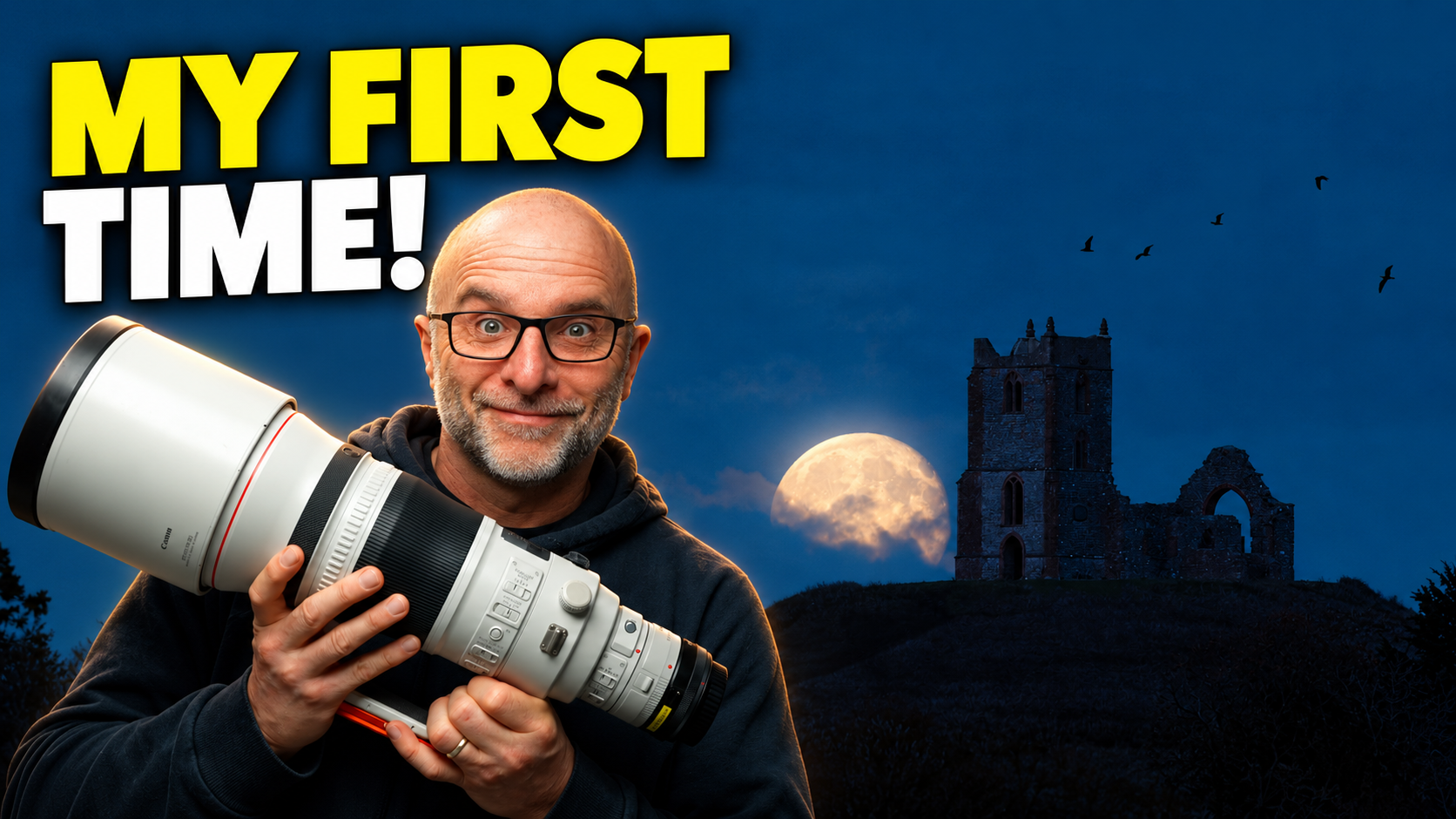
This was the first time I've ever photographed a moonrise. First time I've ever done anything like it, if I'm honest. So I went out with my great friend Ben Kapur, and he showed me the ropes. Ben had done all the planning beforehand with an app called PhotoPills, plus a few other little things he knows, so in theory we knew exactly where the moon would come up behind a church in the distance.
In theory. The night itself didn't go quite to plan [CHECK: date of the shoot]. Even with all that planning, we still stood there doubting ourselves. "We're in the wrong place." So we sprinted one way, then a few moments later sprinted back the other. We expected to see the moon a lot sooner than it actually turned up, and while we couldn't see it the doubt kept growing. "That's cloud. Please, no." Then the moon was up.
I never thought it would be anywhere near as exciting as it was. Who would have thought photographing the moon could be so much fun? What a night.
The kit
Both Ben and I were shooting on the Canon EOS R5 Mark II. Ben was on a 500mm EF lens. I was using the Canon EF 400mm f/2.8 L IS III, on loan from Canon for the time being, with the EF to RF adapter and a 1.4x teleconverter on the back of it. It's a fabulous lens. Absolutely fabulous lens.
The reason for all that focal length is simple. The longer you go, the more the compression kicks in, and that's what makes the moon look so enormous against the church. That's the whole trick, really.
The settings, and why they changed
Ben's ideal numbers going in were around 1/200 sec, f/8, and ISO as low as I could manage. That's the plan you'd write down before you leave the house. But by the time the moon actually showed itself, the ambient light had dropped a lot, so I ended up at 1/125 sec, f/5.6, ISO 2500.
Now, ISO 2500 is absolutely nothing for a modern camera. But the scene was so dark that when I lifted the exposure later, there was a fair bit of noise to deal with. More on that in a minute.
One thing worth saying: this is a single shot. I didn't focus separately on the church and the moon and blend them together. I wanted one single frame, with just a little bit of poetic licence added afterwards.
Choosing the frame
Ben said it's amazing if you can get the moon sitting perfectly behind the church, and we did get that. But once the craziness had calmed down and I was looking back through them on the camera, I kind of preferred the frame with the moon off to the left-hand side of the church, not dead centre behind it. That's the one I chose for the final image.
The editing, trick by trick
There honestly isn't that much editing on this picture. A handful of moves, each doing one job. Here's what they are and why they're there.
Noise reduction with DxO PureRAW 6. I'm not a fan of Lightroom's own noise reduction, and there's definitely better software out there. For me that's DxO PureRAW 6, hands down the best RAW conversion there is (and no, this isn't a promotional plug). I ran the file through it using DeepPRIME XD3, which cleans up the noise and sorts out lens sharpness, vignetting, chromatic aberration and distortion in one go. It spits out a DNG that goes straight back into Lightroom, which is where I'm comfortable working.
Adaptive Color, then pulling the brightness back. In Lightroom I set the profile to Adaptive Color, which I love, then toned the overall brightness down. That's about it for the global edit.
Bringing the brick detail back with High Pass. Here's the catch with noise reduction. On a small, distant, detailed subject like a church, it smooths away the fine brick detail along with the noise. That's just unavoidable. So in Photoshop I duplicated the layer, ran a High Pass filter at around a 5 pixel radius, and set that layer to Hard Light. That sharpens the edges hard. The trouble is it would sharpen the sky too and leave halos, so I hid the whole thing behind a black mask, selected just the church with the Object Selection tool, and filled the selection with white on the mask so the detail shows on the brickwork only. Sky stays clean, no haloing.
A touch of glow on the moon. I just wanted to add a little glow to the moon, so I merged everything to a new layer, ran the Camera Raw Filter as a smart filter, and used its Glow. The default Diffusion style made the moon detail disappear, and Halation didn't really give me much, so I settled on Bloom. I kept it very subtle, because the moon already looks unreal at that size.
Adding the birds. A few minutes before this frame, a group of birds flew across the front of the cameras, with exactly the same composition. So I borrowed them. I made two versions of this image, one with birds and one without. There were six birds in the source frame, but I used five, because I don't like even numbers. I lassoed them, dropped them onto their own layer, and lined them up where they'd been. To lose the grey sky around them I used Blend If, dragging the bright slider on the current layer until the sky dropped out, then splitting that slider with Alt or Option to soften the edges (not too far, or bits of the original background start creeping back). They were still a bit bright and didn't look right, but you can't select them cleanly while Blend If is only hiding the sky. So I merged that layer with an empty one, which turns it into a normal cutout layer, then loaded the selection, filled it with black to darken the birds, and brought the layer down to about 80% opacity.
A final crop. Back into Lightroom for a crop, and that was that. Told you it wasn't much.
Doing it again
I really enjoyed this. It's so good getting out and trying different things, and I owe Ben a big thank you for leading me through the whole night. I'm really looking forward to doing it again next month, maybe in a different location, and before then I need to get properly familiar with PhotoPills myself.
So here's my question for you. Have you ever shot a moonrise, and if you have, where would you send me next?