
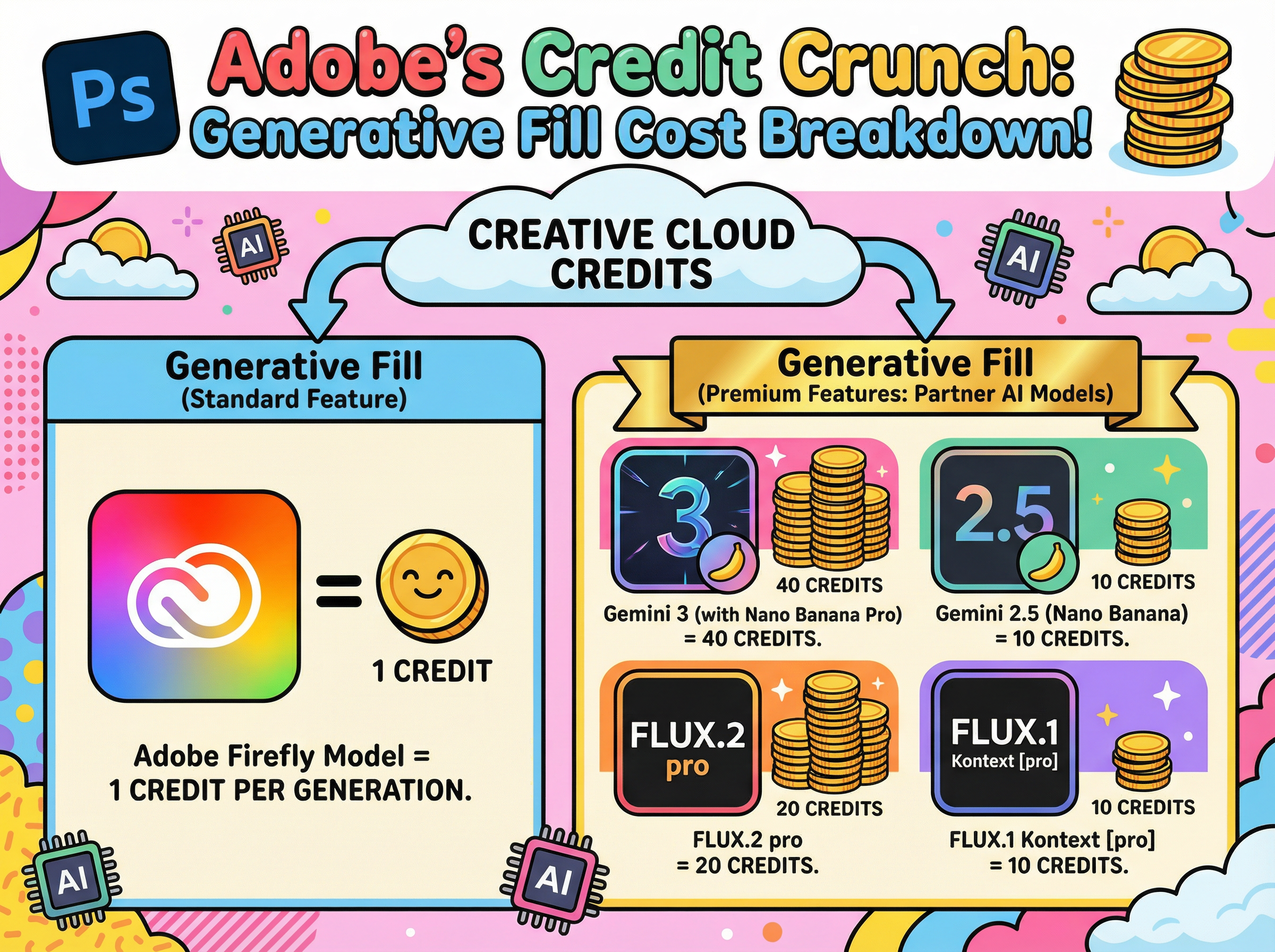
If you've opened Photoshop recently, you've likely noticed that Generative Fill has received a significant upgrade. The platform now offers multiple AI models to choose from, each with distinct capabilities. However, there's an important consideration: these models vary considerably in their generative credit costs.
Understanding the Credit Structure
Adobe's proprietary Firefly model requires only 1 credit per generation, making it the most economical option. The newer partner models from Google (Gemini) and Black Forest Labs (FLUX), however, are classified as premium features and consume credits at a substantially higher rate. Depending on the model selected, you can expect to use between 10 and 40 credits per generation.
For users looking to maximize their monthly credit allocation, selecting the appropriate model for each task becomes an essential consideration.
Firefly: Your Go-To Workhorse (1 Credit)
Firefly serves as the default option and remains the most practical choice for everyday tasks. At just 1 credit per generation, it offers excellent efficiency for routine editing work. Whether you need to remove unwanted objects, extend backgrounds, or clean up imperfections, Firefly handles these tasks effectively.
Additionally, it benefits from full Creative Cloud integration, Adobe's commercial-use guarantees, and Content Credentials support. For standard production workflows, it's difficult to find a more cost-effective solution.
The Premium Players
The partner models represent a significant increase in cost, but they also deliver enhanced capabilities. Adobe operates these models on external infrastructure, which accounts for their higher credit requirements. These models excel at handling complex prompts, challenging lighting scenarios, and situations requiring exceptional realism or fine detail.
The credit costs break down as follows:
Gemini 2.5 (Nano Banana): 10 credits
FLUX.1 Kontext [pro]: 10 credits
FLUX.2 Pro: 20 credits
Gemini 3 (Nano Banana Pro): 40 credits
All of these models draw from the same credit pool as Firefly, but they deplete it considerably faster.
When to Use What
Gemini 2.5 (Nano Banana) occupies a middle position in the model hierarchy. It performs well when Firefly struggles with precise prompt interpretation, particularly for complex, multi-part instructions. This model also excels at maintaining consistent subject appearance across multiple variations.
FLUX.1 Kontext [pro] specialises in contextual integration. It analyses existing scenes to match perspective, lighting, and colour accurately. When adding new elements to complex photographs, this model provides the most seamless integration, making additions appear native to the original image.
FLUX.2 Pro elevates realism significantly. It generates outputs at higher resolution (approximately 2K-class) and demonstrates particular strength with textures. Areas that typically present challenges, such as skin, hair, and hands, appear notably more natural. For portrait and lifestyle photography requiring professional polish, the 20-credit investment may be justified.
Gemini 3 (Nano Banana Pro) represents the premium tier at 40 credits per generation. This "4K-class" option addresses one of Firefly's primary limitations: text rendering. When projects require legible signage, product labels, or user interface elements, Nano Banana Pro delivers the necessary clarity.
A Practical Approach to Model Selection
Default to Firefly (1 credit) for standard edits, cleanup tasks, and basic extensions
Upgrade to Gemini 2.5 (10 credits) when improved prompt interpretation or likeness consistency is required
Select FLUX.1 Kontext (10 credits) when lighting and perspective matching are priorities
Deploy FLUX.2 Pro (20 credits) when realism and texture quality are essential
Reserve Gemini 3 (40 credits) for situations requiring exceptional text clarity and fine detail
The guiding principle is straightforward: begin with the most economical option and upgrade only when project requirements justify the additional cost.