AI

The Invisible Currency of AI 🤖

If you've been using AI tools for any length of time, you've probably hit a confusing moment. Maybe your chatbot suddenly "forgot" something important from earlier in the conversation. Or you opened Photoshop's Generative Fill and noticed a credit counter ticking down. Perhaps you glanced at an API pricing page and saw costs listed per "1K tokens."

When we interact with AI, we think in words and images. The AI thinks in tokens and credits. Understanding these two concepts makes it far easier to get better results and keep an eye on costs.

Part 1: How Text AI Actually "Reads"

When you type a prompt into a text-based AI like Claude, ChatGPT, or Gemini, it doesn't read your sentences the way a human does. Before processing your request, it breaks your text into small digestible pieces.

Those pieces are called tokens.

  • Simple words: Short, common words like "cat," "run," or "the" are often just one token.

  • Complex words: Longer or rarer words get split up, so "unbelievable" might become three tokens.

  • Punctuation and spaces: Commas, periods, and other symbols can also count as tokens, depending on how the model's tokeniser works.

A useful rule of thumb: 1,000 tokens equals roughly 750 English words.

The Context Window: Why AI Forgets

Every AI model has what's called a "context window." Think of it as a short-term memory bucket with a hard limit on how many tokens it can hold at once.

Everything from your conversation has to fit inside:

  • Your original instructions

  • Every question you've asked

  • Every answer the AI has given back

When you're deep into a long conversation or you've pasted in a massive document, this bucket fills up. Once it's full, the model has to discard the oldest tokens to make room for new ones. That's why your AI might suddenly ignore a rule you set at the beginning of the chat. It's not being stubborn, it's just run out of room.

Input vs Output: The Cost of Thinking

From a billing perspective, not all tokens are created equal. Most API pricing separates input tokens from output tokens.

  • Input tokens (reading): What you send in: prompts, documents, instructions.

  • Output tokens (writing): What the AI generates: summaries, code, emails.

Output tokens typically cost more than input tokens because generating new text requires more computation than simply reading and encoding it. This isn't universal, but it's a safe working assumption: longer requested outputs usually cost more on paid APIs.

Part 2: The Visual Artist: Credits

Text models run on tokens, but what about Photoshop's Generative Fill or image tools like Midjourney and Flux? These systems might use tokens behind the scenes, but what you see is usually a simpler "per-generation" approach.

Here's a helpful analogy: when you ask a text model to write an essay, it's like a taxi meter that keeps running until you reach your destination. When you ask for an image, you're ordering a fixed item: "one 1024×1024 image." So billing becomes straightforward: one generation, one charge.

How Adobe Uses Generative Credits

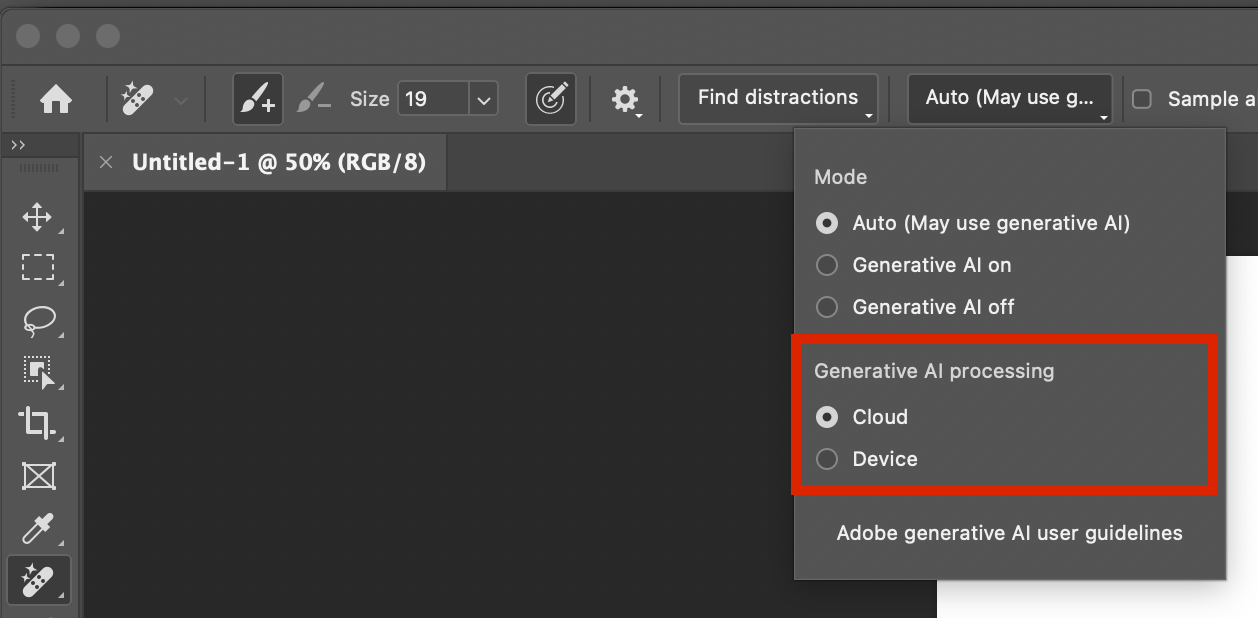
Photoshop's Generative Fill and other Firefly-powered features run on "Generative Credits." Your Adobe plan gives you a monthly allowance, and each generative action consumes part of that allowance.

  • Most standard features use one credit per generation.

  • More intensive features or very large outputs can consume multiple credits, according to Adobe's rate cards.

  • The length of your prompt usually doesn't affect the credit cost. What matters is the type of operation and sometimes the output size.

Other visual platforms work similarly, often charging different amounts based on resolution or quality settings, since bigger, higher-quality images demand more computing power.

Why Some AI Uses More "Juice"

Depending on what you're doing, you can burn through your limits faster than expected.

For text AI (tokens):

  • Long inputs: Pasting a 50-page transcript into your prompt can devour a huge chunk of both your context window and token budget before the model even starts responding.

  • Long outputs: Asking for a detailed, multi-page answer consumes far more output tokens, and therefore more compute and money, than requesting a tight one-paragraph summary.

For image AI (credits):

  • Quantity: Generating 10 variations costs roughly 10 times as many credits as generating one image, because each generation is its own job.

  • Resolution and complexity: Higher resolutions or video-like outputs often consume more credits per job, reflecting the extra server work required.

The Takeaway

You don't need to be a mathematician to use AI well, but understanding tokens and credits makes you a far better pilot.

If your text AI starts getting confused or ignoring earlier instructions, you've likely pushed past its context window. Try trimming or summarising earlier content to free up space. If you're worried about image costs, invest time in a clear, targeted prompt and sensible resolution settings. Get what you need in as few generations as possible, rather than brute-forcing dozens of variations.

Master these invisible currencies, and you'll get better results while keeping your costs under control.


Learn more

Why I Love AI ... and Why I'm Still the Boss 😎

When I think back to the not-too-distant past, it's wild how much has changed. An editing task that used to take me thirty minutes (hair selections, cloning, backdrop cleanup) now takes about thirty seconds; and THIS is why I'm excited about what AI brings to the party.

AI: The Best Assistant I Never Had to Train

Look, nobody got into photography because they dreamed of removing sensor dust or spending three hours meticulously masking flyaway hairs. That stuff isn't the art. It's just the cleanup crew work that has to happen before we get to make our magic.

And honestly? AI is brilliant at that stuff.

Think of it this way: AI handles the grunt work so I can focus on the vision. It's like having an incredibly fast, never-complaining assistant who's amazing at the boring bits and then steps aside when the real creative decisions need to be made.

Oh and those decisions that need to be made? Those are still mine.

Where AI Stops and I Begin

There's a line, though, and it's one I think about a lot.

AI can smooth skin, relight faces, swap out skies. It can create a technically "perfect" image in seconds. But here's the thing: perfect isn't always interesting. Sometimes those ultra-polished images feel a bit ... lifeless. Like they're missing something human.

The magic happens in the choices we make. The colour grade that shifts the whole mood. The decision to keep a little texture in the skin because real people aren't porcelain. The way we balance light and shadow to tell the story we want to tell.

That's where our style lives. That's the part AI can't do because it doesn't have taste, intuition, or a point of view.

It's a tool. A really good tool. But we’re the one holding it.

Getting My Life Back

The biggest win isn't just sharper images or cleaner backgrounds. It's time.

AI is giving me hours back. Hours I used to spend in my office, squinting (I’ve now got new glasses) at a monitor, doing repetitive tasks that made me question my life choices.

Now I can use that time for the stuff that actually matters: shooting more personal projects, experimenting with new techniques, or better still, spending time with my wife and friends. Making memories instead of just editing them. Living the life that's supposed to inspire the work in the first place.

We shouldn't fear these tools. We should embrace them (smartly) so we can get back to doing what we love.

Where Do You Stand?

I'm curious how you're navigating this shift.

Are you using AI tools to speed up your workflow? Or are you still figuring out where the line is between "helpful assistant" and "too much automation"?

I'd love to hear how you're finding the balance in the comments below.


Learn more

How AI is Saving 🛟 Photography by Killing it 💀

I've been scrolling through photo forums lately, and the panic is everywhere. Every day brings a new AI model that can generate hyper-realistic portraits, relight scenes after the fact, or conjure landscapes no human has ever visited.

Everyone's asking: "Is this the end of professional photography?"

After watching the industry closely and digesting the patterns, I've come to a conclusion that might surprise you.

We're not witnessing the death of photography. We're witnessing a correction, one that might actually save it.

The Middle Is Collapsing

For twenty years, the barrier to entry for "professional" photography has been dropping. Digital cameras made it easier to learn. The internet made it easier to find clients. A massive middle class of working photographers emerged: people shooting corporate headshots, basic product photos, standard real estate listings.

This is where AI hits hardest.

If a business needs "a diverse, happy team in a modern office" for their website, they don't need a photographer anymore. They can generate it in thirty seconds for pennies. If your primary value is owning a nice camera and delivering sharp, well-exposed images, the machines can do that faster and cheaper.

The "technician" photographer is becoming obsolete.

The New Professional: Selling Truth, Not Pixels

Here's what's interesting: the industry isn't just shrinking. The definition of "professional" is fundamentally changing.

In a world where perfect imagery is free and instant, we're shifting from an Image Economy to a Trust Economy.

The photographers who survive won't be paid for technical skill alone. They'll be paid for authenticity and accountability, for being present when it mattered.

Where does that happen?

Weddings and Events: A bride doesn't want an AI-generated image of her father crying. She wants her father crying at her wedding. The value isn't the lighting. It's the irreplaceable proof that the moment existed. AI can't witness anything.

Photojournalism: As deepfakes multiply, the value of a trusted human eye actually increases. News organizations need someone who can vouch for what really happened. The photographer becomes a verifier.

High-Stakes Commercial Work: Nike might use AI for backgrounds, but when they're sponsoring an athlete, they need a real photo of that person wearing that shoe. Legally. Ethically.

To stay professional, you can't just be a picture-taker anymore. You're either a creative director who uses AI to accelerate your vision, or you're a trusted witness in situations where truth matters.

The Vinyl Renaissance

So what about everyone else?

This is the liberating part … we get to do it because we love it.

Think about vinyl records. Digital streaming is more efficient, cheaper, and technically superior, yet vinyl sales are surging. Why? Because people love the ritual. The tangible object. The imperfections. The experience.

Photography is heading in the same direction.

Typing prompts into a computer is efficient, but it can never and will never replace the experience. Waking at 4 a.m. to hike a mountain (hoping the sunrise hits just right) is an adventure. Developing film in a darkroom is magic. Approaching a stranger for a portrait is human connection.

The future of photography, for most of us, won't be about hustling or undercutting competitors on price; it'll be about the joy of creation itself.

What's Left

The industry is shedding its commercial bloat. The middle ground is gone. What remains are two groups: highly specialised professionals chasing truth, and passionate hobbyists chasing light … and both living an experience.

Personally? I'm more than okay with that reality. What about you?


Learn more

🤖 4 Key Insights from Google's Gemini 3 Launch

4 Key Insights from Google's Gemini 3 Launch That Go Beyond the Numbers

With new AI models arriving every week, it's hard to tell which announcements actually matter. Many releases simply offer minor improvements and higher test scores, leaving us wondering what it all means for everyday use.

Google's Gemini 3 launch is different. Beyond the impressive benchmarks lie four important changes that show where AI technology is really headed. This article highlights the most significant developments that point to a major shift in both what AI can do and how we interact with it.

Insight 1: From Assistant to Thinking Partner

The biggest change in Gemini 3 isn't just improved performance. It's a deeper level of understanding that transforms how we interact with AI. Google designed the model to "grasp depth and nuance" so it can "peel apart the overlapping layers of a difficult problem."

This creates a noticeably different experience. Google says Gemini 3 "trades cliché and flattery for genuine insight, telling you what you need to hear, not just what you want to hear." This represents an important evolution in how we work with AI. Instead of a simple tool that answers questions, it becomes a real collaborative partner for tackling complex challenges and working through difficult problems.

This new relationship demands more from us as users. When your main tool acts like a critical colleague rather than an obedient helper, you need to step up your own thinking and collaboration skills to get the most out of it.

Google CEO Sundar Pichai put it this way:

It's amazing to think that in just two years, AI has evolved from simply reading text and images to reading the room.

Insight 2: Deep Think Mode Brings Specialized Reasoning

Google introduced Gemini 3 Deep Think mode with this launch. This enhanced reasoning mode is specifically designed to handle "even more complex problems." The name isn't just marketing. It's backed by real performance improvements on some of the industry's toughest tests.

In testing, Deep Think surpasses the already powerful Gemini 3 Pro on challenging benchmarks. On "Humanity's Last Exam," it achieved 41.0% (without tools), compared to Gemini 3 Pro's 37.5%. On "GPQA Diamond," it reached 93.8%, beating Gemini 3 Pro's 91.9%.

This matters because it shows a future where AI isn't a single, universal intelligence. Instead, we're seeing the development of specialized "modes" for different thinking tasks. This isn't just about raw power. It's a strategic approach to computational efficiency, using the right amount of processing for each specific task. This is crucial for making AI sustainable as it scales up.

Insight 3: Antigravity Changes How Developers Build Software

Perhaps the most forward-thinking announcement was Google Antigravity, a new "agentic development platform." This represents a fundamental change in how developers work with AI, aiming to "transform AI assistance from a tool in a developer's toolkit into an active partner."

What makes Antigravity revolutionary is what it can actually do. Its AI agents have "direct access to the editor, terminal and browser," letting them "autonomously plan and execute complex, end-to-end software tasks." The potential impact is huge. Going far beyond simple code suggestions, it completely redefines the developer's role. Instead of writing every line of code, developers become directors of AI agents that can build, test, and validate entire applications independently.

Insight 4: AI Agents Can Now Handle Long-Term Tasks

A major challenge for AI has always been "long-horizon planning." This means executing complex, multi-step tasks over extended periods without losing focus or getting confused. Gemini 3 shows a real breakthrough here.

The model demonstrated its abilities on "Vending-Bench 2," where it managed a simulated vending machine business for a "full simulated year of operation without drifting off task." This capability translates directly to practical, everyday uses like "booking local services or organizing your inbox."

This new reliability over long sequences of actions is the critical piece that could finally deliver on the promise of truly autonomous AI. It marks AI's evolution from a "single-task tool" you use (like a calculator) to a "persistent process manager" you direct (like an executive assistant who handles your projects for months at a time).

Looking Ahead: A New Era of AI Interaction

These aren't isolated features. They're the building blocks for the next generation of AI. The main themes from the Gemini 3 launch (collaborative partnership, specialized reasoning, agent-first development, and long-term reliability) all point toward a future that goes beyond simple prompts and responses.

The focus has clearly shifted from basic question-and-answer interactions to integrated, autonomous systems built for real complexity. As AI moves from a tool we command to a partner we collaborate with, we'll need to adapt how we think, work, and create alongside it.


Learn more

The Fisherman's Tale 🐟 New Compositing Workflow

Yesterday morning I popped out for breakfast and to meet up with a friend, Steve.

After a great bite to eat at one of my favourite haunts, Town Mill Bakery (Lyme Regis) I sprung it on him that I had an idea for a picture I wanted to put together and that I needed him to be the subject.

The idea was to create a portrait of a Fisherman and to do this with a combination of Photography, Lightroom, Photoshop and AI, to test out a new workflow.

So, here’s the resulting image, and below is a breakdown of the steps involved using Lightroom, Photoshop, Google Gemini AI and Magnific (Upscaler)

The Process

  • Taking the portrait of Steve with the desired background

  • Initial Edits in Lightroom

  • Export into Google Gemini AI and add Stock Photographs of Fisherman’s clothing onto Steve. Create image in 4K and then Upscale 2x

  • Create aging, weathering on the Overalls and Hat using Gemini AI and then selectively paint this onto Steve using Masks in Photoshop

  • In Gemini AI generate the fish and Steve’s new arm position, then mask this into the main image in Photoshop

Extend Background in Photoshop and add finishing touches in Lightroom including Colour Grading, Adjusting Lighting, Lens Blur, Adding Grain etc …


Learn more

🚀 AI: Creative Leap, NOT Deception

The headlines are full of outrage: AI is ruining photography, destroying trust, and spreading lies. The critics claim that generative tools are the death knell for visual truth, weaponizing deception on a scale we've never seen.

But let's pause. This argument is fundamentally flawed. It misdiagnoses the problem and unfairly demonizes the most powerful creative tool invented in a generation.

AI isn't the origin of the lie; it's the radical acceleration of the human desire to tell a more compelling story.

The Real History of "The Lie" in Photography

To claim that AI introduces deception to photography is to ignore the entire history of the medium. Visual manipulation has always been an inherent part of the creative process.

Consider the foundation of photojournalism: narrative construction.

The "Migrant Mother" (1936): Dorothea Lange's iconic image is hailed as a moment of truth, yet she meticulously constructed it. She cropped out the husband and teenage daughter to create a solitary, suffering figure. She physically directed the children to turn away. This wasn't a lie about poverty, but it was a masterful, intentional editing job designed to maximize emotional impact. It was truth made more powerful through manipulation.

"Valley of the Shadow of Death" (1855): During the Crimean War, Roger Fenton is believed to have literally moved cannonballs onto the road to make the scene look more dramatic and dangerous. The technology was primitive, but the intent to shape reality for a better picture was exactly the same as today's AI tools.

"The Falling Soldier" (1936): Robert Capa’s famous war photo is widely accepted as having been staged to capture an image of heroism and death that was too fleeting or dangerous to capture authentically.

These historical examples show that photographers have been physically arranging reality, staging scenes, and using darkroom techniques to tell the story they wanted to tell for over a century. The core issue has never been the camera or the software; it has always been the editorial judgment of the person behind it.

The Crop Tool Was Always More Dangerous Than AI

We also must remember the power of basic, low-tech deception. Long before generative fill, simple techniques were used to create outright political and social lies:

Intentional Cropping: The infamous photo of the toppling of the Saddam Hussein statue in 2003 was widely published using a tight crop to imply a massive, cheering crowd. The reality, revealed in a wide-angle shot, was an almost empty square. A simple crop created a massive global political narrative that contradicted the facts on the ground.

Perspective Tricks: The photo appearing to show Prince William making a rude gesture was simply a trick of perspective, hiding fingers to create a completely false narrative of aggression.

These are not complex manipulations. They are intentional deceptions using the most basic tools of photography: angle and crop. If simple tools can be used to propagate such significant lies, why is the focus solely on AI?

AI: The Ultimate Creative Democratizer

The fear surrounding AI is largely rooted in its speed, scale, and accessibility, not its capacity for invention.

AI is not primarily a tool of deception; it is a profound creative liberation.

  1. It Democratizes Vision: AI allows a person who cannot afford expensive equipment or complex training to visualize concepts instantly. It lowers the barrier to entry for creative expression to the point of a text prompt.

  2. It Expands Possibility: For professional photographers and artists, AI is not a replacement but an enhancer. It can instantly remove unwanted elements, seamlessly extend a scene, or realize complex conceptual ideas that would have previously taken days or weeks of painstaking work.

  3. It Forces Honesty: The very existence of perfect AI fakes means the public must now learn to treat all images, even traditional photos, with a new level of healthy skepticism. This shift forces better media literacy and demands higher ethical standards from those who publish images.

The problem is not the tool that can generate a manipulated image; the problem is the person who chooses to present that manipulated image as an unvarnished, factual truth. Blaming AI for deception is like blaming a pen for writing a lie. The pen is merely a tool.

Ultimately, AI is forcing us to acknowledge the truth about photography: it has always been an art of subjective framing, editing, and narrative construction. The ethical debate must move away from demonizing the technology and focus instead on demanding transparency and integrity from the people who use it.


Learn more

ChatGPT's Brutual Words on the Future of Photo Editing

I recently sat down with ChatGPT to discuss the future of AI in photo editing. But this wasn’t the usual polite, agreeable AI conversation. I asked for the "On Edge" take - no fence-sitting, just the brutal truth.

The consensus? The days of manually pushing pixels are numbered. We are moving from a world of technical craftsmanship to one of creative direction.

Here is the unvarnished reality of where photo editing is heading.

1. The "Mixed Bag" Reality Check

If you think AI is just going to make everyone a creative genius, think again. The future is a double-edged sword.

  • The Pro: Tasks that used to take hours will take seconds. The grunt work is disappearing.

  • The Con: We are about to see a flood of "cookie-cutter" edits.

  • The Hard Truth: AI will widen the gap between "okay" and "truly skilled." When anyone can press a button to get a polished image, technical skills stop being the differentiator. The real separation will be pure creative vision. If you’ve been relying on technical tricks rather than an artistic eye, you might feel exposed.

2. Photoshop as a "Cockpit" Not a Workbench

We are already seeing Adobe integrate third-party tools (Google’s models, Black Forest Labs’ Flux, Topaz) directly into Photoshop. This is a strategic power move to keep Adobe as the "hub" of the ecosystem.

But how will the interface evolve?

Expect Photoshop to shift from a manual workshop to a Command Center.

  • Current State: A toolbox where you manually tweak curves, levels, and stamps.

  • Future State: A cockpit of "AI Co-pilots." You will direct intelligent agents to execute tasks.

You will say, "Give this a cinematic mood," and one AI will handle the grading. You’ll say, "Fix the skin texture," and another handles the retouching. You are no longer the mechanic; you are the Creative Director.

3. The New Skill Gap: Prompting vs. Sliders

This is the part that makes old-school retouchers nervous. The slider days are fading; the era of "describe what you want" is taking over.

The differentiator is no longer how well you know a hidden menu in Capture One or Lightroom. It is about how you steer the AI.

Old Skill Set / New Skill Set

The secret sauce is now the instructions you give. The AI can’t imagine on its own; it needs your taste to guide it away from the generic and toward the unique.

4. Adapt or Die: A Note to Educators and Pros

For those whose entire business model relies on teaching people how to use sliders and manual tools, this is a major shake-up. But it’s not doom and gloom—it’s a pivot.

  • For Educators: Stop teaching button-pushing. Start teaching creative thinking, prompt crafting, and vision. Move from being a technical instructor to a creative mentor.

  • For Retouchers: AI gets you 90% of the way there, but it lacks the "human touch." Become the specialist in that final 10%—the subtle artistic decisions and finesse that an algorithm misses.

5. The "Generated Pixel" Controversy

Camera clubs and traditionalists are rightfully concerned. When an image contains pixels the photographer didn't capture, is it still photography?

The advice is simple: Don't fight the tide, surf it.

We need transparency and clear categorization:

  1. Pure Capture Categories: Strictly no generated pixels.

  2. AI-Augmented Categories: Open experimentation.

Photography has evolved before (film to digital), and this is just the next step. By separating the categories, we preserve the tradition of the craft while allowing space for the new wave of digital art.

The Bottom Line

The future isn't about the software tools vanishing; it's about them moving to the background. The sliders will likely remain tucked away for the die-hards, much like manual mode on a camera, but the workflow will be AI-first.

If you are worried about AI taking your job, remember this: The tool is changing, but the eye remains. AI can generate an image, but only a human can know if it’s right.

Interviewed by London Camera Exchange at the South West Photo Show

At the recent South West Photo Show in Exeter, it was great to be asked and to sit downc and chat with London Camera Exchange’s Pete Rawlinson …

In this exclusive interview, Pete catches up with the incredibly talented Glyn Dewis at the South West Photo Show. We delve into Glyn’s moving and powerful 39-45 Portraits Project – a series honouring World War II veterans through timeless portraiture – and explore the stories and inspiration behind his work. Glyn also shares his thoughts on the evolving world of photography, including how he's embraced AI editing tools to enhance his creative process while staying true to his signature style. Whether you're a photographer, history enthusiast, or simply love a great conversation, this is one not to miss!

AI versus Old-School Photoshop – Which One Wins?

Artificial Intelligence is revolutionizing Photoshop, but is it always the best option?

In this video, I show how technology we've had in Photoshop for a number of years can produce a much better result when expanding an image ... and the results might surprise you!

🔍 Watch to find out:
✅ Alterative tools/techniques to Generative Expand
✅ How to get BEST results using Content Aware Scale

⏰ Chapters:
00:00 - Introduction
02:03 - Generative Expand
04:30 - Content Aware FIll
06:58 - Content Aware Scale
09:50 - Even BETTER Results