news

UK Drone Rules are Changing

It looks like some big updates are coming to the UK drone scene from 1 January 2026, especially around how drones are classed, identified, and registered. Here is a revised, plain‑English version that reflects the latest CAA guidance.​

1. New UK class marks

From 1 January 2026, most new drones sold in the UK for normal hobby and commercial flying will carry a UK class mark from UK0 to UK6. This mark shows what safety standards the drone meets and which set of rules apply.​

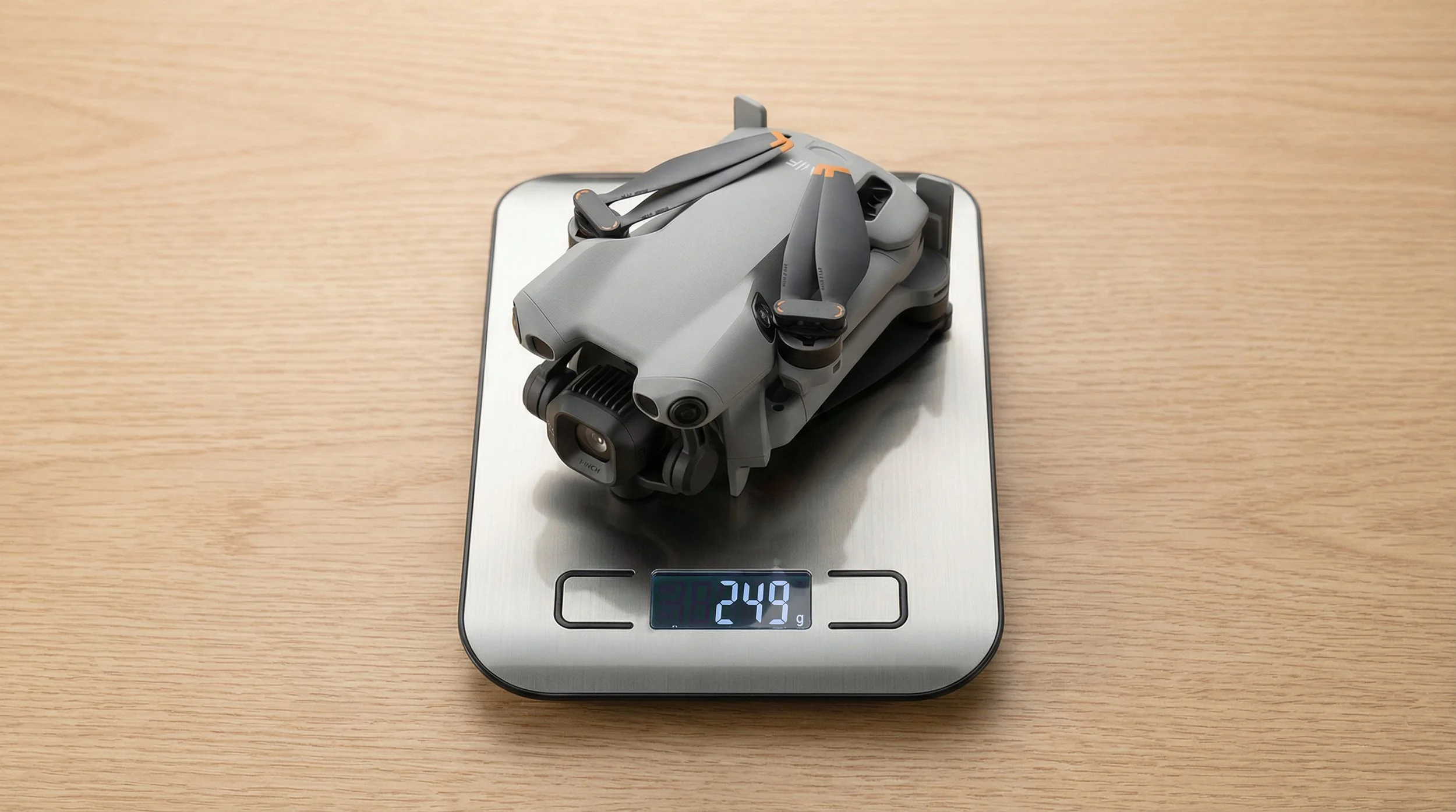
  • UK0: Very light drones under 250g, including many small “sub‑250” models.​

  • UK1–UK3: Heavier drones intended for typical Open Category flying, with increasing levels of safety features as the class number goes up.​

  • UK4: Mostly used for model aircraft and some specialist use.​

  • UK5 & UK6: Higher‑risk drones designed for more advanced or specialist operations, usually in the Specific Category.​

EU C‑class drones:
If you already own an EU C‑marked drone, it will continue to be recognised in the UK until 31st December 2027, so you can keep flying it under the transitional rules until then.​

2. Remote ID – your “digital number plate”

Remote ID (RID) is like a digital number plate for your drone: it broadcasts identification and flight information while you are in the air. This helps the CAA, police and other authorities see who is flying where, and pick out illegal or unsafe flights.​

  • From 1st January 2026

    • Any UK‑class drone in UK1, UK2, UK3, UK5 or UK6 must have Remote ID fitted and switched on when it is flying.​

  • From 1st January 2028 (the “big” deadline)

    • Remote ID will also be required for:​

      • UK0 drones weighing 100g or more with a camera.

      • UK4 drones (often model aircraft) unless specifically exempted.

      • Privately built drones 100g or more with a camera.

      • “Legacy” drones (no UK class mark) 100g or more with a camera.

What RID does (and does not) share:

  • It broadcasts things like your drone’s location, height and an identification code (serial/Operator ID), plus some details about the flight.​

  • It does not broadcast your name or home address to the general public; it is designed for safety and enforcement, not doxxing pilots.​

3. Registration

The UK is tightening registration so that more small camera drones are covered. The key change is that the threshold drops from 250g to 100g for many requirements.​

From the new CAA table:​

  • Flyer ID – for the person who flies

    • Required if your drone or model aircraft weighs 100g to less than 250g
      (including UK0), and for anything 250g or heavier.​

  • Operator ID – for the person responsible for the drone

    • Required if your drone:

      • Weighs 100g to less than 250g and has a camera; or

      • Weighs 250g or more, even without a camera.​

    • If your drone is 100–250g without a camera, an Operator ID is optional
      (though it is still recommended).​

In everyday terms:

  • If your drone has a camera and weighs 100g or more, you should expect to need both an Operator ID and a Flyer ID.​

  • Sub‑100g aircraft remain outside the legal registration requirement, but the CAA still recommends taking the Flyer ID test for knowledge and safety.​

4. Night flying

If you fly at night, your aircraft must now have at least one green flashing light turned on. This makes it easier for other people and aircraft to see where it is and in which direction it is moving.​

A2 CofC and how close you can fly

The A2 Certificate of Competency (A2 CofC) still matters for flying certain drones closer to people. Under the new regime:​

  • With an A2 CofC, you can fly UK2‑class drones:

    • As close as 30m horizontally from uninvolved people in normal operation.​

    • Down to 5m in a dedicated “low‑speed mode” if your drone supports it and you comply with all conditions.​

  • For legacy drones under 2 kg, you should still keep at least 50m away from uninvolved people when using A2‑style privileges under the transitional rules.​

Always check the latest CAA drone code for the category you are flying in, as extra restrictions may apply depending on location and type of operation.​

5. What you need to do

If you are already flying legally today, you do not need to panic, but you should plan ahead over the next couple of years.​

  • Now–end of 2025

    • Make sure you have a valid Flyer ID and Operator ID if your drone falls into the current registration thresholds.​

  • From 1st January 2026

    • When buying a new drone, check that it has the correct UK class mark and built‑in Remote ID if it is UK1, UK2, UK3, UK5 or UK6.​

    • Use a green flashing light when flying at night.​

  • By 1st January 2028

    • If you own a legacy drone or UK0/UK4 aircraft 100g or more with a camera, ensure you are ready to comply with Remote ID, either through built‑in hardware or an approved add‑on.​

If you keep an eye on these dates and make sure your registration, class marks and Remote ID are in order, your current setup should remain usable under the new rules for years to come.​

Choosing the Right AI Model in Photoshop: A Credit-Smart Guide

If you've opened Photoshop recently, you've likely noticed that Generative Fill has received a significant upgrade. The platform now offers multiple AI models to choose from, each with distinct capabilities. However, there's an important consideration: these models vary considerably in their generative credit costs.

Understanding the Credit Structure

Adobe's proprietary Firefly model requires only 1 credit per generation, making it the most economical option. The newer partner models from Google (Gemini) and Black Forest Labs (FLUX), however, are classified as premium features and consume credits at a substantially higher rate. Depending on the model selected, you can expect to use between 10 and 40 credits per generation.

For users looking to maximize their monthly credit allocation, selecting the appropriate model for each task becomes an essential consideration.

Firefly: Your Go-To Workhorse (1 Credit)

Firefly serves as the default option and remains the most practical choice for everyday tasks. At just 1 credit per generation, it offers excellent efficiency for routine editing work. Whether you need to remove unwanted objects, extend backgrounds, or clean up imperfections, Firefly handles these tasks effectively.

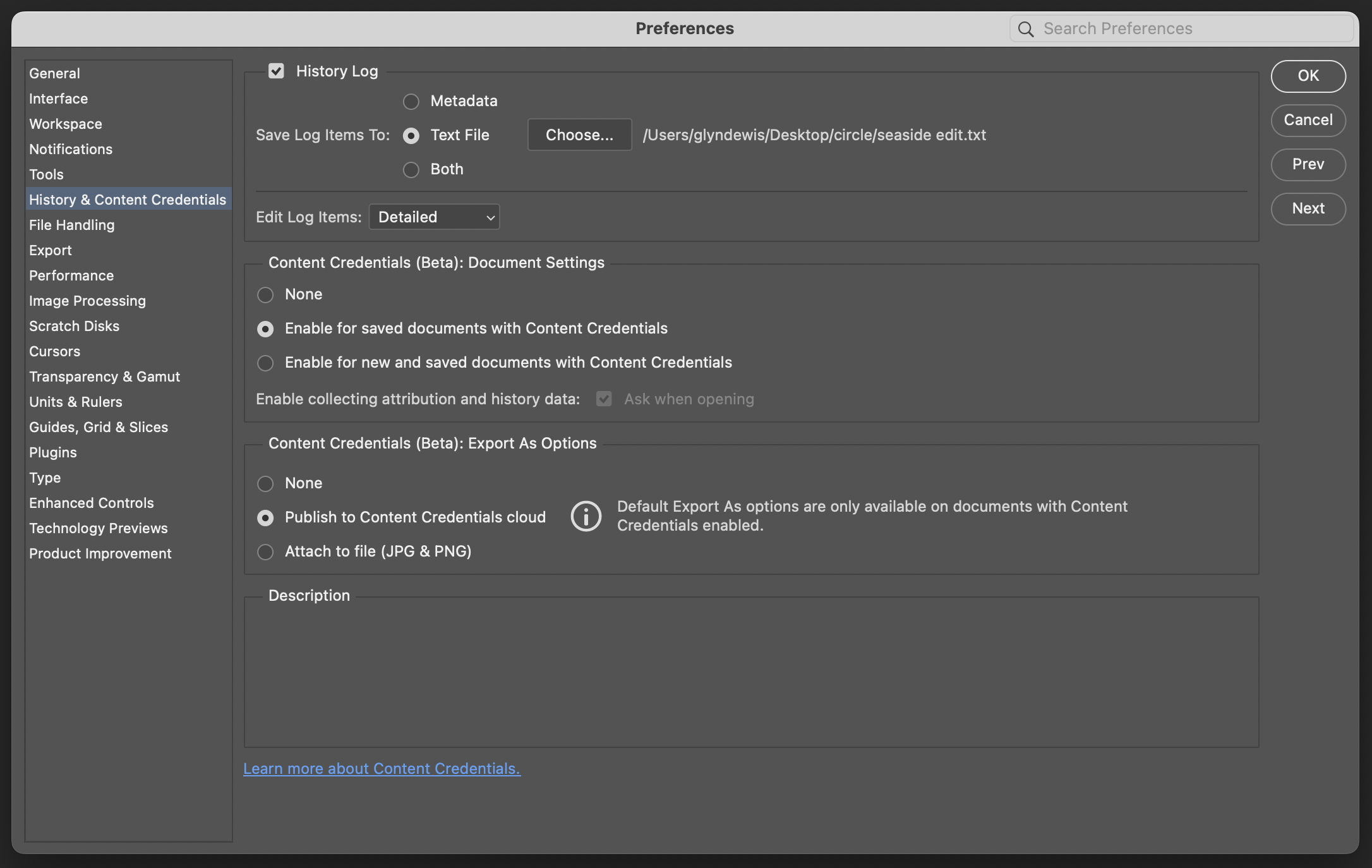
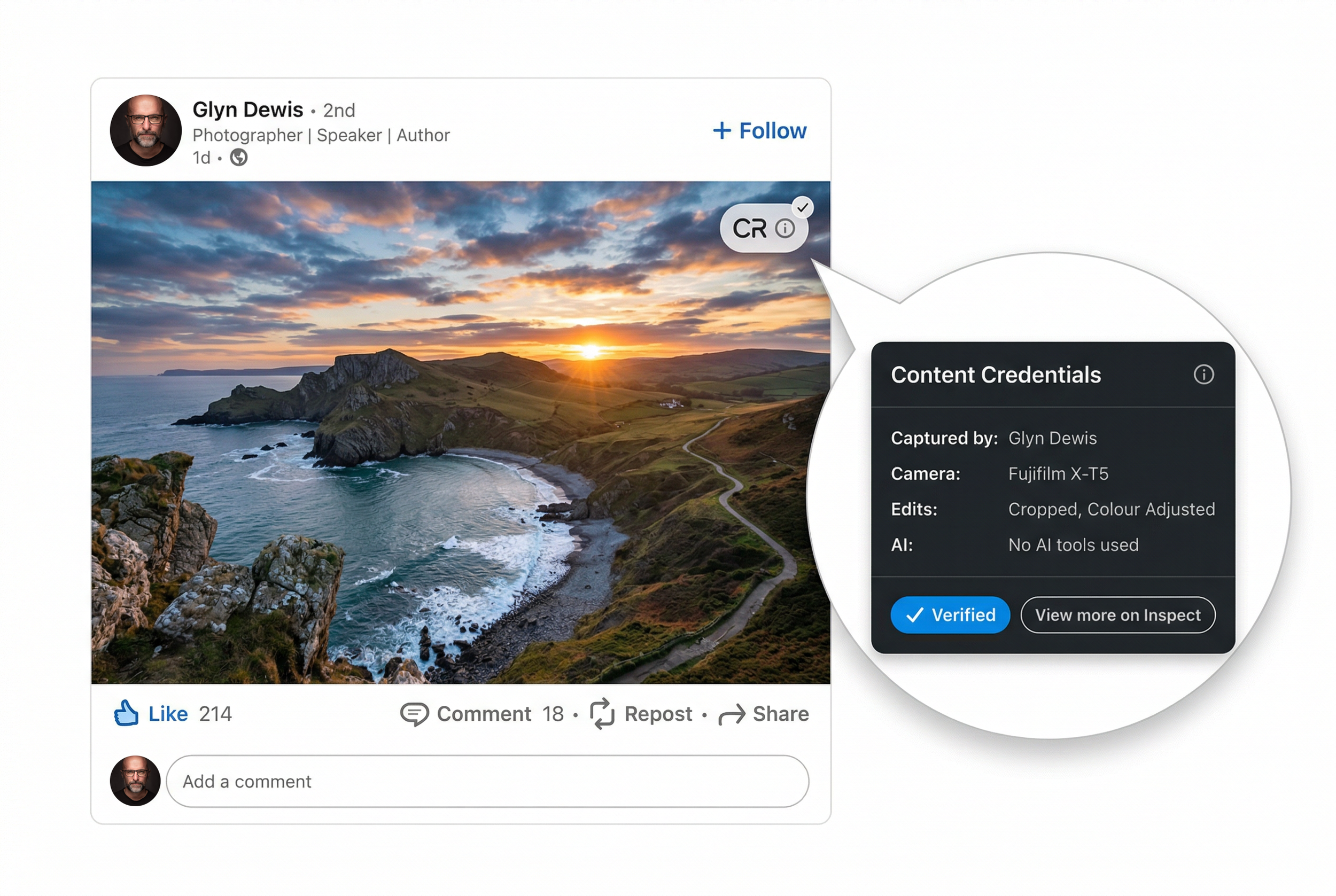
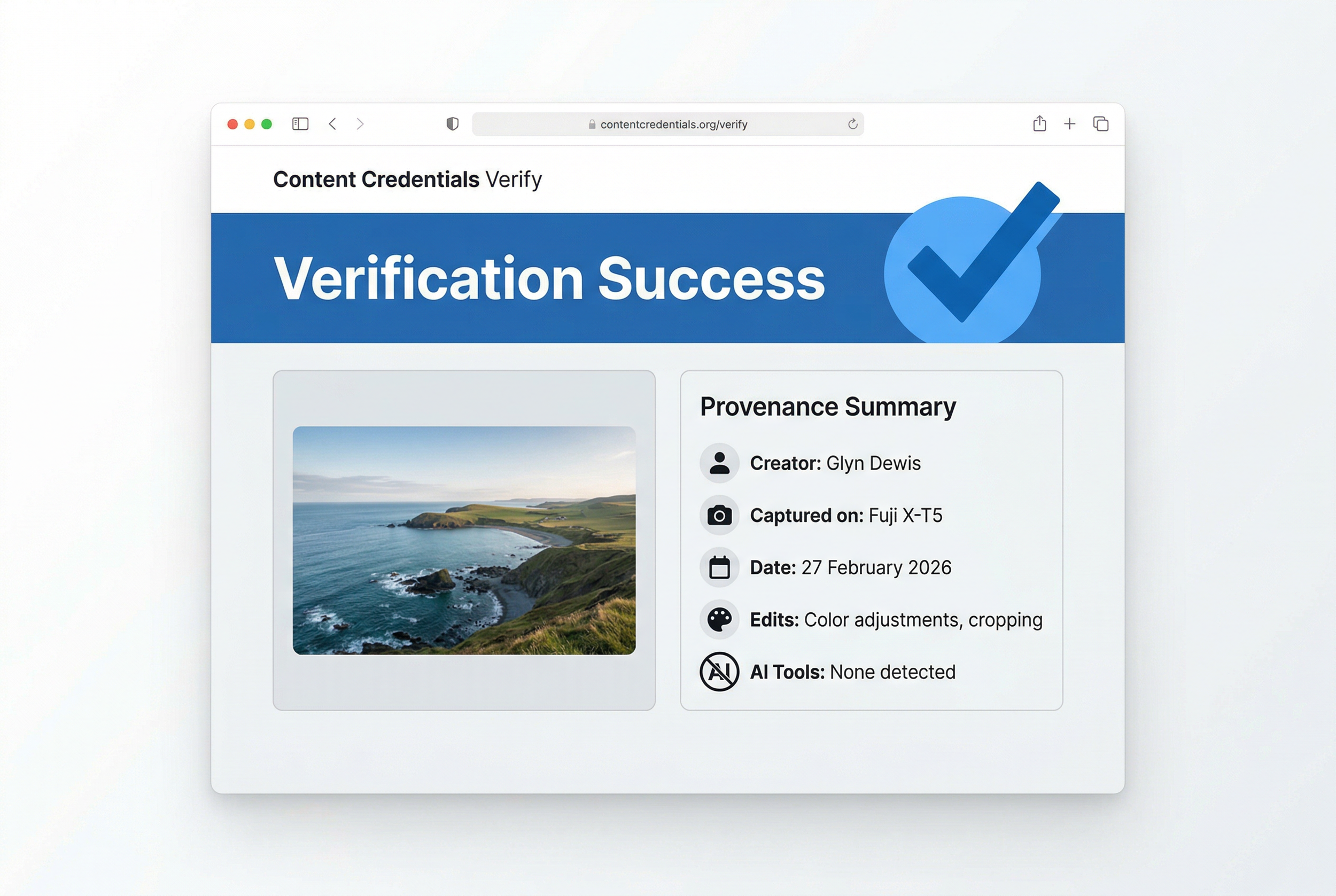
Additionally, it benefits from full Creative Cloud integration, Adobe's commercial-use guarantees, and Content Credentials support. For standard production workflows, it's difficult to find a more cost-effective solution.

The Premium Players

The partner models represent a significant increase in cost, but they also deliver enhanced capabilities. Adobe operates these models on external infrastructure, which accounts for their higher credit requirements. These models excel at handling complex prompts, challenging lighting scenarios, and situations requiring exceptional realism or fine detail.

The credit costs break down as follows:

  • Gemini 2.5 (Nano Banana): 10 credits

  • FLUX.1 Kontext [pro]: 10 credits

  • FLUX.2 Pro: 20 credits

  • Gemini 3 (Nano Banana Pro): 40 credits

All of these models draw from the same credit pool as Firefly, but they deplete it considerably faster.

When to Use What

Gemini 2.5 (Nano Banana) occupies a middle position in the model hierarchy. It performs well when Firefly struggles with precise prompt interpretation, particularly for complex, multi-part instructions. This model also excels at maintaining consistent subject appearance across multiple variations.

FLUX.1 Kontext [pro] specialises in contextual integration. It analyses existing scenes to match perspective, lighting, and colour accurately. When adding new elements to complex photographs, this model provides the most seamless integration, making additions appear native to the original image.

FLUX.2 Pro elevates realism significantly. It generates outputs at higher resolution (approximately 2K-class) and demonstrates particular strength with textures. Areas that typically present challenges, such as skin, hair, and hands, appear notably more natural. For portrait and lifestyle photography requiring professional polish, the 20-credit investment may be justified.

Gemini 3 (Nano Banana Pro) represents the premium tier at 40 credits per generation. This "4K-class" option addresses one of Firefly's primary limitations: text rendering. When projects require legible signage, product labels, or user interface elements, Nano Banana Pro delivers the necessary clarity.

A Practical Approach to Model Selection

Default to Firefly (1 credit) for standard edits, cleanup tasks, and basic extensions

  1. Upgrade to Gemini 2.5 (10 credits) when improved prompt interpretation or likeness consistency is required

  2. Select FLUX.1 Kontext (10 credits) when lighting and perspective matching are priorities

  3. Deploy FLUX.2 Pro (20 credits) when realism and texture quality are essential

  4. Reserve Gemini 3 (40 credits) for situations requiring exceptional text clarity and fine detail

The guiding principle is straightforward: begin with the most economical option and upgrade only when project requirements justify the additional cost.

🤖 4 Key Insights from Google's Gemini 3 Launch

4 Key Insights from Google's Gemini 3 Launch That Go Beyond the Numbers

With new AI models arriving every week, it's hard to tell which announcements actually matter. Many releases simply offer minor improvements and higher test scores, leaving us wondering what it all means for everyday use.

Google's Gemini 3 launch is different. Beyond the impressive benchmarks lie four important changes that show where AI technology is really headed. This article highlights the most significant developments that point to a major shift in both what AI can do and how we interact with it.

Insight 1: From Assistant to Thinking Partner

The biggest change in Gemini 3 isn't just improved performance. It's a deeper level of understanding that transforms how we interact with AI. Google designed the model to "grasp depth and nuance" so it can "peel apart the overlapping layers of a difficult problem."

This creates a noticeably different experience. Google says Gemini 3 "trades cliché and flattery for genuine insight, telling you what you need to hear, not just what you want to hear." This represents an important evolution in how we work with AI. Instead of a simple tool that answers questions, it becomes a real collaborative partner for tackling complex challenges and working through difficult problems.

This new relationship demands more from us as users. When your main tool acts like a critical colleague rather than an obedient helper, you need to step up your own thinking and collaboration skills to get the most out of it.

Google CEO Sundar Pichai put it this way:

It's amazing to think that in just two years, AI has evolved from simply reading text and images to reading the room.

Insight 2: Deep Think Mode Brings Specialized Reasoning

Google introduced Gemini 3 Deep Think mode with this launch. This enhanced reasoning mode is specifically designed to handle "even more complex problems." The name isn't just marketing. It's backed by real performance improvements on some of the industry's toughest tests.

In testing, Deep Think surpasses the already powerful Gemini 3 Pro on challenging benchmarks. On "Humanity's Last Exam," it achieved 41.0% (without tools), compared to Gemini 3 Pro's 37.5%. On "GPQA Diamond," it reached 93.8%, beating Gemini 3 Pro's 91.9%.

This matters because it shows a future where AI isn't a single, universal intelligence. Instead, we're seeing the development of specialized "modes" for different thinking tasks. This isn't just about raw power. It's a strategic approach to computational efficiency, using the right amount of processing for each specific task. This is crucial for making AI sustainable as it scales up.

Insight 3: Antigravity Changes How Developers Build Software

Perhaps the most forward-thinking announcement was Google Antigravity, a new "agentic development platform." This represents a fundamental change in how developers work with AI, aiming to "transform AI assistance from a tool in a developer's toolkit into an active partner."

What makes Antigravity revolutionary is what it can actually do. Its AI agents have "direct access to the editor, terminal and browser," letting them "autonomously plan and execute complex, end-to-end software tasks." The potential impact is huge. Going far beyond simple code suggestions, it completely redefines the developer's role. Instead of writing every line of code, developers become directors of AI agents that can build, test, and validate entire applications independently.

Insight 4: AI Agents Can Now Handle Long-Term Tasks

A major challenge for AI has always been "long-horizon planning." This means executing complex, multi-step tasks over extended periods without losing focus or getting confused. Gemini 3 shows a real breakthrough here.

The model demonstrated its abilities on "Vending-Bench 2," where it managed a simulated vending machine business for a "full simulated year of operation without drifting off task." This capability translates directly to practical, everyday uses like "booking local services or organizing your inbox."

This new reliability over long sequences of actions is the critical piece that could finally deliver on the promise of truly autonomous AI. It marks AI's evolution from a "single-task tool" you use (like a calculator) to a "persistent process manager" you direct (like an executive assistant who handles your projects for months at a time).

Looking Ahead: A New Era of AI Interaction

These aren't isolated features. They're the building blocks for the next generation of AI. The main themes from the Gemini 3 launch (collaborative partnership, specialized reasoning, agent-first development, and long-term reliability) all point toward a future that goes beyond simple prompts and responses.

The focus has clearly shifted from basic question-and-answer interactions to integrated, autonomous systems built for real complexity. As AI moves from a tool we command to a partner we collaborate with, we'll need to adapt how we think, work, and create alongside it.


Learn more

🚀 AI: Creative Leap, NOT Deception

The headlines are full of outrage: AI is ruining photography, destroying trust, and spreading lies. The critics claim that generative tools are the death knell for visual truth, weaponizing deception on a scale we've never seen.

But let's pause. This argument is fundamentally flawed. It misdiagnoses the problem and unfairly demonizes the most powerful creative tool invented in a generation.

AI isn't the origin of the lie; it's the radical acceleration of the human desire to tell a more compelling story.

The Real History of "The Lie" in Photography

To claim that AI introduces deception to photography is to ignore the entire history of the medium. Visual manipulation has always been an inherent part of the creative process.

Consider the foundation of photojournalism: narrative construction.

The "Migrant Mother" (1936): Dorothea Lange's iconic image is hailed as a moment of truth, yet she meticulously constructed it. She cropped out the husband and teenage daughter to create a solitary, suffering figure. She physically directed the children to turn away. This wasn't a lie about poverty, but it was a masterful, intentional editing job designed to maximize emotional impact. It was truth made more powerful through manipulation.

"Valley of the Shadow of Death" (1855): During the Crimean War, Roger Fenton is believed to have literally moved cannonballs onto the road to make the scene look more dramatic and dangerous. The technology was primitive, but the intent to shape reality for a better picture was exactly the same as today's AI tools.

"The Falling Soldier" (1936): Robert Capa’s famous war photo is widely accepted as having been staged to capture an image of heroism and death that was too fleeting or dangerous to capture authentically.

These historical examples show that photographers have been physically arranging reality, staging scenes, and using darkroom techniques to tell the story they wanted to tell for over a century. The core issue has never been the camera or the software; it has always been the editorial judgment of the person behind it.

The Crop Tool Was Always More Dangerous Than AI

We also must remember the power of basic, low-tech deception. Long before generative fill, simple techniques were used to create outright political and social lies:

Intentional Cropping: The infamous photo of the toppling of the Saddam Hussein statue in 2003 was widely published using a tight crop to imply a massive, cheering crowd. The reality, revealed in a wide-angle shot, was an almost empty square. A simple crop created a massive global political narrative that contradicted the facts on the ground.

Perspective Tricks: The photo appearing to show Prince William making a rude gesture was simply a trick of perspective, hiding fingers to create a completely false narrative of aggression.

These are not complex manipulations. They are intentional deceptions using the most basic tools of photography: angle and crop. If simple tools can be used to propagate such significant lies, why is the focus solely on AI?

AI: The Ultimate Creative Democratizer

The fear surrounding AI is largely rooted in its speed, scale, and accessibility, not its capacity for invention.

AI is not primarily a tool of deception; it is a profound creative liberation.

  1. It Democratizes Vision: AI allows a person who cannot afford expensive equipment or complex training to visualize concepts instantly. It lowers the barrier to entry for creative expression to the point of a text prompt.

  2. It Expands Possibility: For professional photographers and artists, AI is not a replacement but an enhancer. It can instantly remove unwanted elements, seamlessly extend a scene, or realize complex conceptual ideas that would have previously taken days or weeks of painstaking work.

  3. It Forces Honesty: The very existence of perfect AI fakes means the public must now learn to treat all images, even traditional photos, with a new level of healthy skepticism. This shift forces better media literacy and demands higher ethical standards from those who publish images.

The problem is not the tool that can generate a manipulated image; the problem is the person who chooses to present that manipulated image as an unvarnished, factual truth. Blaming AI for deception is like blaming a pen for writing a lie. The pen is merely a tool.

Ultimately, AI is forcing us to acknowledge the truth about photography: it has always been an art of subjective framing, editing, and narrative construction. The ethical debate must move away from demonizing the technology and focus instead on demanding transparency and integrity from the people who use it.


Learn more

Affinity Software Announcement - 30th October 2025

Affinity, now Affinity by Canva has unified its three separate applications (Designer, Photo, and Publisher) into a single app and made it permanently free.

🔑 Key Details

🎨 Unified Application

Instead of three separate applications, Affinity now offers one unified app that consolidates:

  • Vector design tools (formerly Designer)

  • Photo editing tools (formerly Photo)

  • Layout and publishing tools (formerly Publisher)

💰 Pricing Structure

  • Core App: Completely free with no feature restrictions, no trial periods, or hidden costs

  • AI Features: Available exclusively to Canva Pro subscribers ($14.99/month or $119.99/year)

🤖 AI Capabilities (Canva Pro Required)

Users with Canva Pro accounts can access Canva AI tools directly within Affinity through the Canva AI Studio:

  • Generative Fill

  • Expand & Edit

  • Remove Background

  • Additional Canva AI features

💻 Platform Availability

  • Mac & Windows: Available immediately

  • iPad: Scheduled for release in 2026

🔐 Account Requirements

A free Canva account is required to download and use the application.

📚 Background

  • Canva acquired Affinity in March 2024 for $380 million

  • In early October 2025, Affinity stopped selling all existing software versions

  • This announcement represents a shift from Affinity's previous paid perpetual license model

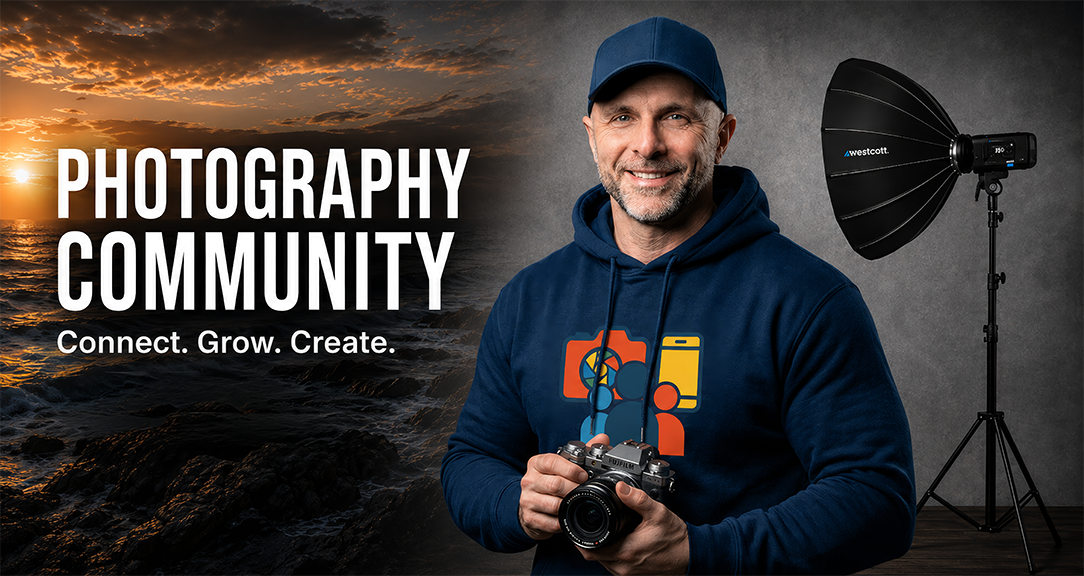
My Glyn Dewis Masterclass Community on SKOOL

Yesterday I launched my Masterclass Community on SKOOL.

“A community for photography lovers wanting to build skills, confidence, and inspiration to create images that excite them and they’re truly proud of.”

Members that have already joined will have seen the calendar with Scott Kelby joining us for a LIVE Guest Seminar in July and Joel Grimes joining us for a seminar in August ... with a new Guest each month.

I have also set the referall commission at 50% which means if you recommend just 2 people who join then your membership is paid for ... and any recommendations ontop of that means money back in your pocket ... ( $175 on-off for Annual Membership and $19.50 every month ongoing for monthly membership )

CLICK / TAP FOR MORE DETAILS

Finally set up my Linktree Page 😃

So a couple of days ago I finally got round to setting up my Linktree Page, having decided to make the move from Biosite which I find limiting … and a little clunky.

Here’s my unique URL: linktr.ee/glyndewis

But … What is Linktree ?

In today’s digital world, managing multiple online profiles and content can be overwhelming. That’s where a Linktree comes in with a simple, effective way to organise and showcase all your important links in one place.

Linktree is a free (or premium) platform that allows you to create a personalised landing page with multiple clickable links.

Instead of sharing numerous URLs across different social media bios, email signatures, or websites, you can share just one Linktree URL, and when people click it, they’re directed to a page that displays all your relevant links prominently … all in one place.

Why Use a Linktree?

  • Centralised Access: Gather all your online content: social media profiles, blogs, shops, portfolios, videos etc in one easy-to-navigate page.

  • Save Space: Perfect for platforms with character limits, like Instagram bios.

  • Enhance Engagement: Direct followers precisely where you want them, be it your latest YouTube video, online store, or newsletter sign-up.

  • Professional Appearance: Make your online presence look organized and polished.

Who Can Benefit?

  • Creators and Influencers

  • Entrepreneurs and Small Business Owners

  • Artists and Musicians

  • Anyone with multiple online platforms looking for a convenient way to share their content.

Getting Started

Setting up your Linktree is straightforward: sign up, customize your profile, add your links, and share your unique Linktree URL. You can even customize the appearance to match your branding.

Final Thoughts

A Linktree simplifies the way you connect with your audience by providing a one-stop link that showcases everything you do. It’s a powerful tool to boost your online presence and make navigation easier for your followers.

Simples 😃

Delivering Iris Jefferies' Portrait from the 3945 Portraits Project

THIS is what it’s all about ❤️

Yesterday afternoon I drove to Bristol to deliver Iris Jefferies’ portrait and I couldn’t have wished for a better reaction …

So pleased too that Iris’ family got to see her portrait and Iris’ late husband David’s portrait as they appeared during the BBC’s VE80 Celebration Concert ( LINK )

3945 WW2 Veterans Portraits Project shown during the BBC's VE80 Concert

So incredibly proud and honoured that portraits from the 3945 Portraits Project were shown, projected on stage during the BBC’s VE80 Celebration Concert at Horse Guards Parade in London, infront of the King, Veterans, Veteran’s Families and the Nation

The portraits appeared during a rendition of "You'll never walk alone" sung by Sir Willard White. You can watch it here: https://glyndewis.com/3945portraits

Amateur Photographer Magazine - VE80 Edition (May 2025)

In this months edition, and their Special VE80 issue of Amateur Photographer magazine I was interviewed by journalist / writer Helly Barnes about my 3945 Portraits Project.

It was such a great chat being asked so many things I'd never been asked before; the reason for the project, the emotional roller coaster it quickly became, stories etc ...

I'll admit that it's really nice to have a front cover, but more than anything, it's brilliant that this ultimately means more people will become aware of the 3945 Portraits Project, meaning more people will get to know the names and faces of those amazing people!