
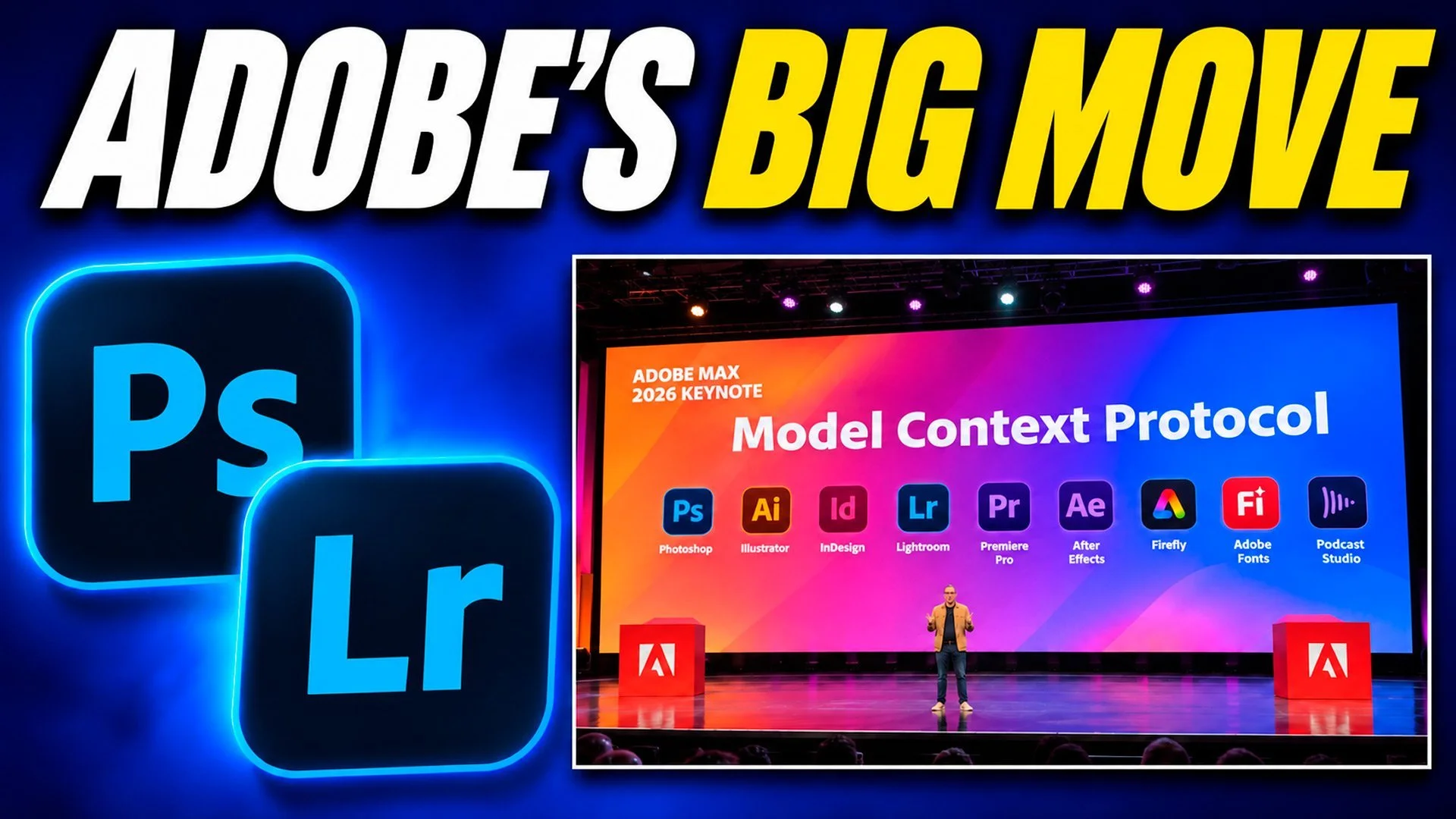
On the 10th November, at Adobe MAX in Miami Beach, Adobe announced something coming to its apps that I think is well worth talking about, and it’s called MCP. You can’t use it yet, because it’s going into a private beta in early 2027, but in simple terms it means an AI assistant being able to work inside your Adobe software, doing certain jobs for you.
I’ve made a video going through it all, and this is the written version for anyone who’d rather read it. There’s a fair bit nobody knows yet, so wherever I’m guessing I’ll say so.
What MCP actually is
MCP stands for Model Context Protocol, and in plain terms, which is how I like things, it’s a way for an AI assistant to ask another piece of software to do things for you.
It works like this. The app publishes a list of the actions it’s able to carry out, and you tell the assistant the job you want doing in ordinary words, the way you’d say it to a person. The assistant looks at the list, picks the actions that fit and asks the app to do them, the app does them, you see the result on screen and you carry on.
It’s a bit like ordering from a menu; you can only ask for what’s on it. For Photoshop you could imagine a tricky selection and cut out being on that list, and for Lightroom something like renaming a set of files or adding keywords, but those are just my examples to give you the shape of it, because Adobe hasn’t published what’s actually going to be on the list.
It’s worth saying too that MCP isn’t a new app from Adobe. It’s a connection standard, a way for two bits of software to talk to each other.
Why this might sound familiar
If you’ve followed my channel for a while, some of this will ring a bell, because at the end of September and the start of October I made two videos circling around the same idea.
In the first, I let ChatGPT edit my photos in Lightroom. It studied 11 of my own seascape edits and then edited an unedited raw file in my style, moving the same sliders I’d move and making masks while I sat back with my arms folded to prove I wasn’t touching anything. It didn’t generate a picture, and every adjustment was still there for me to change afterwards.
In the second, ChatGPT used Photoshop. I gave it three jobs on three pictures, with a long exposure and a haircut amongst them, and it used Photoshop’s own tools and left everything as layers and masks so I could go back into it.
In both, ChatGPT took control of my computer. It moved the mouse and clicked its way through the job the way a person would, it asked permission first, and I could watch everything it did and stop it at any point.
What’s the same, and what’s different
MCP is kind of like that, but much more integrated.
What’s the same is the important stuff. It’s on your computer, it uses the apps’ own tools on your actual files, and the edits stay editable.
What’s different is how the assistant gets the work done. With ChatGPT it was working the screen the way you or I would, moving the mouse and clicking around while I sat alongside watching, whereas with MCP, from how I understand it, the assistant doesn’t need to hunt around the screen at all; the app hands it that list of actions and the assistant asks the app directly. Adobe’s own wording is that the agent “works directly in your native project files”, and that’s what much more integrated means to me.
That’s my understanding of how MCP works in general, though. Adobe hasn’t published how its beta will work, so please don’t take any of this as a promise on speed or reliability or what it’ll be able to do.
What Adobe has actually confirmed
Adobe’s blog post says MCP integrations will let you keep working from the third-party agent you already use, while it calls on Photoshop, Illustrator, Premiere and After Effects when a task needs them. It runs locally on your computer, so your layers, vectors, bins and sequences stay editable, and you can step in at any point to refine things by hand.
The blog also has an example that wasn’t shown on stage, which is removing a logo from campaign assets. You make the change once and then ask the agent to cascade it across the rest of the campaign, which is exactly the kind of repetitive job I can see this being good for.
In the keynote there were a few examples on screen, with ChatGPT working inside Photoshop, Claude inside Illustrator and a Premiere one turning a podcast into social clips. Those were examples of what’s coming rather than a walk through of the beta, though, and Adobe’s written announcement doesn’t name any assistants; it talks about “preferred third-party agents”.
As for timing, it’s a private beta in early 2027 for Creative Cloud customers.
What we don’t know yet
Quite a lot hasn’t been published: which assistants will be supported, what it’ll cost, what the assistant is allowed to see and what the system requirements are.
Lightroom is the one I’m most interested in, and it isn’t on Adobe’s written list. I took a photo of the slide at the keynote and it shows more icons than those four apps, with Lightroom and InDesign in there too, and on stage it was said they’re bringing native MCP support to all of their desktop creative tools. The written announcement only names four, though, so I’m not taking that as a promise for Lightroom.
Where I’d draw the line
This bit is me guessing. If an assistant could one day work inside Lightroom on my own computer, the place I can see it helping is the tedious stuff that comes after a shoot; renaming files, sorting the keepers, keywording and getting a batch looking consistent, all with the edits left in place for me to change. I’m not saying that’s coming, just that it’s where my mind goes.
For my own everyday editing, the way I’ve used AI tools has been for corrections. The Remove tool, reflections I couldn’t avoid when I was shooting, and now and then a long fiddly selection like hair, all to give myself more time back for the creative side of things. Those ChatGPT videos were experiments, not how I work day to day.
Where you draw the line yourself probably comes down to why you’re editing in the first place. If you’re doing it purely because you enjoy it, the answer could be very different to someone for whom it’s part of their work, and I think both are completely fair.

