
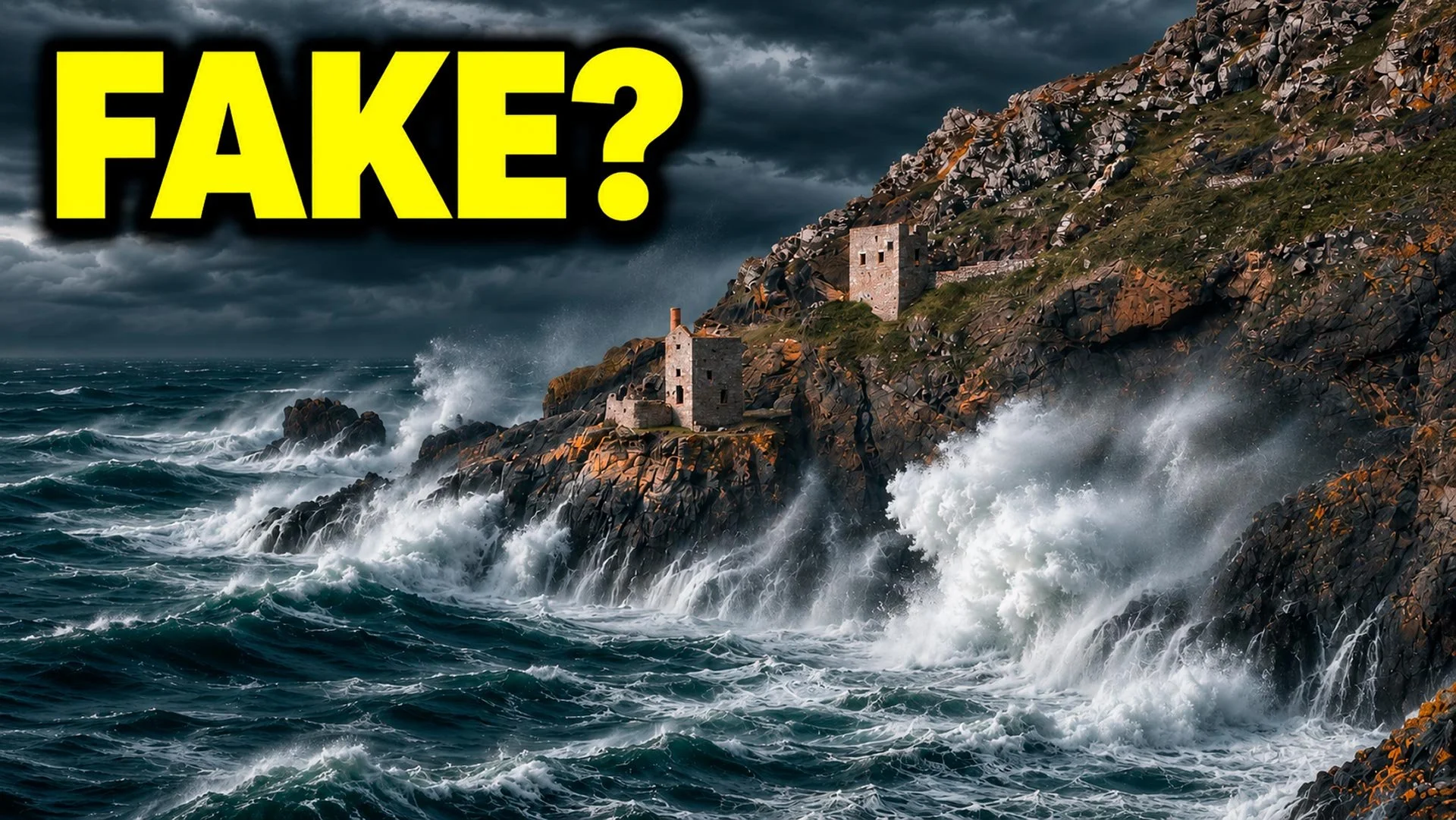
Towards the end of October, a photo of Whitehaven Lighthouse in a storm went up on a local Facebook page, apparently shot with a drone in winds gusting up to 77 miles per hour. Dave Wilson, a Cumbrian photographer and certified commercial drone pilot, looked at it and thought something wasn’t quite right, and he was right; it was AI.
The video above goes through how he proved it and how you can check a photo yourself for free, but the bit I really like is where Dave started.
The question Dave asked first
Before he went anywhere near software, Dave asked a photographer’s question, which was whether that drone could even fly in those conditions.
The photo was said to have been shot on a DJI Air 3S, and DJI’s own spec gives that drone a maximum wind resistance of 12 metres per second, which is about 27 miles per hour. The Met Office station at St Bees Head, just down the coast, logged a 77 miles per hour gust at 2am on the 25th October, with a mean wind of 45 miles per hour. The drone’s top speed is only about 47 miles per hour, so even in the average wind it would have been flying flat out just to stand still.
Dave left a comment saying he thought it was AI, and the page admins deleted it. He then ran the images through OpenAI’s Verify tool, which looks for an invisible watermark called SynthID, and it confirmed his suspicions. PetaPixel checked too, and virtually all of the other images checked from the company’s website carried SynthID as well.
The company told PetaPixel that the storm image came from someone who’d previously been part of the team, and that it shouldn’t have been presented as a genuine photograph. It denies the whole portfolio is AI, and says SynthID turns up elsewhere because it adds its watermark using ChatGPT. For what it’s worth, Dave has said he doesn’t believe there was any malicious intent and he doesn’t condone anyone harassing the business.
Why the label matters
I do use AI tools in my own work, but only for corrective jobs like the Remove tool, getting rid of reflections I couldn’t avoid at the time, and the odd long, tedious job such as an intricate selection of hair. That gives me more time back to be creative.
The problem here was the label. Calling something a real photograph when it isn’t misleads people, and if you’re a photographer, your name is your reputation.
Making two fakes of my own
To see how the checks work, I took one of my own calm seascapes and made it stormy in two different ways, because each one leaves a different kind of mark. The first was in Photoshop, using Generative Fill across the whole canvas with Firefly Image 5, and the second was in ChatGPT, using the same photo and the same prompt.
Put them side by side with the real one and imagine seeing them at phone size on a Facebook page; it’s not hard to see how this happens.
Content Credentials
Content Credentials are like a nutrition label inside the file, recording where the image came from and what was done to it. You can check them for free at contentcredentials.org/verify, and when I dragged in the ChatGPT fake, it said the image was generated with an AI tool.
The catch is that they don’t travel well. An independent test in October uploaded a file with credentials to 11 platforms, including Instagram, Facebook, X and LinkedIn, and every one of them stripped the credentials out. A screenshot does the same, so if there’s nothing there, it doesn’t mean the picture is fake; it just means nobody signed it.
It’s also worth knowing that Lightroom Classic users are reporting a generative AI label after using Generative Remove on something as small as a dust spot, so an honestly retouched landscape can look like an AI image on paper.
SynthID
SynthID is the check that caught out Whitehaven. It’s an invisible watermark in the pixels themselves rather than in the metadata, so it can survive a screenshot or an upload, though not always. Google opened its detector to everyone on the 7th October at synthid.com, and OpenAI has its own checker called Verify.
My ChatGPT fake was confirmed straight away, but a result of not detected doesn’t rule out AI. Adobe isn’t listed as a SynthID partner, so a Firefly image may simply not carry it. A positive result also only tells you that AI touched the file, not how much, which is why the ChatGPT watermark explanation is at least plausible.
AI detector websites
Sites like Hive’s free detector don’t read a watermark; they guess from patterns in the image and give you a percentage, so be careful with them.
NewsGuard tested five detectors this year and found real photos were wrongly called AI about 13% of the time, while lightly edited real photos were flagged anywhere from 27% to 93% of the time, depending on the tool. Use them as a nudge, never as a verdict, and check the terms before you upload, because uploading to Hive grants it an irrevocable, perpetual licence.
The old-school checks
Some of the most useful checks have nothing to do with AI at all:
Google Lens or TinEye, to see whether the picture has appeared before with a different story
an EXIF reader like Jimpl or ExifTool, bearing in mind that missing EXIF proves nothing
the Met Office and a tide table, to see whether the weather and the sea match
PhotoPills or SunCalc, to see whether the light matches where the sun was
your own kit knowledge, which is exactly where Dave started
Hands and garbled text used to give AI away, but current generators mostly get those right now, so I wouldn’t rely on them.
Signing your own photos
You can also sign your own work using the free Adobe Content Authenticity web app at contentauthenticity.adobe.com. I added my real seascape, attached my name and verified social accounts, set my AI training preference and clicked apply. When I ran the signed file back through the inspection site, it showed Content Credentials issued by Adobe, so there’s now a record saying that one’s mine.
I’m not out to catch anyone for using AI; I just want people to be straight about it. If you made it with AI, say so, and if you shot it, sign it.

