MILITARY PHOTOGRAPHER to WILDLIFE PHOTOGRAPHER | Jamie Peters

This is the recording of a live broadcast where I chat with British Army photographer turned wildlife photographer Jamie Peters. We talk about his kit, his planning and preparation, the lessons he's learned and the mistakes he's made along the way, and we go behind the scenes of some of his stunning images. It's an honest look at what it takes to get great wildlife photographs, from someone who's moved from one very different kind of photography to another.

LINKS MENTIONED IN THE VIDEO:

Jamie Peters’ Website: www.jamiepeters.co.uk

Jamie Peters on Instagram: @jamiepeters.co.uk

Soldier in camouflage uniform sitting against a wall using a laptop beside his kit and rifle
African elephant with ears spread standing in green grass under a cloudy sky
Lioness walking through long grass towards the camera in soft light
Close-up of a red fox sniffing purple crocus flowers in green grass

The MOST ANNOYING thing about the iPhone

The more people I mention this to, the more I’m aware that it’s not common knowledge or at least its something that hasn’t been noticed, but Apple promoting the 48MP sensor of the iPhone is not all its made out to be.

Two black and white seascapes of waves crashing on a rocky coast

Now don’t get me wrong, I’m a BIG advocate of mobile photography. I’m loving getting out and capturing seascapes. I love the convenience of it and I’m loving the results and ease of doing so. Of course it calls for the usual skills such as understanding light and composition and anyone that says it’s the phone doing that essential part for you is well, quite frankly, missing the point.

My best landscape / seascape images I’ve taken with my iPhone however when it comes to portraiture it is limited. We can capture natural light and I’m experimenting more and more with constant LED light and glad to say, having a level of success. ProFoto even have a strobe on the market that the iPhone is capable of triggering; if you’ve never seen examples of this then I’d highly recommend you check out Russell Brown on Instagram and / or Facebook. I also am very aware that a certain lighting company is also working on their own strobe and app capable of being triggered by the iPhone, so there’s lots of exciting things on the nearing horizon.

Two low-key portraits of an older man in a dark jumper and beanie

However, certainly at the time of writing this there is, in my opinion a HUGELY annoying and disappointing aspect of iPhone photography, and that’s how Apple have the camera system set up.

Let me explain …

By default when we open the camera app on our iPhones, the system defaults to the 1x lens, and this is the lens that gives us the ability to take photographs at 48MP; any other lens we use 2x, 5x etc and we drop down to 12MP.

Now this isn’t anything out of the ordinary as I know from friends with other brands of phone cameras, that similar happens for them too, but with the iPhone 48MP Pro Raw is only available using the 1x lens AND when using AUTO settings!

iPhone camera app with an arrow pointing to the resolution setting

This means if you change ANY setting that takes it out of AUTO, then you drop down to 12MP.

So if you’re using the Apple Camera App and tap and drag on the screen to lock or alter exposure, you drop from 48MP to 12MP.

iPhone camera app with an arrow pointing to the shooting controls

If you use ANY of the Pro Camera Apps out there with their fancy all Bells and Whistles interfaces where you can alter White Balance, Shutter Speed, ISO and so on … the moment you alter ANY of them, you drop from 48MP to 12MP.

iPhone camera app with an arrow pointing to the format setting

Now don’t get me wrong, the 12MP Bayer Raw files my then iPhone 14 Pro Max captured were great as are the ones from my iPhone 15 Pro Max; not the quality of my Sony Mirrorless, but still great and VERY useable. Infact I even had a 72” print done of one of my seascapes by Digitalab and the quality was very impressive, BUT I couldn’t help think at the time what it would have been like at 48MP … especially when editing.

Photographer standing beside a large black and white seascape print

Of course I’m going to continue taking photographs with my iPhone because I really do see this as becoming BIG in the near future and I thoroughly enjoy doing it, but unless / until Apple make it so that we can maintain 48MP out of Auto, then calling it Pro is pushing the truth somewhat. 12MP Raw is good but 48MP Raw is better!

There’s more I want to cover about this and will do so very soon because I’ve discovered something about using ND filters with the iPhone that I think will very much come as a surprise, so I’ll keep you posted when I share that.

Oh and finally, if you’re reading this and you use another brand of phone camera, I’d be intrigued to hear if you do in fact have the same thing happen when adjusting settings as I’ve mentioned, so please do share any comments / thoughts below.

Cheers,
Glyn

QUICK TIP: Multiple Selections in Photoshop

How to make multiple selections of the same fixed shape in Photoshop is something I get asked about quite often, so I put together this very quick video to show how it's done. Rather than drawing each selection by hand and trying to match the size every time, you'll see how to keep the shape fixed and add as many selections as you need.

Rick Wenner | Photographing ARNOLD SCHWARZENEGGER and Other Celebrities

This is the recording of a live broadcast where I'm joined by New York-based photographer Rick Wenner to go behind the scenes of photographing some of the most famous people on the planet, Arnold Schwarzenegger among them. We chat about his process and what goes into photographing people whose faces are known around the world. If you've ever wondered what it's like to have a household name in front of your camera, this is a great insight into how Rick works.

links mentioned in the video:

Man in a tweed jacket smoking a cigar in a wood-panelled room
Black and white portrait of a smiling man with swept-back hair, hands raised beside his face
Black and white close-up portrait of a white-haired man adjusting his round glasses

Mark Lynham | PHOTOGRAPHING FAST JETS + FEATHERS | The Art of High Speed Photography

This is the recording of a live broadcast where I chat with fast jet, and bird, photographer Mark Lynham as we look through his stunning images. We talk about how he does it, the kit he uses and why, plus his tips and a whole lot more. Whether it's an aircraft or a bird in flight, high speed photography brings its own challenges, and hearing how Mark approaches both is a real eye-opener.

Links mentioned during the video

The Video Creators Virtual Summit 2024: bit.ly/vcvs2024

The iPhone Photography Conference 2024: bit.ly/iphone-photo2024

Mark Lynham Website: marklynham.com

Mark Lynham on Instagram: @marklynham

Fighter jet flying through dark storm clouds seen from above
Grey fighter jet banking low over a motion-blurred brown landscape
White pelican on rippled water with pink-lit mountains behind

Grab my FREE Lightroom Presets from the Lightroom Community

So recently I wrote about these 2 images that I captured over the past few weeks …

Black and white long exposure of a bridge stretching across the water
Moody seascape of waves breaking below golden sandstone cliffs

I edited both images in Lightroom so what I’ve done is make all of the editing steps donwloadable as a Preset that you can use in Lightroom and / or Camera Raw.

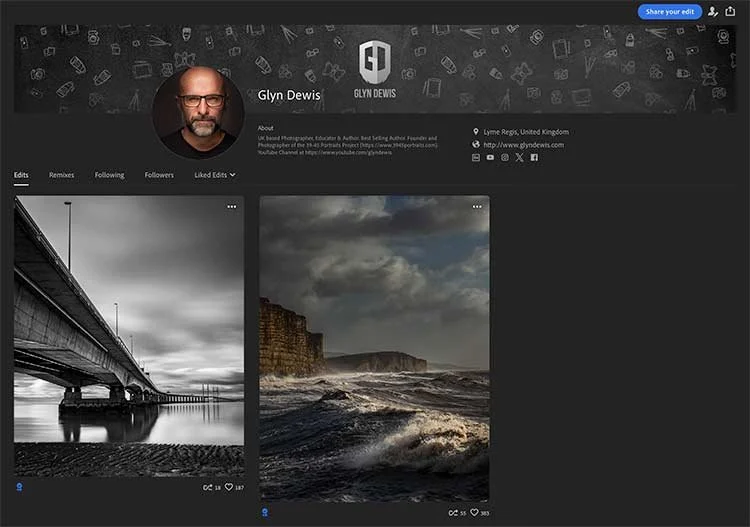
You can see the editing steps for both of these images in the Lightroom Community, so if you’d like them as a Preset I’ve written out the steps below …

Glyn Dewis profile page on Lightroom on the web, showing two edited images

STEP 1

Click on the link below to got to my Profile Page on lightroom.adobe.com

STEP 2

Click on each image in turn and choose Save as Preset on the far right of the screen

STEP 3

Give the Preset a name. Choose which edits you want included and then press Save

STEP 4

This Preset will now be saved in Your Presets in a Saved from Community folder in your Lightroom.

STEP 5

If you also want this Preset to appear in your Lightroom Classic / Desktop, simply Right-Click on the name of the Preset and choose Export.

You can then import the Preset File into Lightroom Classic.

David E Jackson | From COP to CAMERA | Becoming a FULL TIME Commerical Photographer

Watch this recording of a recent LIVE Broadcast as I chat with Commerical / Advertising Photographer David E Jackson.

Owner of Jackson & Co ( https://davidejackson.com ) a Full-Service Photography, Motion and Retouching Studio located in the Midwest USA, we’ chat about his move from Cop to Full Time Advertising Photographer, His Process, Building a Brand and Breaking Down some of his Stunning Images to uncover the How & Why, Photogrphy, Retouching, Relationships, Family, Client Development and working on Productions …

This is the recording of a live broadcast where I chat with commercial and advertising photographer David E Jackson, owner of Jackson & Co, a full-service photography, motion and retouching studio in the Midwest of the USA. We talk about his move from being a cop to a full-time advertising photographer, his process and building a brand, and we break down some of his stunning images to uncover the how and why. We also cover retouching, relationships, family, client development and working on productions.

Links

David E Jackson / Jackson & Co. website: davidejackson.com

Vimeo Video Channel: vimeo.com/davidejackson

David E Jackson on Instagram: instagram.com/davidejackson/

David E Jackson on Facebook: facebook.com/davidejackson

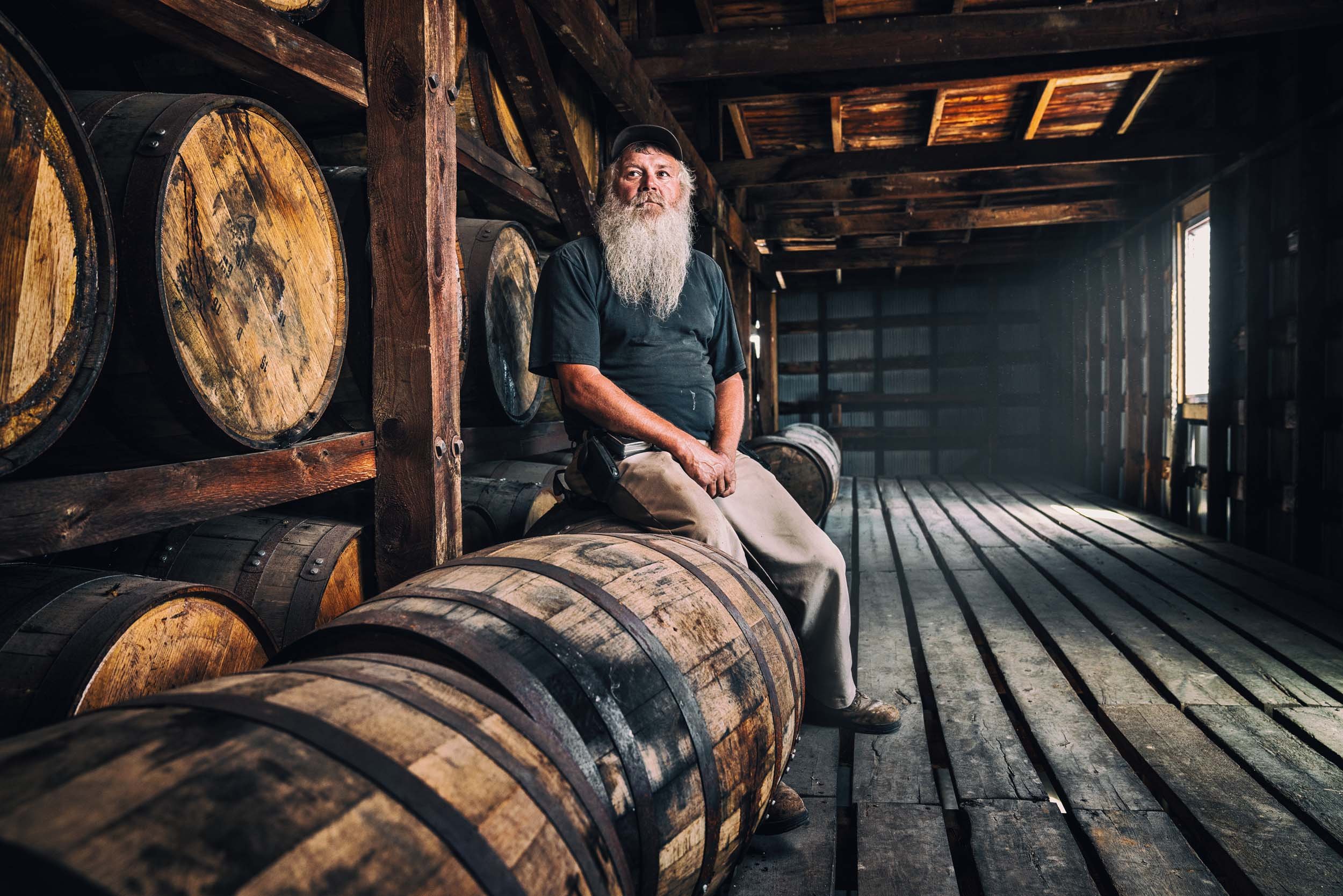
Bearded man sitting on a whisky barrel inside a rustic barrel store
Red articulated lorry on an open desert road with the sun bursting behind it
Property Brothers Buying and Selling HGTV poster with two men in suits

SONY ... WHAT WERE YOU THINKING? 🔥 ZV-E1 Overheating FIXED but it COST ME MONEY

I love my Sony ZV-E1 for filming video content and for live streaming, but there's been one big problem with it: even at the lowest recording settings it overheats. In this video I talk through that problem and show the fix, a cooling system that was recommended to me and which has now sorted the overheating out. It did mean spending extra money on top of the camera itself, which is why I'm left asking what Sony were thinking, but it means I can finally get on with filming and streaming without the camera overheating on me.

Links mentioned in the video …

Tilta Cooling System ( LINK )

Tilta Full Camera Body Cage ( LINK )

YouTube LIVE with Drone Photographer , Videographer and Educator @ianinlondon

This is a recording of a live broadcast where I chatted all things drone with Ian in London, a drone photographer, videographer and educator who's become a go-to authority on the subject. His drone work has featured on television, he's been interviewed on TV and radio, and his YouTube channel has an international following. We talk about how to get the best results from a drone, how to stay legal and how to fly safely, so if you already fly, you're thinking about getting a drone or you're confused by all the legal side of things, it's well worth a watch.

Links mentioned in the video …

Ian in London Website ( LINK )

Ian in London YouTube Channel ( LINK )

Iceland from Above: A Cinemtic Joutney of Fire, Ice, Water and Earth in 4K ( LINK )

Melted in Mid-Flight: DJI Mini 3 Pro ( LINK )

Ian in London on Instagram: @ian_in_london

Photographing the Severn Bridge with my iPhone 15 Pro Max

So last weekend, having been there almost exactly 12 months ago and done the same, along with my mate Anthony Crothers I headed back Bristol to photograph the Severn Bridge (aka the Prince of Wales Bridge) …

Two men in dark jackets and caps standing on rocks beneath the Severn Bridge

Weather conditions this time were definitely warmer and less breezy although the tide height looked to be pretty much the same. From what I’d checked I had expected it to be a little higher than it actually was, but this worked in our favor to be honest with it revealing foreground interest in the mud / silt.

kit

Since the last visit, some of the kit I used this time had changed.

Of course as there had been an upgrade I was now using my iPhone 15 Pro Max, but to mount it onto my Benro Tripod I was using the Ulanzi ST-27 Phone Tripod Mount.

This thing is small, incredibly well built and robust and rock solid. Love it!

iphone photography app

There were some great clouds in the sky but due to there being very little breeze, they were moving incredibly slowly.

So, to create some motion blur and also smooth the water surface, I opted for a 60 second exposure and to do this I used the Raw long exposure app called ReeXpose App from ReeFlex …

ReeXpose logo, a green aperture shape around the letter R on black

Not wanting to go for an identical composition as the last time we were there, I opted to photograph the bridge from the lower right hand side which would include the bridge as it meandered off into the distance, so this is what I ended up with …

Black and white long exposure of a long road bridge stretching across calm water

Edited in Lightroom and with a couple of tweaks in Photoshop, I couldn’t resist running a print off the Epson SC-P900, and with it being printed on an a3 sheet of Baryta 310 from Permajet, I couldn’t be happier 😃

Smiling man in glasses and a blue hoodie holding up a black and white print of a bridge

As for the last time we were there 12 months ago, this below is the picture I made, however we do plan to head back in March when the the Severn Bore appears; not neccesarily to photograph the bore but to take advantage of the much higher water level.

Black and white long exposure from beneath a bridge deck, with rippled sand and a distant bridge

As for the bore itself … I will most definitely be taking my drone along to capture some footage, so … watch this space 😉