Rachael Talibart | YouTube LIVE with Fine Art Seascape Photographer

Screenshot of viewer comments under a YouTube live stream

Thoroughly enjoyed talking with her about her work, her process and everything else that goes into ehy and how she does what she does to create such beautiful imagery.

rachaeltalibart.com

f11workshops

If you missed the LIVE Broadcast, the recording is available here:

This is the recording of my live broadcast with fine art seascape photographer Rachael Talibart, which went out on YouTube and Facebook. Rachael's work has been exhibited in galleries in Europe and the USA, and she's been named as one of the best outdoor photographers working in the UK today. I thoroughly enjoyed talking with her about her work and her process, the kit she uses, and the tips and tricks that go into why and how she captures such dramatic, beautiful coastal images.

Large wave curling and breaking into spray on a grey, stormy sea
Black and white lighthouse emerging from thick sea mist with birds flying past
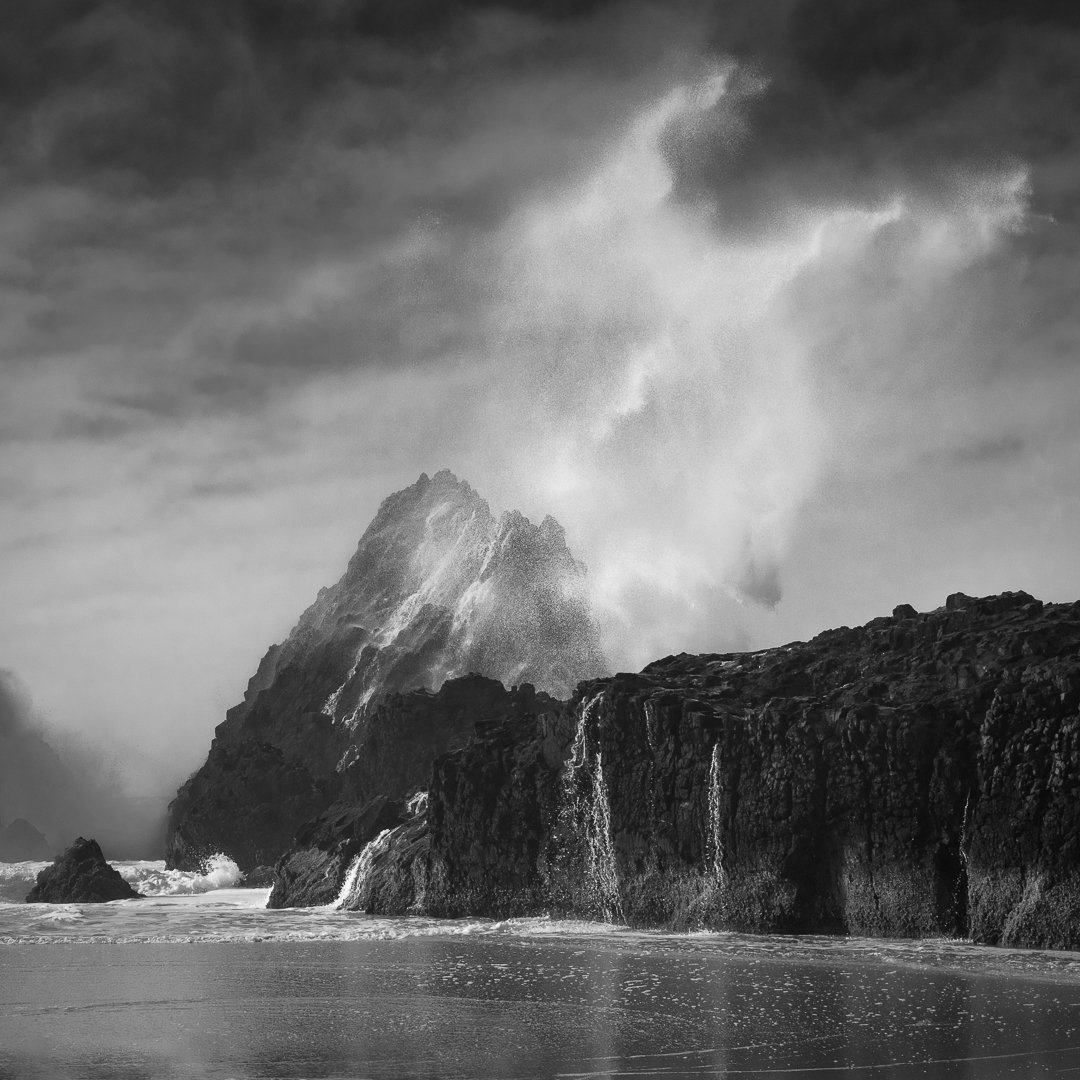
Black and white photograph of a rocky headland under dramatic clouds

Photographing Storm Henk at West Bay with my iPhone

It’s fair to say the weather during the tail-end of 2023 has been pretty dire with what seems like storm after storm , bringing high winds and heavy rainfall , and being perfectly honest I’ve found myself getting more than a little fed up with it.

New Years Eve was no exception with Storm Henk making an appearance , but I had to end the year on a positive , so despite the weather and featureless grey skies I decided to head out with minimal kit ( iPhone and Tripod ) to see what I could capture. 

Living in the South West of the UK and a short drive from the coast , I decided to head down to West Bay, Dorset which is about a 40 minute drive , and I’m so glad that I did because when I arrived , there was blue sky, still plenty of moody clouds , high winds , but … no rain.

Parking up on the Quayside I could immediately hear the sound of the waves crashing onto the beach , and this combined with the sun making an appearance and throwing patches of light onto the sea as it peered between the clouds, conditions could not have been better !

Storm Henk waves rolling in below the cliffs at West Bay, shot on iPhone
Rough sea breaking below the golden cliffs at West Bay under a cloudy sky

To capture these images I used the Pro Camera App from Moment ; a great app that in addition to giving manual control over shutter speed and iso, also lets you separate focus and exposure lock, does exposure bracketing and so much more including Burst Mode when pressing the shutter; and that’s exactly what I used to capture the movement in the waves.

Waves crashing towards the shore beneath sunlit cliffs at West Bay during Storm Henk
Stormy sea and foaming waves below the cliffs at West Bay, iPhone photograph

The images were edited in Lightroom on my iPad and then in Lightroom Classic, with a final finishing touch in Photoshop to give a ‘painterly’ look.

So yes … very happy I decided to venture out on the last day of the year.

🏳️‍🌈 QUICK COLOUR GRADING technique using ONE ADJUSTMENT LAYER

Colour grading doesn't have to mean stacking up lots of layers. In this quick Photoshop technique I show how to use just one adjustment layer, Selective Color, to colour grade your images and add the classic teal and orange look. It's a single layer doing all the work, which keeps things simple and quick, and because it's an adjustment layer it sits above your image rather than changing the pixels themselves, so you can go back and tweak the look whenever you like.

Stewart Wood | MACRO PHOTOGRAPHY - Capturing a Hidden World

This is a recording of a live broadcast where I chatted with macro photographer Stewart Wood about capturing a hidden world. We talk about the kit he uses and, just as importantly, how he uses it, before looking at his focus stacking process and the tips and tricks he relies on to finally create stunning macro images. If you've ever been curious about macro photography or wondered how those incredibly detailed close-ups are put together, it's a great look at the whole process from capture through to the finished image.

Links

Stewart Wood Website : www.stewartwood.com

Helicon Focus Stscking Software : LINK

Westcott X-Xrop Pro Background : LINK

Carmarthen Cameras : LINK

Canon Print Studio Pro Download Link : LINK

Macro of a damselfly with turquoise eyes facing the camera against an orange background
Macro of a jumping spider perched on a vivid pink flower petal
Macro of a red-eyed damselfly on white blossom against a turquoise background

Is LIGHTROOM the FUTURE WORKFLOW for PHOTOGRAPHERS???

In this recent LIVE Broadcast which went out on YouTube and Facebook, I chatted with Brian Matiash about Lightroom (known affectionately as the Cloud Version) and how it has changed fairly recently introuding local storage in addition to cloud storage.

Brian is an early adopter of using Lightroom exclusively for his workflow so I thought it would be good to hear what the potential workflow would mean and what switching to Lightroom would mean for someone like me that is a Lightroom Classic user.

There were already a few things I knew weren’t in Lightroom, which probalby out of all of them were the reason I hadn’t started using it ‘in anger’ , but up until fairly recently it was the fact that it was purely a cloud based storage workflow …

Lightroom graphic listing missing features: no printing, PNG export, layers, swatches, tethering, slideshow

Brian did a great job talking through the ‘cloud-only’ workflow ; a workflow that would definitely suit some people, so that was great to see; it isn’t a workflow for me however, but then workflow is very much a personal thing.

With cloud-only comes the issue of the amount of storage and the cost of that storage, which in my opinion at the moment, Adobe’s pricing is a bit on the excessive side … especially when you kind of compare it to something like the cost of BackBlaze BackUp with unlimited storage costing me $84 or pretty much £66, for the year!

I’m also one for keeping all the layers in files and keeping hold of images I don’t use and at the moment I currently have around 6TB of data.

There’s also internet speed to consider.

If I was to go out and shoot a portrait with my 61MP Sony A7RIV, I could potentially end up with quite a few images which from that camera would mean a considerable amount of data.

Uploading this to the cloud would be ok if I was at home as we do have very fast 1Gb Broadband, BUT anything less than this would take a considerable amount of time. I couldn’t and wouldn’t go cloud only, but would instead use the local storage as I do now and only sync my ‘keepers’ in a portfolio on the cloud.

However … this I already do with Lightroom Classic.

All of my image files are on Hard Drives and I have several portfolios as Collections which are synched with the cloud meaning I can view them on my iPhone, my iPad … or even another computer.

The conversation with Brian and seeing the Lightroom workflow I genuinely found interesting and educational BUT for me, certainly for now, unless Lightroom functionality with what I mention above and other stuff that was mentioned by others watching LIVE yesterday and have commented since, were implemented.

That said … just giving Lightroom Classic a bit of a face lift and making it a bit quicker would make me happy.

But, if I’m being totally honest … I don’t get why 2 separate versions were made in the first place.

LIVE Broadcast: PRINTING PROBLEMS | Epson + Canon VERSUS Lightroom + Photoshop

This is a recording of a live broadcast that went out on both YouTube and Facebook on Sunday 10th December 2023, all about printing problems. I start by showing how to correctly calibrate your display for your own workspace, and then go through printing images on both Canon and Epson printers. The big thing I wanted to show is how your choice of printing software, Lightroom or Photoshop, can make a real difference to your results, so there are side by side comparisons to let you see it for yourself. If you've ever struggled with printing, I think this will both surprise you and help you.

Links and products mentioned in this video …

My YouTube Channel: https://www.youtube.com/glyndewis

  • BenQ SW272U Display ( Link )

  • Canon Pro 300 A3+ Printer ( Link )

  • Epson SC P900 A2 Printer ( Link )

  • Calibrite Display Pro HL ( Link )

    *𝐂𝐥𝐚𝐢𝐦 𝐚 𝐅𝐑𝐄𝐄 𝟏𝐓𝐁 𝐇𝐚𝐫𝐝𝐫𝐢𝐯𝐞 𝐟𝐫𝐨𝐦 𝐂𝐚𝐥𝐢𝐛𝐫𝐢𝐭𝐞 𝐰𝐡𝐞𝐧 𝐨𝐫𝐝𝐞𝐫𝐢𝐧𝐠 𝐚𝐧𝐲 𝐇𝐋 𝐂𝐚𝐥𝐢𝐛𝐫𝐚𝐭𝐢𝐨𝐧 𝐃𝐞𝐯𝐢𝐜𝐞 (𝐯𝐚𝐥𝐢𝐝 𝐮𝐧𝐭𝐢𝐥 𝐞𝐧𝐝 𝐨𝐟 𝟐𝟎𝟐𝟑): https://calibrite.com/hd-promo/

  • BenQ Palette Master Ultimate Software ( Link )

  • BenQ Palette Master Ultimate Software ( Link )

  • Qimage One ( Mac ) ( Link )

  • Qimage Ultimate ( Windows ) ( Link )

SERIOUSLY??? 🤷‍♂️ WHY ARE YOU USING ProPhoto RGB???

ProPhoto RGB or Adobe RGB? It's a question that comes up a lot when it comes to choosing a colour space. ProPhoto RGB is the biggest of the two, and it's easy to assume that bigger automatically means better, but does it really make it the best colour space for photographers? In this video I look at that question and at why the size of a colour space on its own isn't the whole story when you're deciding which one to use for your photographs.

Adobe add the Remove Tool and Generative Fill to Photoshop on the iPad

Really impressed with how Adobe have added the Remove Tool and Generative Fill into Photoshop on the iPad.

Works a treat!

REMOVE TOOL 💪🏻 The MOST POWERFUL TOOL in Photoshop 💥

The Remove Tool in Photoshop might be even more powerful than you think. It's easy to see it as something for brushing away the odd small distraction, but here I show why I'd go as far as calling it the most powerful tool in Photoshop, and how it can do a lot more for your images than you might expect when it comes to taking out the things you don't want in a shot.

Photography is so much more than Pixels

Don't know if it's because Christmas is on the horizon, but this evening sat here at my computer replying to emails I felt compelled to look at family photographs.

Saw this one of my Grandad. Loved him. Opened it in Photoshop and after a few minutes of making edits, immediately it made me think about how important Photography is and how much good we're able to do with it.

Photography is so much more than Pixels.

Before and after restoration of a black and white portrait of a young soldier in a beret and greatcoat


We can spend a lot of money and time striving for the perfect photograph, but what exactly is that?

I remember presenting at The Professional Imaging Show in The Netherlands a few years back, all about "The Importance of Photography" when at the end of my presentation I was approached by an attendee who had clearly been crying.

He went on to tell me that the last photograph he took of his Dad (who had since passed) ended up being blurred and out of focus.; he was devastated that of all the times to 'mess up' (his words) it was then.

I got it. I totally understood why he was upset but trying to help I asked him ... "What do you see when you look at that blurred photograph? Is your Dad blurred when you see him in your mind?

"No" he answered.

”Then that is the most important thing of all. Of course we all want the sharpest, best composed pictures with great colours, but the most important thing here is that in your head you picture your Dad and in your head that picture isn't blurred, and that will always be the way when you look at THAT photograph.”