video

Rachael Talibart | YouTube LIVE with Fine Art Seascape Photographer

Screenshot of viewer comments under a YouTube live stream

Thoroughly enjoyed talking with her about her work, her process and everything else that goes into ehy and how she does what she does to create such beautiful imagery.

rachaeltalibart.com

f11workshops

If you missed the LIVE Broadcast, the recording is available here:

This is the recording of my live broadcast with fine art seascape photographer Rachael Talibart, which went out on YouTube and Facebook. Rachael's work has been exhibited in galleries in Europe and the USA, and she's been named as one of the best outdoor photographers working in the UK today. I thoroughly enjoyed talking with her about her work and her process, the kit she uses, and the tips and tricks that go into why and how she captures such dramatic, beautiful coastal images.

Large wave curling and breaking into spray on a grey, stormy sea
Black and white lighthouse emerging from thick sea mist with birds flying past
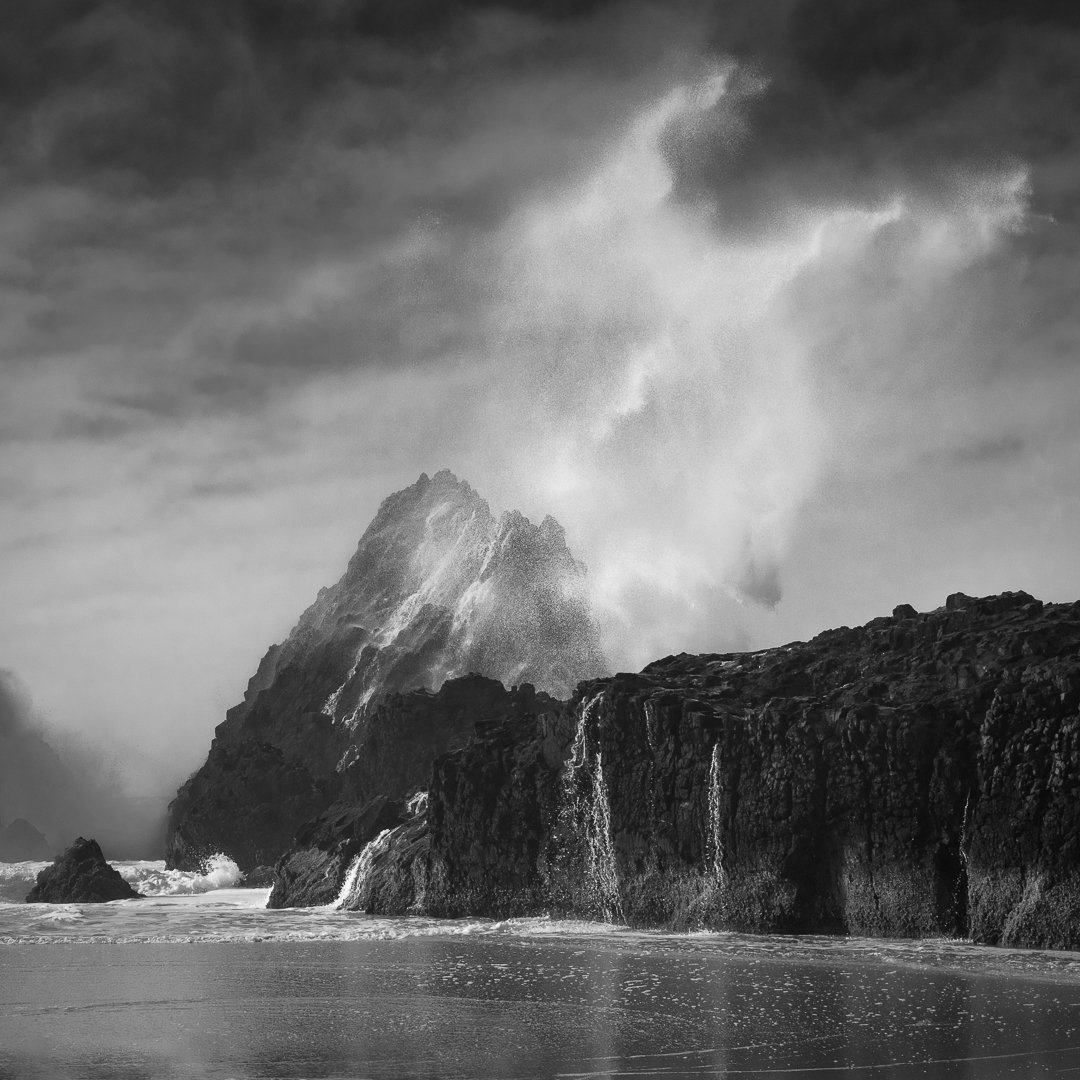
Black and white photograph of a rocky headland under dramatic clouds

SERIOUSLY??? 🤷‍♂️ WHY ARE YOU USING ProPhoto RGB???

ProPhoto RGB or Adobe RGB? It's a question that comes up a lot when it comes to choosing a colour space. ProPhoto RGB is the biggest of the two, and it's easy to assume that bigger automatically means better, but does it really make it the best colour space for photographers? In this video I look at that question and at why the size of a colour space on its own isn't the whole story when you're deciding which one to use for your photographs.

MASTERCLASS: Create Hair and Fur Brushes in PHOTOSHOP | GREAT for SELECTIONS and CUT OUTS

Hair and fur are some of the trickiest things to deal with when you're making selections and cut-outs in Photoshop. This is a masterclass in creating your own hair and fur brushes in Photoshop with Aaron Blaise, who was at Disney for more than 20 years. Being able to create brushes like this can be incredibly useful when you're working on difficult selections and cut-outs, and it's a real treat to watch someone with his background show how he builds them.

HOW I EDIT theseiPhone Photographs in Lightroom

This is a recording of a live stream I hosted on YouTube and Facebook on Sunday 29th October 2023, where I went through how I edited a selection of iPhone photographs in Lightroom. The images are portraits and seascapes I took during a North Wales road trip, and I work through the editing steps on each one so you can see how they came together. The live feed did cut off moments before the end of the broadcast, but everything relevant had already been covered by then.

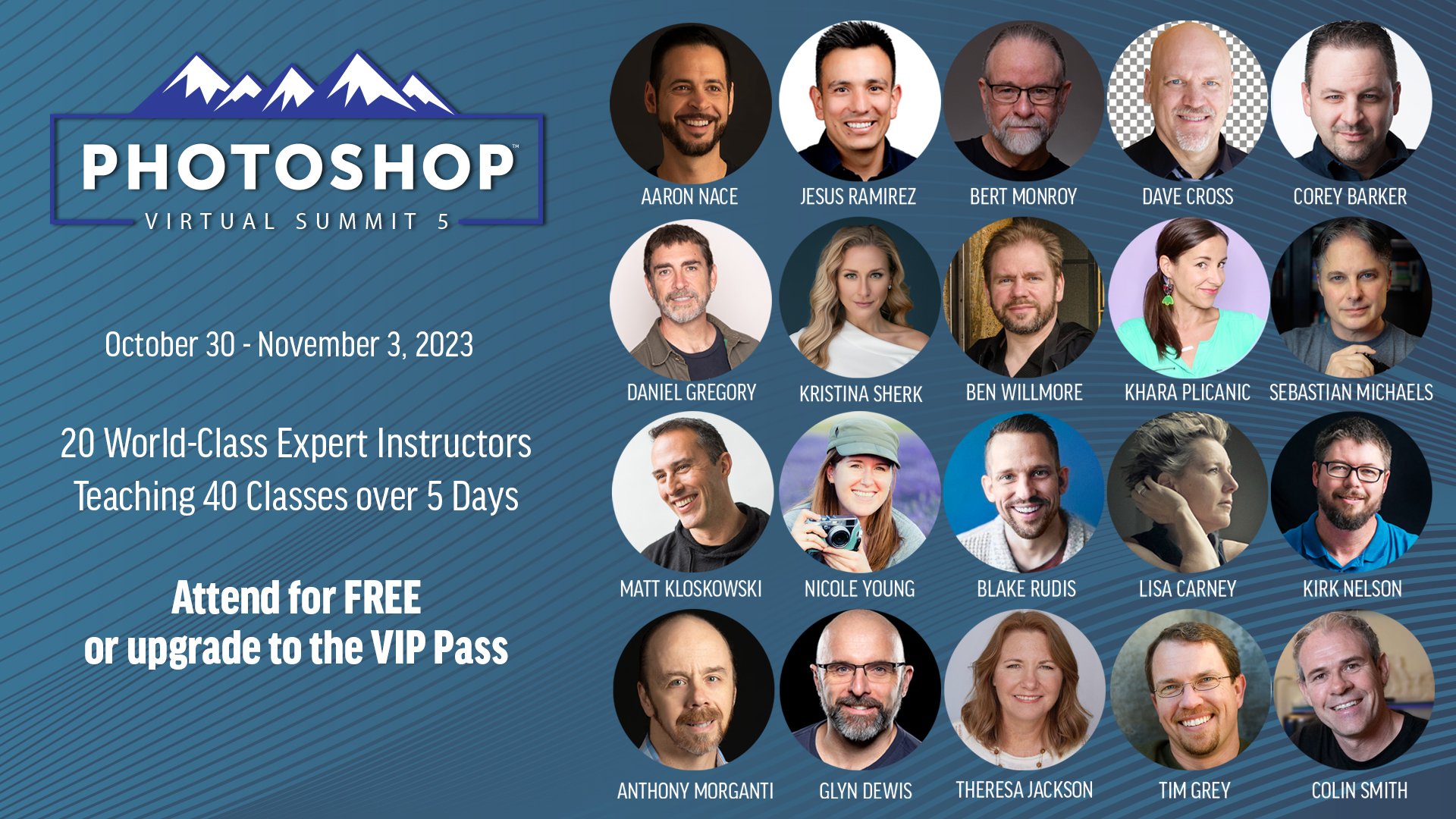
Dave Cross chats with Photoshop Virtual Summit 5 Instructors

With just over 4 weeks to go until the Photoshop Virtual Summit 5 which runs from 30th October thru 3rd November 2023 …

You can also use the link above to check out the page on the official website where the Founder and Organiser, Dave Cross, chats with each of us instructors for a couple of minutes about the classes we'll be presenting; ALWAYS more to learn

Photoshop A.I. Techniques for Photographers BUT what about Camera Clubs ??? 🤷‍♂️

This is a recording of a live broadcast on my YouTube channel from Wednesday 23rd August 2023, where I showed practical and very useful ways of using Photoshop's Generative Fill AI, along with where not to use it. The techniques are all about embracing modern technology to speed up your workflow and enhance your creativity. At the very start I read out an email I'd received about the use of AI and camera clubs, and that sparked a lot of conversation and comments, so there's plenty to think about beyond the techniques themselves.

😲 PERFECT SELECTIONS and CUT-OUTS with Photoshop A.I. (Generative Fill)

Making selections and cut-outs of hair and fur has always been one of the more challenging jobs in Photoshop, and it's often where an otherwise good cut-out falls down. Here I show how Photoshop's Generative Fill AI changes everything when it comes to those tricky areas, helping you get much cleaner selections and cut-outs of hair and fur than you'd manage with a selection on its own.

( YouTube LIVE ) DRAMATIC Stormy Sea Capture + Retouch: Complete Mobile Workflow

This is the recording of a YouTube live broadcast from Thursday 20th July 2023, where I go through the complete mobile workflow for a dramatic stormy sea photograph. It starts with the capture on my iPhone and then moves through all of the editing steps in Lightroom and Photoshop Beta, including how I made use of Generative Fill AI along the way. It's the whole process from start to finish, so you can see how a phone capture can be taken all the way to a finished, dramatic image.

Sony ZV-E1 | 3 REASONS why it's their BEST and CHEAPEST FULL FRAME CAMERA 😮

This isn't a review of the Sony ZV-E1. Instead, it's a look at the three reasons I think it's Sony's best and cheapest full frame camera, and why and how the technology inside it makes it, in effect, a shrunken FX3. That same technology also means you don't need a gimbal, you don't need external microphones and you don't need an assistant, which for anyone filming themselves makes a huge difference to how simple the whole set up can be.

Camera Shake Podcast

Recently I had the absolute pleasure of being invited on the very popular Camera Shake Podcast to chat with host Kersten Luts.

I’d been a Guest on the podcast way back when it was in its infancy around the early time of the Covid Pandemic (Episode 46) but a lot has changed since then not just with what I’m focusing on but also in the creative world with the very recent release of Generative Fill A.I. in Photoshop Beta.

So, in this episode amongst other things Kersten and I chatted about how I’ve focused on my YouTube Channel and my process for creating weekly videos, mobile phone photography and how that is something I’m dong A LOT of now and also, of course Generative Fill A.I. 

The podcast is available as audio only where all great podcasts are found and also in video format on YouTube: LINK

Here’s a couple of links:

Apple Podcasts: https://apple.co/2Y2Lmfm
Spotify: https://spoti.fi/304sm2G

Hope you enjoy it,

Glyn