tutorial

The AMAZING Remove Button 💥 NEW in Photoshop July 2025 ✅

The Remove button sits in Photoshop's contextual taskbar, and it was one of the additions in the July 2025 update. In this video I show you why I think it's head and shoulders above the standard Remove Tool. It's powered by generative AI technology, and what you get is a one-click remove that really works. I show where to find it in the contextual taskbar and compare it with the Remove Tool, so you can see for yourself just how big a step up it is.

VARIANCE - Powerful NEW FEATURE in Camera Raw you MIGHT have Missed!!! (June 2025)

Variance arrived in Camera Raw with the June 2025 release, and it's one of those features that's easy to miss. It's an incredibly powerful tool for manipulating colour, and in this video I explore what it can do. I look at two ways it helps in particular: smoothing out skin tones so they look more even, and enhancing the colours in your photos, which makes it well worth getting to know if you edit in Camera Raw.

HOW I Edit THIS Portrait in 2025 – Full Lightroom Workflow (No Photoshop!)

Not long ago, retouching a stylised portrait like this one was something I'd only have done in Photoshop. In this video I show how I now do the whole edit in Lightroom instead, with no Photoshop at all. The key is making big use of Lightroom's masks, and I take you through my full workflow step by step, so you can see just how much of this kind of retouching is possible without ever leaving Lightroom.

🎥 I Recorded 5 Lightroom Tutorials for Adobe

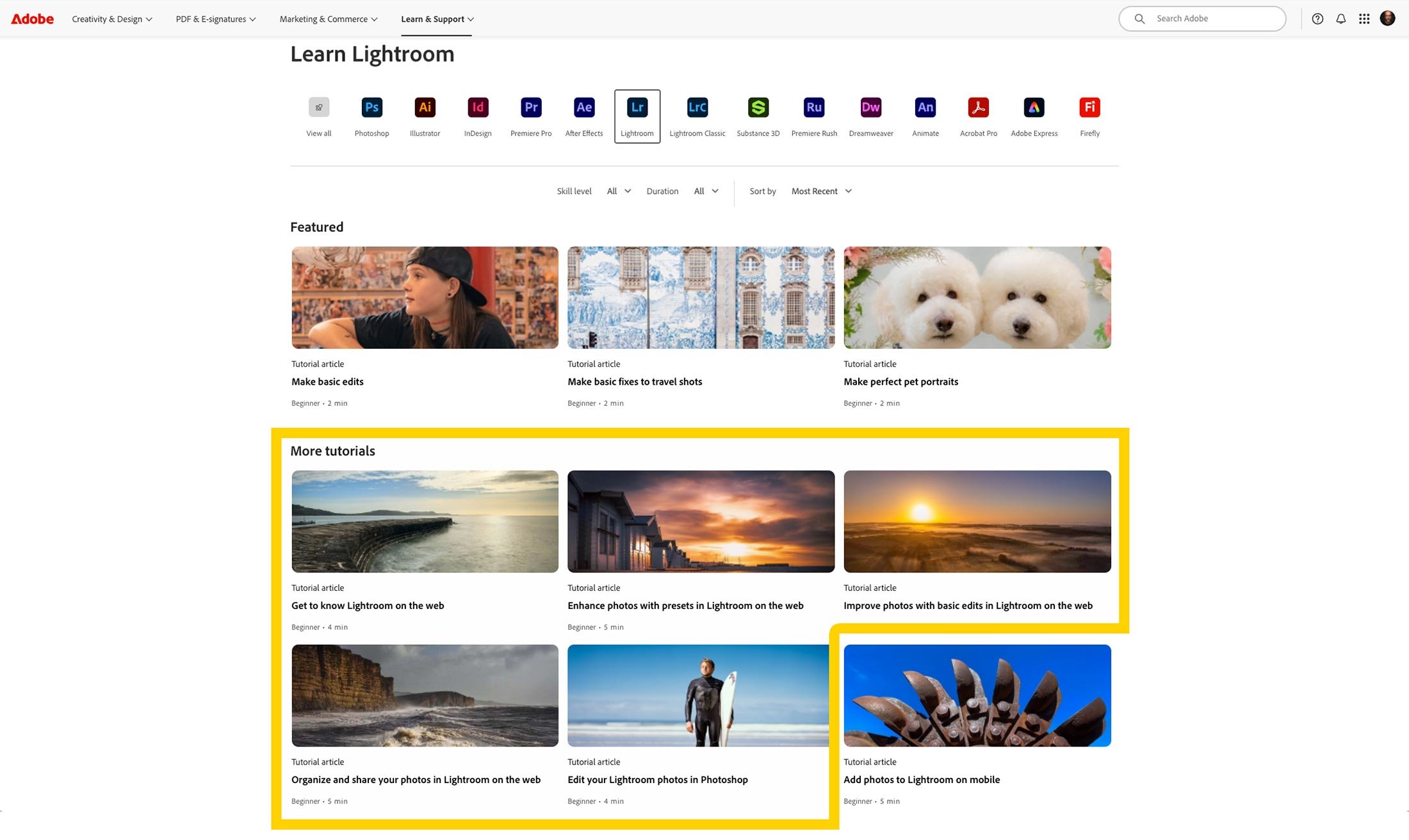
I'm excited to finally share some news I've been keeping under wraps: I recently had the opportunity to create five tutorial videos for Adobe, now featured on the Adobe Learn site … learn.adobe.com

These videos are designed with beginner and intermediate users in mind, walking through some of the most useful and practical workflows in Lightroom and Lightroom on the Web.

Whether you're just starting out or want to brush up on your skills, these tutorials are built to help you feel more confident with your editing and photo management.

Here's a quick look at the topics I covered:

✨ 1. Edit your Lightroom Photos in Photoshop

Start your edits in Lightroom and then send an image to Photoshop for additional creative possibilities.

🌐 2. Get to Know Lightroom on the Web

Access all your Lightroom photos in a web browser and any edits you make will sync across the Lightroom ecosystem.

🛠 3. Improve Photos with Basic Edits in Lightroom on the Web

Start with an auto adjustment and fine tune your edits with changes to the brightness, contrast, and color in a photo.

🎨 4. Enhance Photos with Presets in Lightroom on the Web

Take advantage of presets to jumpstart your image editing or explore new creative styles.

📁 5. Organize and Share Your Photos Using Lightroom on the Web

Use albums and folders to organize your photos and create a link to share an album as an online web gallery.

How to LEARN LIGHTROOM by Copying ... WITH Permission❗️

One of the best ways to learn Lightroom is to see exactly how other people edit, and the Lightroom Community lets you do just that, with permission. It's a free space, available to all Lightroom users whether you're on Lightroom, Classic, Mobile or Web, where people share their edits from start to finish, showing every slider and setting they used to create the final look. You can also download presets for free, which makes it a great resource for learning Lightroom, and in this video I show you how to use it.

3945 WW2 Veterans Portraits Project shown during the BBC's VE80 Concert

So incredibly proud and honoured that portraits from the 3945 Portraits Project were shown, projected on stage during the BBC’s VE80 Celebration Concert at Horse Guards Parade in London, infront of the King, Veterans, Veteran’s Families and the Nation

The portraits appeared during a rendition of "You'll never walk alone" sung by Sir Willard White. You can watch it here: https://glyndewis.com/3945portraits

Large portraits of Second World War veterans on stage screens behind a presenter at a televised event

TRANSFORMING a CAR PHOTOGRAPH in LIGHTROOM Mobile STEP by STEP 💥

This car photograph was taken on location, and in this video I show how I retouched it step by step using Lightroom on an iPad. The whole edit relies on masking, which is incredibly powerful and useful for isolating certain areas of the image so you can work on them on their own. By building up adjustments area by area, you can transform the photograph and really make the car pop.

Photoshop Blending: How to Use Brushes for Realistic Composites 💥

You don't need anything complicated to blend images together realistically in Photoshop. In this video I show how a very simple use of a brush, with a few basic settings, can blend images so convincingly that you can create a completely new background and composite your subject into a new scene. It's a straightforward technique, but once you've got the brush set up, it makes a real difference to how believable your composites look.

😲 Most People MISS This! Perfect Compositing & Lighting in Photoshop

Most people think of Generative Fill in Photoshop as a way of adding objects, but it's also smart enough to match the lighting and shadows already in your photo. In this video I show how it blends new elements, such as hair, into an image while keeping the light, shadows and perspective looking realistic. I then put it to work on a Viking composite, including a different way of approaching the hair selection, so you can see how it all comes together on a more involved image.

Improved SUBJECT and SKY SELECTIONS with the INTERSECT MASKING TOOL in Lightroom and Camera Raw

The Intersect command is a powerful masking tool in Lightroom and Camera Raw, and in this video I show how to understand it properly and use it for much better subject and sky selections. I work through a full edit of a car photograph, starting with cropping, the Remove Tool and a couple of presets, including an Adaptive Sky preset, before using the Colour Mixer. From there I improve the subject and sky selections, use Intersect to adjust brightness, make the alloy wheels stand out, and finish with global colour adjustments and refining the sky mask.