My Favourite Microphone: The Lewitt LCT 440 Pure

“If you want better video, then get better audio”

I can’t remember who it was said this but it’s something I’ve always remembered and has caused me to spend more money on microphones than I dare to think about.

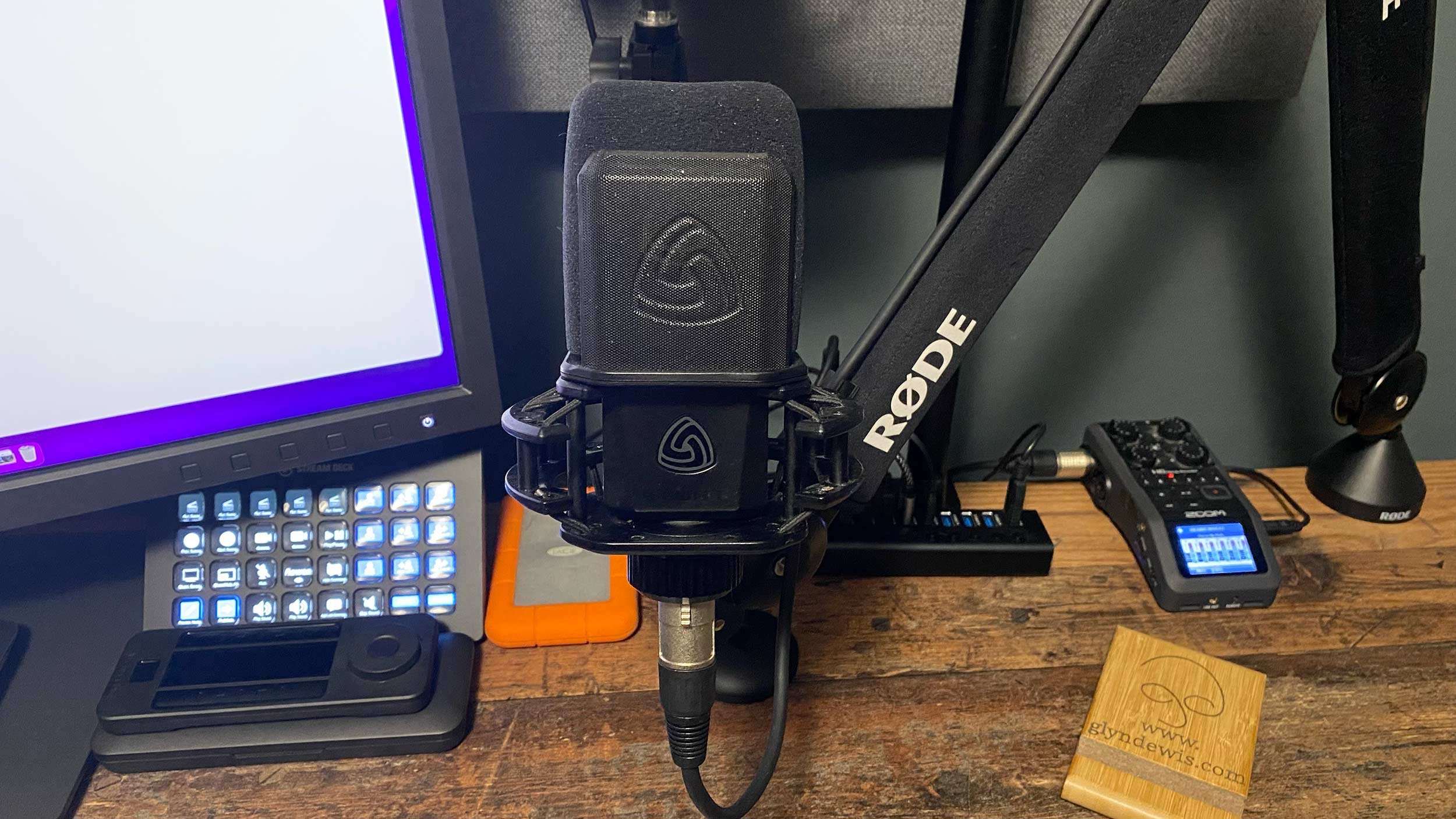
Having purchased a few different makes and models, I finally (after a recommendation from Mike Russell over on YouTube) ended up with the Lewitt LCT 440 Pure and could not be happier!

So many times I get asked what microphone I’m using when doing LIVE broadcasts, Zoom presentations or my YouTube videos; this is THE best microphone I have ever owned!

Here’s a link (affiliate) to the Lewitt LCT 440 PURE on Amazon ( LINK )

I'm Presenting at Photoshop World 2022 (Online Conference)

VERY happy to announce that I’ll be one of the Instructors at the upcoming Photoshop World Virtual Conference…

This is the official trailer for Photoshop World 2022, the online conference that ran from 30 August to 1 September, and I was very happy to be one of the instructors. Photoshop World is a once-a-year Photoshop, Lightroom and photography love fest, bringing together 31 instructors from all over the world to teach a whole host of subjects, all with the aim of educating and inspiring. As well as being a live online event, every ticket holder had access to all of the content for 12 months afterwards, giving plenty of time to take everything in, practise and put it to use. I presented two classes: one on printing and the other an updated class on selections.

💡 This is how I ADD a BACKGROUND LIGHT or SPOTLIGHT into my pictures using PHOTOSHOP

After a question came through on Instagram asking how to add a background light into pictures using Photoshop, I recorded this video showing exactly how I do it. It's a great technique if you didn't have the space to use another light during the shoot, if you had a light but didn't use it and now wish you had, or if you simply didn't have another light with you at the time. I use a very quick selection with the Marquee Tool and a Levels Adjustment Layer, and the result is quick, easy and very effective.

HOW TO CALIBRATE your Display for PHOTOGRAPHY and PRINTING

I LOVE printing…but it wasn’t always the case.

I wasted a lot of time and money in the past because when I thought my monitor / display was calibrated correctly…it wasn’t!

So, in this video I show you the settings that DO WORK so you get the best from your display AND the best possible results when printing!

I’ll be using a BenQ Display, BenQ Software and an X-Rite i1 Display Pro Plus BUT all the settings I go through translate perfectly to other monitors, software and devices!

You can check out all this kit over on my GEAR PAGE

Oh and if you look in the description part of the video on YouTube, I’ve also added in Chapter Markers so if you want to, you can jump to a particular part in the video.

Enjoy!

🎬 𝐂𝐎𝐍𝐓𝐄𝐍𝐓𝐒 𝐎𝐅 𝐓𝐇𝐈𝐒 𝐕𝐈𝐃𝐄𝐎

00:00 - Introduction
01:00 - Display, Software and Calibration Hardware
02:14 - PME Software
03:28 - Workflow
04:06 - Display Settings
09:58 - Measurement
12:45 - Validation
15:52 - Wrap Up

I love printing, but it wasn't always the case. I wasted a lot of time and money because when I thought my display was calibrated correctly, it wasn't. So here I show you the settings that do work, so you get the best from your display and the best possible results when printing. I'm using a BenQ display with BenQ's PME software and an X-Rite i1 Display Pro Plus, but all the settings I go through translate perfectly to other monitors, software and devices. I start with the display, software and calibration hardware, then look at the PME software and my workflow before going through the display settings themselves.

📷 I REALLY WISH my SONY camera had this ... but NIKON DOES!!! 🤷‍♂️

It's not often I find myself wishing my camera could do something it currently can't, but focus shift is high on my wish list for Sony. Here I explain what focus stacking is and why having something like Nikon's Focus Shift in my Sony camera would be so useful. I then show how to stack and blend the images together in Photoshop to end up with a tack sharp image.

LIGHTROOM PRESETS and PROFILES: What is the difference???

One of the most common questions I get asked about Lightroom is what the difference is between presets and profiles. In June 2022 Adobe released more updates to Lightroom and Camera Raw, including the long overdue arrival of an Amount slider for presets, so it felt like the right time to explain it. Here I go through what each one does and how they differ, so you know which to reach for when you're editing your photographs.

Veteran Portrait Featured in National Geographic

Allow me this moment to feel a bit of personal pride…

This month, National Geographic have a full article, covering the story of the the Legendary Avro Lancaster…

A wonderful article covering the life of the Lancaster from its birth, those who designed it, those who built it, those who maintained it and those who flew it.

Of those who flew it, I had the utmost pleasure of spending time with and photographing World War 2 Veteran, Rusty Waughman DFC AFC Ld’H , RAF Flight Lieutenant, 101 ‘Special Duties’ Squadron, for my 3945 Portraits Project.

Over the years I’ve been fortunate to have my images appear in articles, magazines and as front covers, but to have a portrait feature in National Geographic, feels, well…extra special.

You can check out the full article as well as Rusty’s incredible story HERE

👁👁 EYES: BRIGHTEN , ADD CATCH LIGHTS + MAKE THEM POP: One Technique that does it ALL!

I love how one technique in Photoshop can do more than one job. Here I show how a technique I call the Never Ending Lighting Rig, which I use for adding more lights into a picture, can also be used to enhance the eyes in a portrait. With it you can brighten the eyes, add in fake catch lights and make them pop, all from the same starting point and without needing a separate technique for each.

Seriously Good One-Click Hair Selections in Photoshop

No matter the reason you use Photoshop, the one thing that’s guaranteed is that at some point you’ll need to use Selections and Masks.

Over recent years, the enhancements in Photoshop Selection Tools combined with the introduction of Adobe’s Artificial Intelligence, Adobe Sensei, have been getting better and better on a seemingly daily basis.

Without doubt, hair can be the most challenging when it comes to making a great (and believable) selection.

Of course there are techniques we can use to fake the look of a good selection that certainly get the job done but they can involve a few steps. I’ve shown many of them myself in books I’ve written and in videos over on my YouTube Channel, such as the one below…

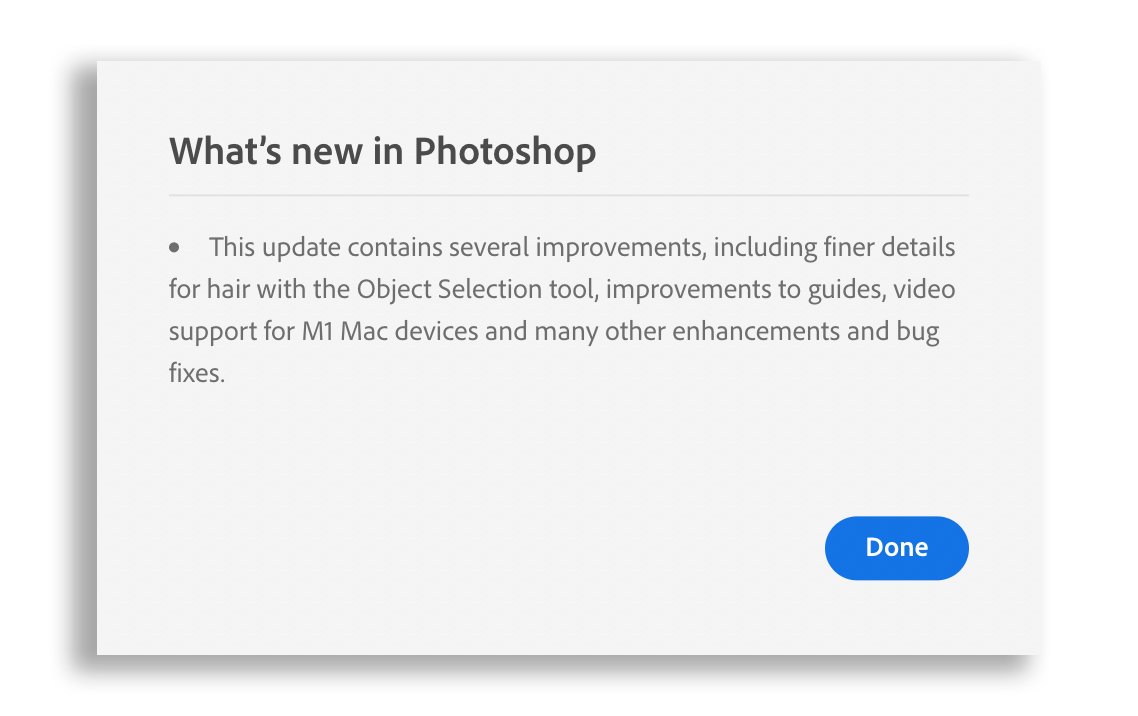
However, today I was notified by my Creative Cloud App of another update to Photoshop with the following message…

Glyn Dewis Photoshop Selections

So with a quick update downloaded and installed I just had to take a look and decided to throw one of my recent pictures of my friend Graham Currey as The Joker in, to see how Photoshop would get on with selecting fine, dark hairs off a very dark background…

Person with Joker-style face paint, green hair and a red jacket against a dark background

So with the image open in Photoshop, here’s the steps I took…

  • Choose the Object Selection Tool

  • From the options Bar at the top of the screen click on Select Subject

  • With the active selection, click to add a layer mask

  • Add a new layer beneath and fill with 50% Grey

Glyn Dewis Photoshop

Initially it can be difficult to see how good the result is when looking at it with a transparent background…

Glyn Dewis Photoshop

When we add a layer below the selected area and fill it with a solid colour, as I have by adding grey, the result is much easier to see…

Glyn Dewis Photoshop Selections

It’s hard not to be impressed with this selection of dark hair on a dark background especially when some of the hair is out of focus due to the depth of field, and it’s all done with just one click.

Now of course I’m not saying we’ll get results like this ALL the time, but as someone who does a lot of selections and has written books about such, this is seriously good and makes the future VERY exciting.

Way to go Adobe!

UK Drone Rules: Legacy & Transition Period Extended Indefinitely? News from CAA

Well as my friend Ian put it … “You spoke, they listened!”

Following a survey sent out by the CAA earlier this year regarding the use of Legacy Drones and the C Classifications, yesterday the CAA announced their findings.

Without gong into detail here, check out the video below from my friend Ian which explains all in just over 3 minutes, along with downloading this very concise document from the CAA

LINK

This video from my friend Ian explains, in just over three minutes, the CAA's surprise response on the UK drone rules. Earlier in the year the CAA sent out a survey about the use of legacy drones and the C classifications, and this is the outcome: the legacy and transition period extended indefinitely, along with an overhaul of the new C classifications. It's great news for all drone owners, and it shows the CAA were prepared to listen, not just to people saying it was unfair but to very justifiable points about economic impact, investment security and safety.

Here too is a video from the great folks at UAV Hub in the Blue Skies Dronecast Podcast with details…