This is the recording of a YouTube live broadcast where I went through the complete mobile workflow for a seascape long exposure, from capture through to the finished retouch. I took the photograph with my iPhone 14 Pro Max using the ReeXpose app, and then edited it in Lightroom and Photoshop, showing each step along the way. I also talked about some of my wishes for the iPhone 15 Pro Max, whatever it ended up being called, and how a change to USB-C, which I was hoping for, would make a huge difference to the mobile workflow, especially when travelling and away from good internet speeds.
Fixing Hair and Fur with Photoshop Generative Fill AI + when NOT TO USE IT 😳
Hair and fur can be some of the most awkward things to fix when you're editing, and Photoshop's Generative Fill AI can be a real help with them. Here I show how to use Generative Fill to fix hair and fur, but just as importantly I also look at when not to use it. For those times when it isn't the right tool for the job, I go through how to fix things manually instead, so you've got both approaches to choose from depending on the image in front of you.
The POWER of Personal Projects (Mini Course / Presentation)
Originally recorded exclusively for the Photoshop Creativity Virtual Summit, this presentation out of my 15+ years being involved in this industry, has received the most amount of comments and positive feedback of ANYTHING I’ve ever presented or recorded! …
Since the Creativity Summit I’ve been asked a number of times if I could make the presentation available, so from today I’m really happy to let you know it is!
What is it all about?
On the main course / presentation page I’ve recorded a short 1 minute or so video explaining exactly what the presentation / course is all about plus details of what is included AND the curriculum …
Keeping consistently creative in a modern world can be challenging, especially when outside forces intervene and put a stop to the process, so I really hope, that like the folks who originally watched and left feedback, this helps, inspires and motivates.
Captions in different Languages
Teachable, the platform where I host all my courses / videos now have new Artifical Intelligence that can not only create captions from the video content but also create captions in a ton of different languages.
I can’t vouch for how accuate the other languages will be but if you’d like to see them in a particular language, let me know and I’ll sort that out.
Give 20% , Get 20%
The last thing to let you know about is that I’ve also added a new Referal Scheme where both you and the person you refer to my video courses, both get 20% OFF your next course/s.
Enjoy,
Glyn
Photoshop A.I. Techniques for Photographers BUT what about Camera Clubs ??? 🤷♂️
This is a recording of a live broadcast on my YouTube channel from Wednesday 23rd August 2023, where I showed practical and very useful ways of using Photoshop's Generative Fill AI, along with where not to use it. The techniques are all about embracing modern technology to speed up your workflow and enhance your creativity. At the very start I read out an email I'd received about the use of AI and camera clubs, and that sparked a lot of conversation and comments, so there's plenty to think about beyond the techniques themselves.
It's Coming ... The Photoshop Virtual Summit 5
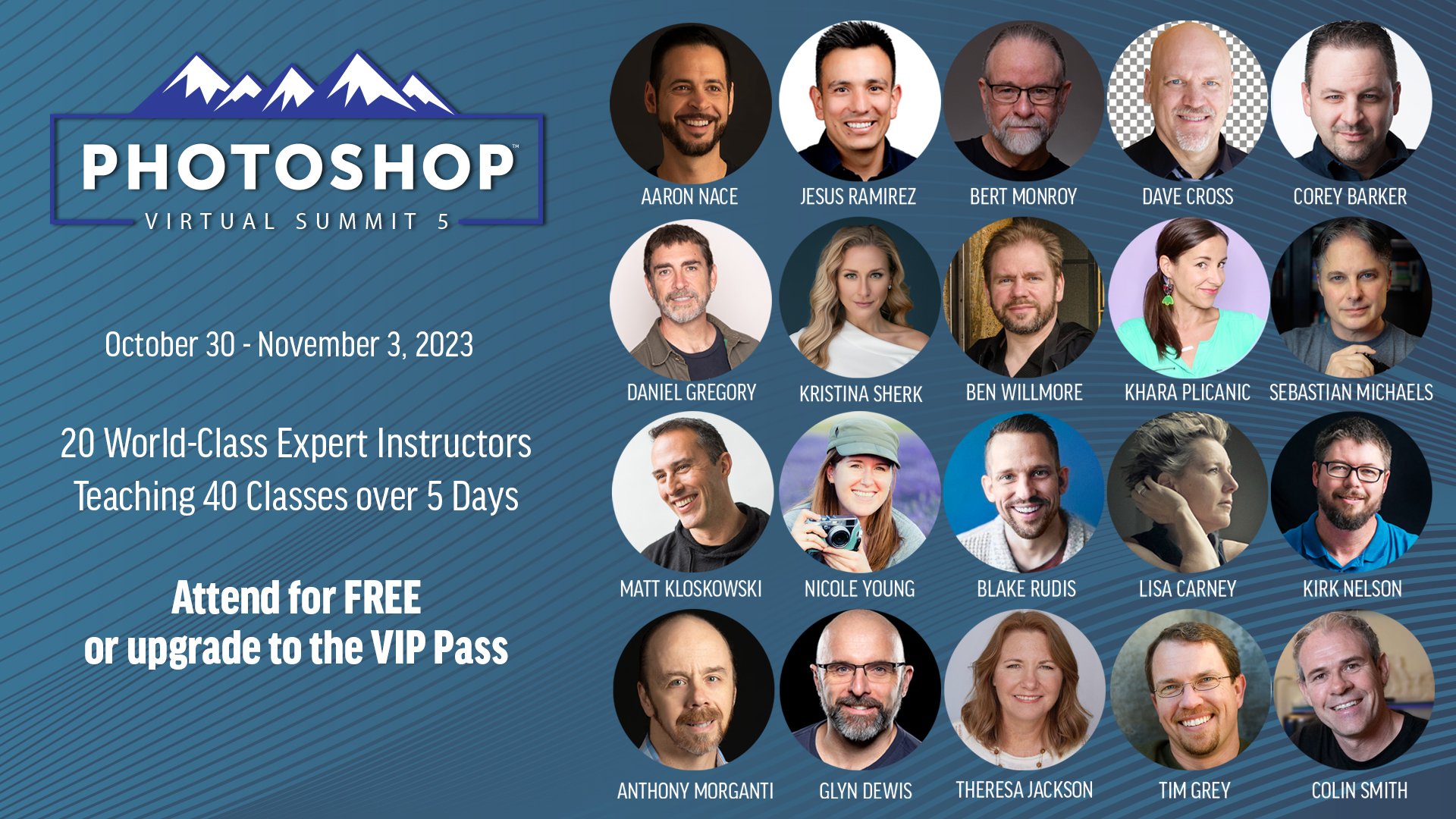
It’s Coming … The Photoshop Virtual Summit 5 , running from October 30th thru November 3rd , 2023
20 expert instructors teaching 40 classes - over 30 hours of content! And you can watch it for FREE
After the success of the previous summits, I’m over the moon to have been invited to be one of the instructors and to be teaching alongside these great folks … Aaron Nace, Anthony Morganti, Ben Willmore, Bert Monroy, Blake Rudis, Colin Smith, Corey Barker, Daniel Gregory, Dave Cross, Jesús Ramirez, Khara Plicanic, Kirk Nelson, Kristina Sherk, Lisa Carney, Matt Kloskowski, Nicole Young, Sebastian Michaels, Theresa Jackson and Tim Grey!
The list of classes is mind-blowing especially as the summit will be running after the upcmong Adobe Max where all the latest updates are set to be announced!
All classes are free to watch for a 48 period once they go live, and there’s an optional VIP Pass available for purchase that gives you lifetime access to the recordings of all classes, along with audio recordings, instructor-provided class notes and exclusive bonuses.
Hope to ‘see’ you there 😃
😲 PERFECT SELECTIONS and CUT-OUTS with Photoshop A.I. (Generative Fill)
Making selections and cut-outs of hair and fur has always been one of the more challenging jobs in Photoshop, and it's often where an otherwise good cut-out falls down. Here I show how Photoshop's Generative Fill AI changes everything when it comes to those tricky areas, helping you get much cleaner selections and cut-outs of hair and fur than you'd manage with a selection on its own.
Lighting a Portrait on a Mountain
This is the other photograph that I took of Dai O’Toole in Pembrokeshire a couple of weeks back ; much simpler than the close up headshot I did ... and a lot less editing ( LINK )
With regards to the kit used …
Sony A7RIV with 70 - 200mm G lens
Lit with the Westcott FJ200 and the Westcott 45 Degree Deep Dish Reflector which ordinarily would produce a hard light , but by aiming it just past Dai the soft outer portion is what lights him up.
This outer area carries less power but was more than enough for this shot from the 200ws FJ200 , and done so as to match the soft light caused by the cloudy sky.
My mate Anthony aiming the light past Dai (camera right)
There were still some hard shadows caused by the light hitting the straps on Dai's rucksack and walking cane but these were very easily taken out using the new Remove Tool in Photoshop.
BIG thanks to my mate Anthony Crothers for holding and positioning the light
Photoshop World Online 2023
YouTube LIVE: Make Movie Poster Portraits using Photoshop and A.I.
This is a YouTube live broadcast from Sunday 13th August 2023, where I go through how I created a movie poster style portrait of my friend Dai O'Toole. I cover the lighting first, and then the editing in Lightroom and Photoshop, including selections, cut-outs and special effects, along with how AI fits into the process. It's a complete look at what goes into making a movie-style portrait, from the way the light is set up through to the finishing touches in Photoshop.
TRY THIS 🔥 How to FIX SKIN TONE in Photoshop ... FAST
Following on from a recent live broadcast, here's a step by step technique for fixing skin tone and colour problems in Photoshop quickly and easily. It's based on frequency separation, and I go through each stage so you can see exactly what's happening and why, making it straightforward to even out problem areas of colour on skin without spending ages on it.