
Is Generative Fill AI ready for some SERIOUS use by Photographers and not just for images posted on social media???
•UPDATE: Generative Fill dimensions remain at 1024 pixels square

Is Generative Fill AI ready for some SERIOUS use by Photographers and not just for images posted on social media???
•UPDATE: Generative Fill dimensions remain at 1024 pixels square
This past Sunday ( 17th ) I hosted another of my weekly LIVE Broadcasts, but this time (and for the first time) streamed to YouTube AND Facebook thanks to having had the new Ultra Fast Fribre Broadband installed.
During the broadcast I went through 3 Photoshop techniques: one showing how to use Auto Blend Layers for Face-Swaps but that can also be used in very practical and useful situations, a Dodging and Burning technique to create Pine Skirting Board that looks like it has been carved and finally how to use the Remove Tool when working on skin.
Here’s the recording hosted over on my YouTube Channel …
Here's the recording of last nights YouTube LIVE where I went through the capture and edit of a recent seascape long exposure using my iPhone 14 Pro Max, ReeXpose, Lightroom and Photoshop.
Also covered some of my 'wishes' for the iPhone 15 Pro Max ... or whatever it will be called 😃 and how the change (I hope) to USB-C will make a HUGE difference to the mobile workflow, especially when travelling and away from good internet speeds.
Using Photoshop Generative Fill A.I.l to fix hair and fur BUT also when NOT to use it and how to fix it manually 💥
Selections and Cut-Outs of Hair and Fur can be challenging BUT Photoshop's Generative Fill A.I. CHANGES EVERYTHING!
Using Lightroom , Photoshop and A.I. to create Movie-Style Portraits covering techniques for Lighting , Selections , Cut Outs and Special Effects.
Here’s a YouTube LIVE Broadcast which aired on Sunday 13th August 2023 , where I go through the lighting and editing involvedin Photoshop to create this portrait of my friend Dai O’Toole …
Following on from a recent LIVE Broadcast here's a Step-By-Step technique showing how to fix skin tone / colour problems quickly and easily in Photoshop PLUS how you can download an Action.
Short and sweet …
Here’s how to import presets quickly and easily into both Lightroom AND Camera Raw …
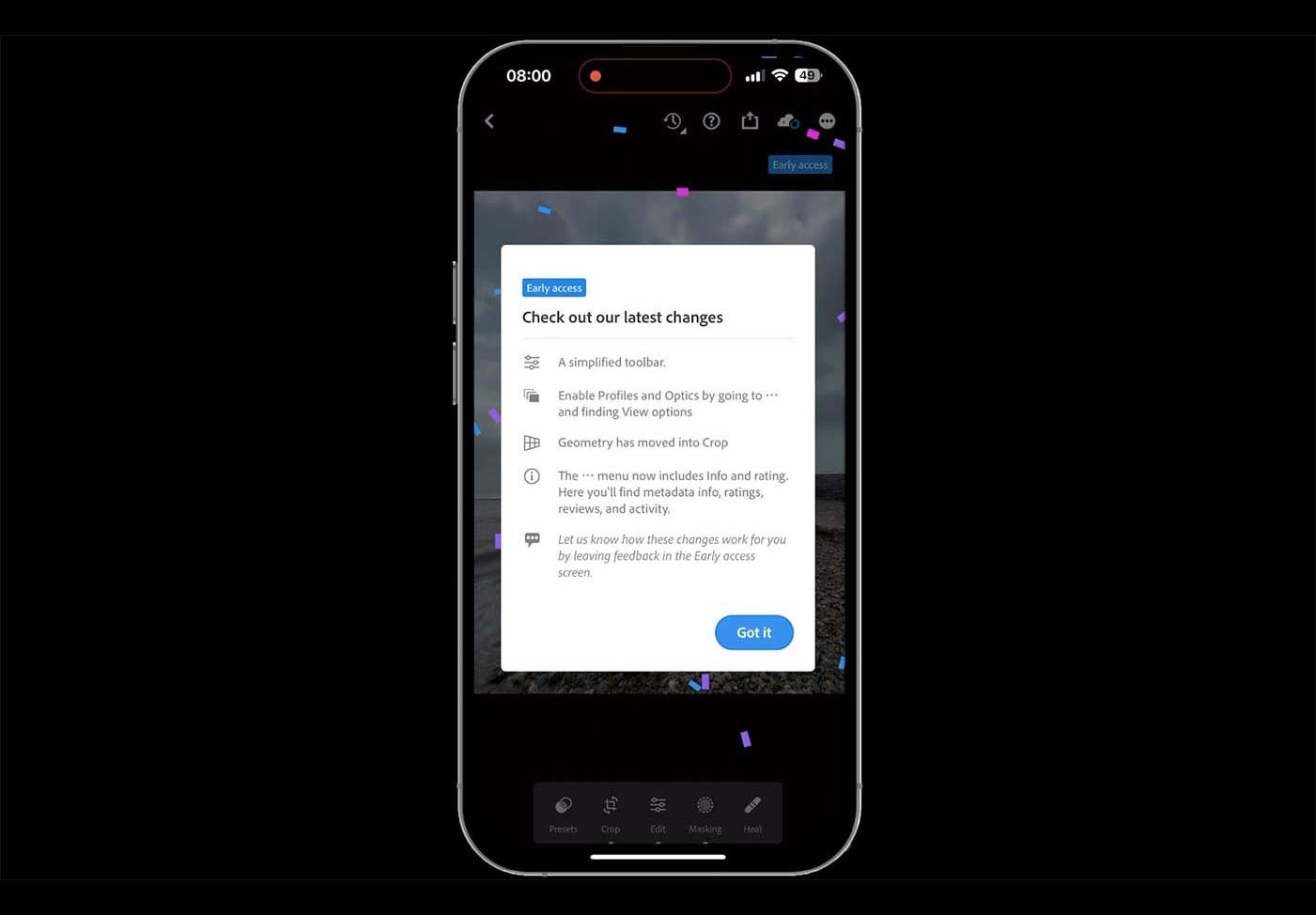
Adobe have just released an update to Lightroom Mobile iOS taking it from version 8.4.0 to 8.4.1 , and this brings with it ‘Early Access Preview’
Check out the 54 second video below to find out more …
This is the recording of a YouTube LIVE Broadcast from Thursday 20th July 2023 where I go through the entire workflow from capture with an iPhone and all the editing steps in Lightroom and Photoshop Beta also making use Generative Fill A.I.
© Glyn Dewis 2026