Download my Minimal Teal and Orange Preset for Lightroom and Camera Raw

If you’re a Lightroom Classic , Lightroom or Photoshop / Camera Raw user ...

I have just added the finishing touch steps that I used on the recent portrait of my friend Steve Healy onto the Adobe Lightroom Community Page so that you can save as a preset, download and install to use ... and adjust settings to taste.

Just use this link: https://lightroom.app.link/B4mq80BlSIb

Low-key portrait of a bald bearded man in Lightroom with a preset panel open

Westcott Wednesday: Unlocking the Potential of Constant Lighting

So here’s a date for the diary …

In conjunction with Westcott and B&H Photo and Video, on the 15th May @ 3pm EDT (8pm UK) I'll be on "Westcott Wednesday" going through the WHY, WHAT and HOW of using Constant Lighting when taking portraits.

Thid will be the latest installment of the regular Westcott Wednesday series hosted by B&H in which I’ll be, as the description says …

Join us for this presentation as Photographer Glyn Dewis takes us through a journey shifting from traditional flash to constant lighting in portraiture. With a mix of image examples and behind the scenes, Glyn will explain how constant lighting has become the cornerstone of his portrait work, injecting a newfound level of creativity and enthusiasm into his photography.

“At first, using constant light almost felt like cheating but I’ve since completely changed my mind because aside from being under no illusion of the results I get and the ease of setting up, more than anything it enables me to concentrate even more on the person in front of my camera and the concept we’re working on.”

Oh and this event is FREE , will last about 1 hour and will be over on the B&H Event Page on YouTube ( LINK )

The ART of ALTERNATIVE FASHION and CULTURAL PORTRAITS | Krishen Nagar

This is the recording of a live broadcast where I chat with portrait photographer Krishen Nagar about the art of alternative fashion and cultural portraits. We talk about his style and subject matter, working with models, his lighting, his kit and more, plus the importance of being genuine and not following the crowd. It's a conversation that'll resonate with anyone trying to find their own voice in portrait photography.

FOLLOW KRISHEN NAGAR ON SOCIAL MEDIA

Instagram: @krishnagarphotography

Facebook: @krishen.nagar.5

LINKS MENTIONED IN THE BROADCAST

Lightroom Virtual Summit 2024 ( FREE PASS ): LINK

Royal Photographic Society Retouching Workshop: LINK

Tattooed woman with a flower crown seated on a red chair against a dark backdrop
Tattooed woman in a red dress posing with her arm raised behind her head against a dark backdrop
Tattooed man with long braids in a light coat against a dark mottled backdrop
Man with a heavily tattooed back photographed from behind against a dark background
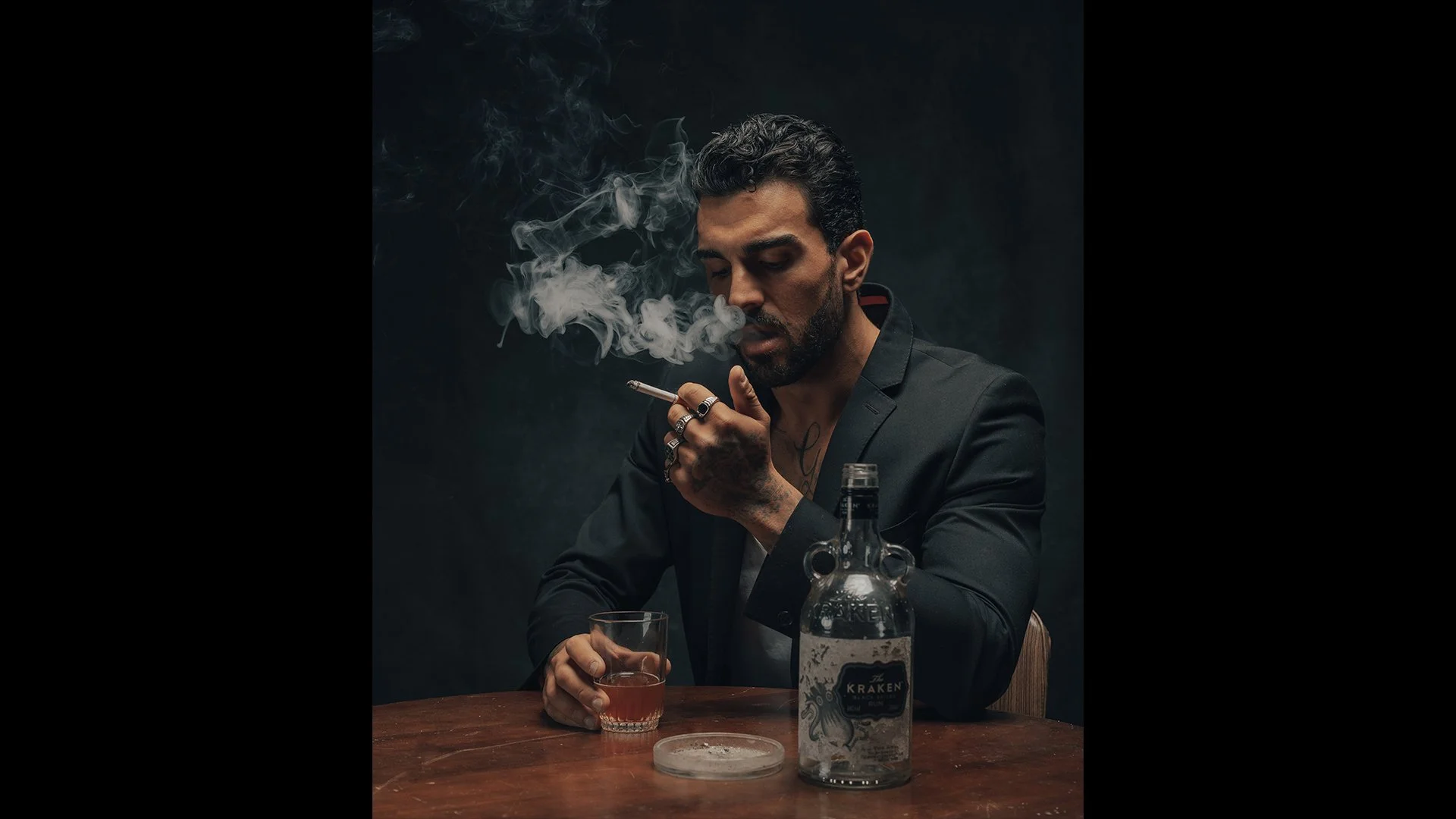
Man in a dark suit smoking a cigarette at a table with a glass and bottle, in low light

Classic Portraits with Constant Light

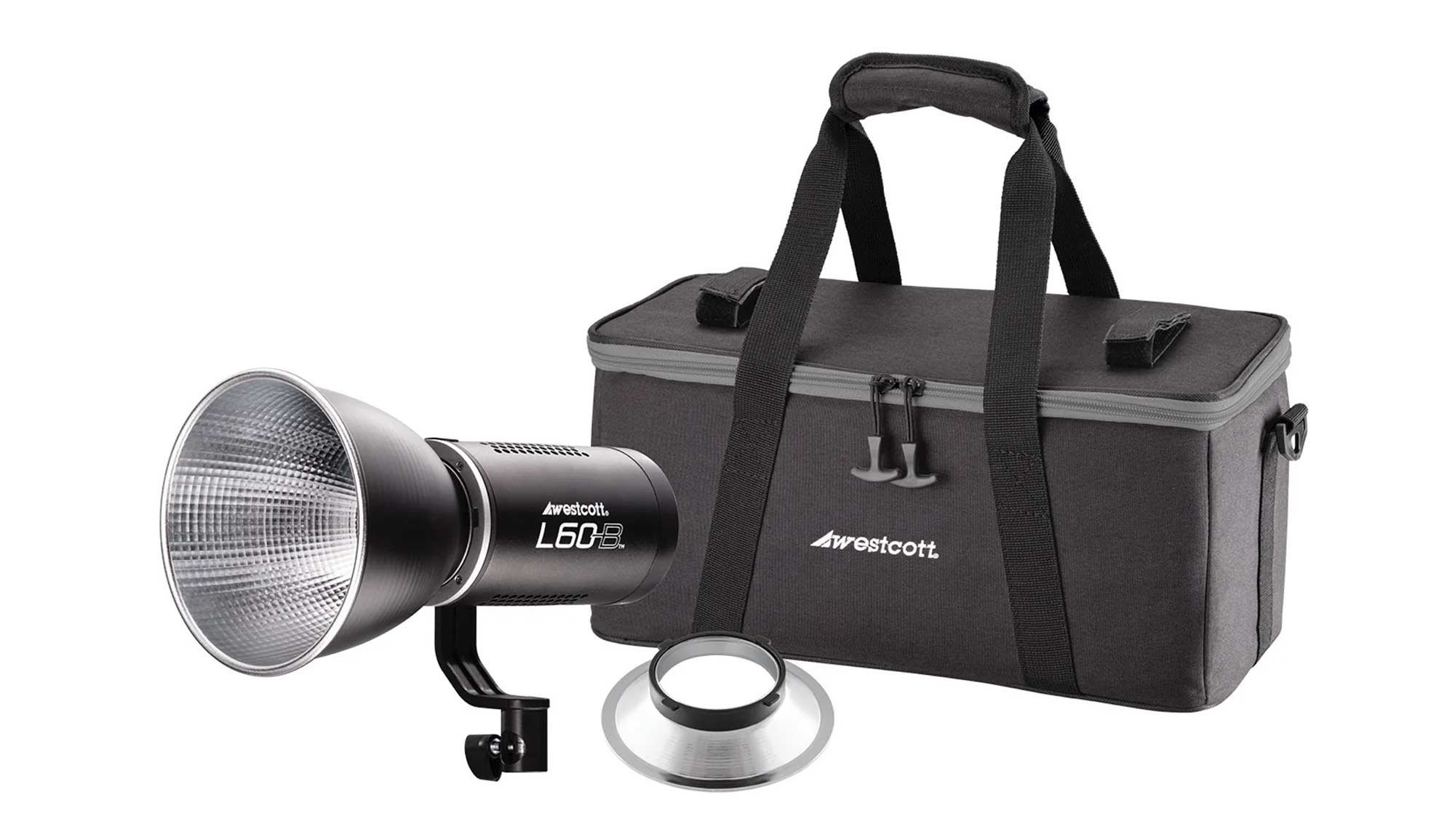
Recently I was back with friends in the studio taking portraits, and this time getting Steve in front of my camera to try out some ideas I’d stumbled across when browsing Pinterest that I thought would be another good excuse to get my L60-B constant light out for.

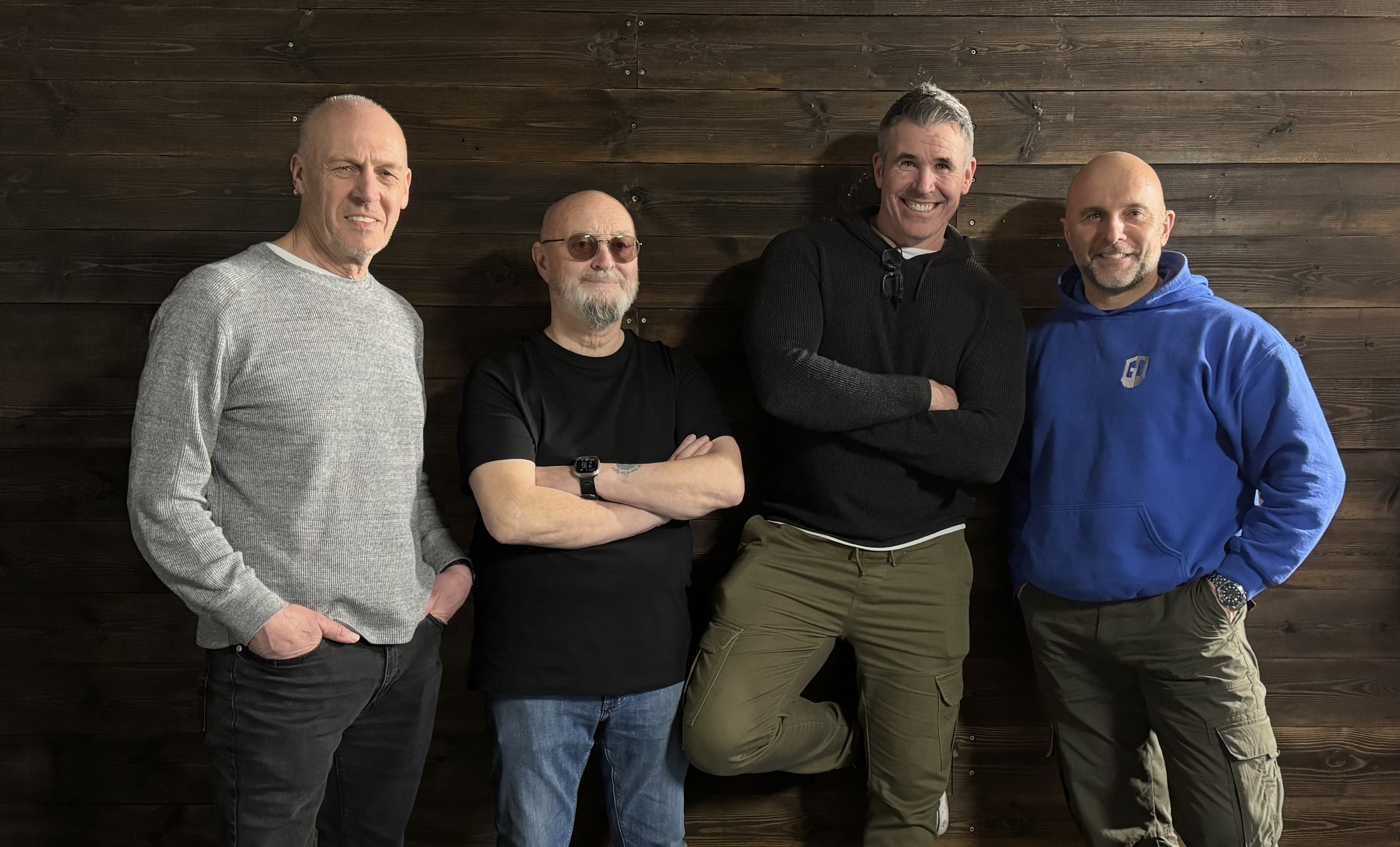
Four men standing together in front of a dark wooden wall

Pinterest

I’ve used Pinterest for years as a great place for not only finding inspiration by looking at the work of photographers I admire like Annie Leibovitz and Mark Seliger, but also a great tool for looking how other photographers pose their subjects, which lets face it can be awkward at times. 

Finding a balance between what you want but also making the pose look natural and the subject comfortable can be challenging to get right but I’ve always found it a massive help when you can guide your subject on what you’re looking for by showing them a picture.

Anyway, these here are some of the looks and poses I was really interested in …

Online mood board titled Photo Shoot Ideas with a grid of low-key portraits

Model for the Day

Model for the day was my dear friend Steve Healy whom I’ve known for years. 

There was a time when for quite a while we’d not met up because of Steve moving away to Devon but I’m glad to say that when we finally made the move to the South West , we’re now able to meet up fairly regularly to just hangout out and take photographs. This we will certainly be doing more and more of!

Four photos of two men on a coastal trip, including clifftops, a harbour and a red and white lighthouse

Anyway, Steve drove over to my house in the morning and then we both jumped into my car and headed to South Wales to catch up with the gang; some of my closest friends which to be honest are more like family … Ian Munro and Anthony Crothers.

This was the first time Steve had met up in person with Ian and Anthony even though I’m sure they felt like they knew each other anyway having messaged back and forth many times on social media and also in the chat room during my Sunday LIVE Broadcasts on YouTube. Needless to say … Steve instantly became ‘one of the gang’ 😃

So after a traditional meet up at Costa in Brynmawr, South Wales to fuel up on coffee, we then went to the studio and cracked on …

PORTRAIT 1

So the first portrait I really liked the look of doing was the one inspired by this portrait of Robert De Niro taken by Mark Seliger …

Black and white portrait of an older man with swept-back grey hair leaning on his arms

Steve had brought along a dark grey casual suit-type jacket which was ideal. He’d also bought a white shirt to wear underneath but when setting up we all felt that even though you’d only seen a small portion of it, it would be too distracting, so instead Steve kept with the black T-Shirt he was wearing.

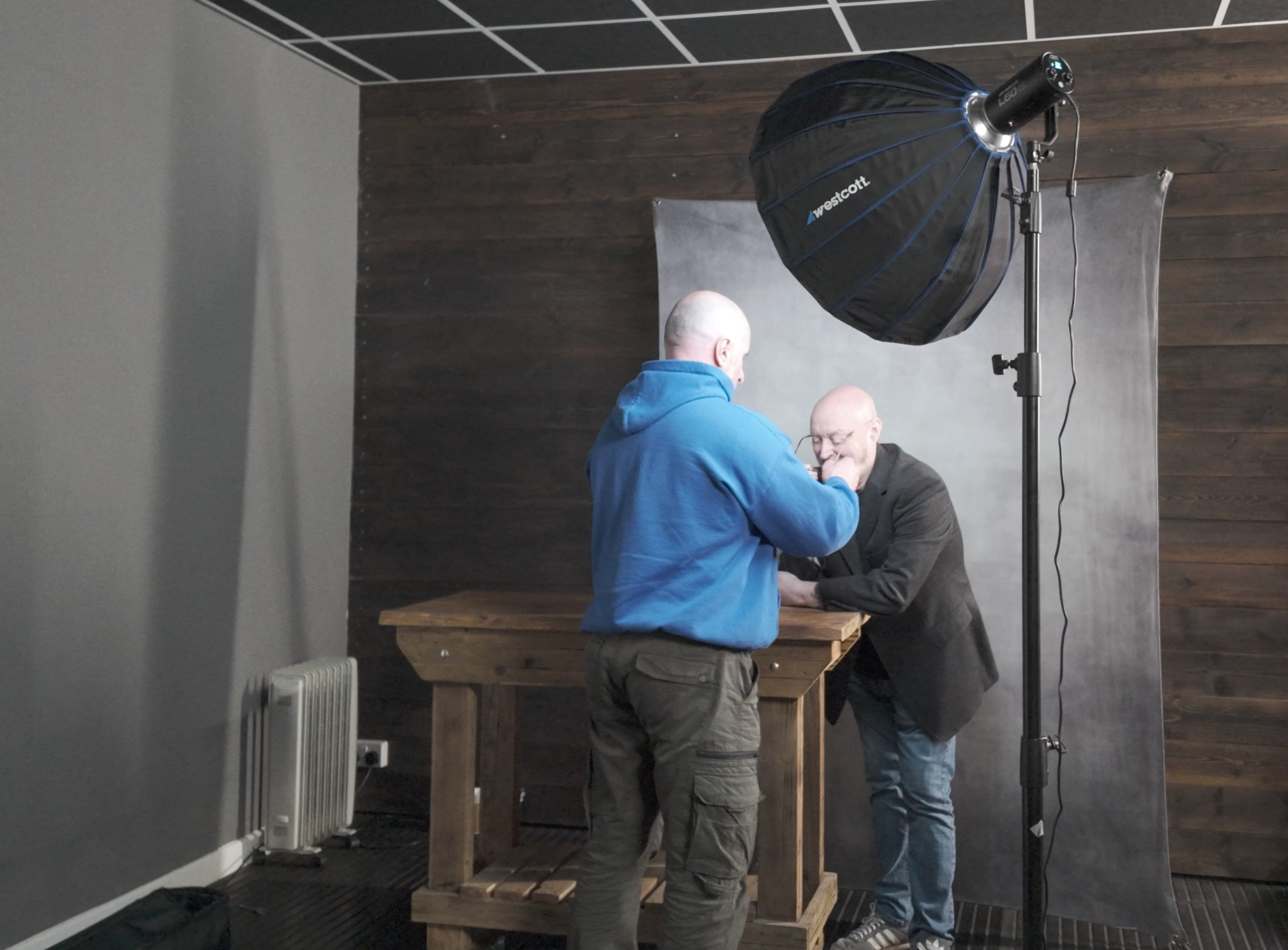
Man in a blue hoodie positioning a seated man in front of a grey backdrop beneath a large softbox

BACKGROUND

For this I portrait as it was to be a fairly tight crop of Steve on one side and just a little bit of ‘dead space’ to the left, the 7’ x 5’ background would be plenty big enough and so this was set up with the rear supporting leg shortened so that the background took up less floor space and could be closer to the wall.

Two photos of a small studio, one showing a grey backdrop and the other a light stand and tripod

LIGHT + MODIFIER

I’ve said it before and I’ll say it again … I absolutely LOVE this light!

I wouldn’t be exaggerating when I say that positioning the light (L60-B) to get the Rembrandt Lighting Pattern 100% BANG ON took just a few seconds; such is the convenience and ease of doing so when using because … What You See Is What You Get

Small studio with a man seated at a wooden table before a grey backdrop, lit by a large softbox

Bottom Left: iPad Pro with Pinterest App open showin the ‘reference’ image

To achieve a quality of light that was neither hard or soft but somewhere in between, and also to minimise the amount of light that would spill onto the background, I opted to use the Westcott 24” Rapid Box Switch Beauty Dish and with the outer diffusion panel fitted.

Hands adjusting the inside of a large deep softbox

Westcott 24” Rapid Box Switch Beauty Dish with Outer Diffusion Panel

CAMERA + Lens

  • Sony A7RIV

  • Sony 85mm f/4.0 G Master

CAMERA SETTINGS

  • Aperture: F/4.0

  • Shutter Speed: 1/60sec

  • ISO 1250

Once set up and with any light in the studio that wasn’t contributing to the portrait turned off, I could then start taking portraits of Steve but what was really useful here was that everyone could see EXACTLY what the shots would be like without having to look at the back of my camera each time or look at my iPad Pro that I was tethering to; again because What You See Is What You Get

Bald bearded man leaning on a wooden table in front of a grey backdrop in a dark studio

Studio lights and ‘any’ lights not contributing to the portrait turned off.

This made it so easy for anyone who wanted to make a suggestion and move in to maybe get Steve to angle himself differently or change the position of a hand.

It just worked and worked so incredibly well, making EVERYONE feel involved.

OUT OF CAMERA

Here’s the out of camera Raw file …

Lightroom Classic Develop module with a low-key portrait of a bald bearded man at a table

Original Raw file in Adobe Lightroom Classic

FINAL EDIT

Here’s the final retouched image which was worked on using both Lightroom and Photoshop …

Low-key portrait of a bald bearded man in a dark jacket leaning on a wooden table

Final Retocuhed Portrait

LIGHTROOM CLASSIC and PHOTOSHOP

Here’s a summary of the retouching steps carried out in both Lightroom Classic and Photoshop …

Lightroom

  • Straighten & Crop

  • Colour Correction*

  • Denoise

  • Masking (Enhance eyes - Iris and Pupil only)

*Had to do this manually as ‘somehow’ I forgot to use my Colour Checker Passport … Doh!

Photoshop

  • Clean Up

  • Dodge & Burn

  • 2010

  • Dreamy Glow (20%)

Lightroom

  • Colour (CN16)

  • Color Mixer (Reduce Orange & Red Saturation on Steve’s face)

  • Masking (Radial Gradient to Shape Light)

  • Masking Exposure on Face

  • Add Grain


PORTRAIT 2

For the 2nd portrait of Steve, this was the photograph I used as the initial inspiration / idea …

Black and white portrait of an older man with glasses and a moustache in a checked shirt, in profile

For this we went with the exact same set up albeit positioning the light camera left this time as opposed to camera right as it was for the first portrait.

Below is what the set up looked like before turning off the lights in the studio that weren’t contributing to the portrait …

Bald man seated on a stool in front of a grey backdrop lit by a round softbox in a small studio

Using the single L60-B coming in from high up and angled down produced exactly the lighting that was wanted (below) however I felt that the shadow side of Steve’s head was a touch too dark …

Bald man in a dark jacket seated on a stool beside a round softbox in a dark studio

To add a touch more light onto the shadow side of Steve’s head, rather than use a 2nd L60-B we just used a Silver Reflector which also had a white side to it, however between the two surfaces, the silver side gave the best result …

Bald man seated in front of a grey backdrop while a man holds a reflector beside him

OUT OF CAMERA

Here’s the ‘out of camera’ Raw file …

Lightroom Classic Develop module with a portrait of a bald bearded man against a grey backdrop

Out of Camera Raw file in Lightroom Classic

FINAL EDIT

Here’s the final retouched image which was worked on using both Lightroom Classic and Photoshop …

Low-key portrait of a bald bearded man in a dark jacket against a dark teal backdrop

Final Retouched Portrait

lightroom classic and photoshop

Retouching steps in both Lightroom Classic and Photoshop were pretty much the same as in the first portrait, however there was one very definite difference.

When taking the 2nd portrait, we all felt that although Steve sitting on a stool worked, it did make him look a little squashed because of the height of the stool he was sitting on and also how his jacket sat, so we also tried a few shots with Steve standing …

Side by side comparison of two edits of a portrait of a bald bearded man

With Steve standing it definitely stopped him looked squashed, however when looking at the images later in Lightroom Classic I was torn because I liked the pose and expression on Steve’s face from the seated shots.

So now in the retouching I was thinking I could either (a) do a head swap or (b) do the opposite of a technique I used to do when photographing physiques … and that’s what I chose to do.

PHOTOSHOP TUTORIAL

Here’s a short video showing exactly what I did in Photoshop to reduce / remove the ‘squashed’ look …

WRAP UP

Following the photo shoot we all the headed over to Abergavenny for what was a delicious bite to eat at The Angel … THANK YOU Steve!

So there you go, all of the steps that I went through from the initial idea, the kit, the set up and the final edit.

As always if you have any questions / comments, please do make use of the section below and I’ll be sure to reply.

Oh and don’t forget, if you’re interested in getting ANY of the Westcott kit including lighting, modifers, backgrounds etc then drop me a line as I’ll be able to give you a Discount Code for 10% OFF

Cheers
Glyn

Documenting Life - The Evolution of a Wedding & Street Photographer | Kevin Mullins

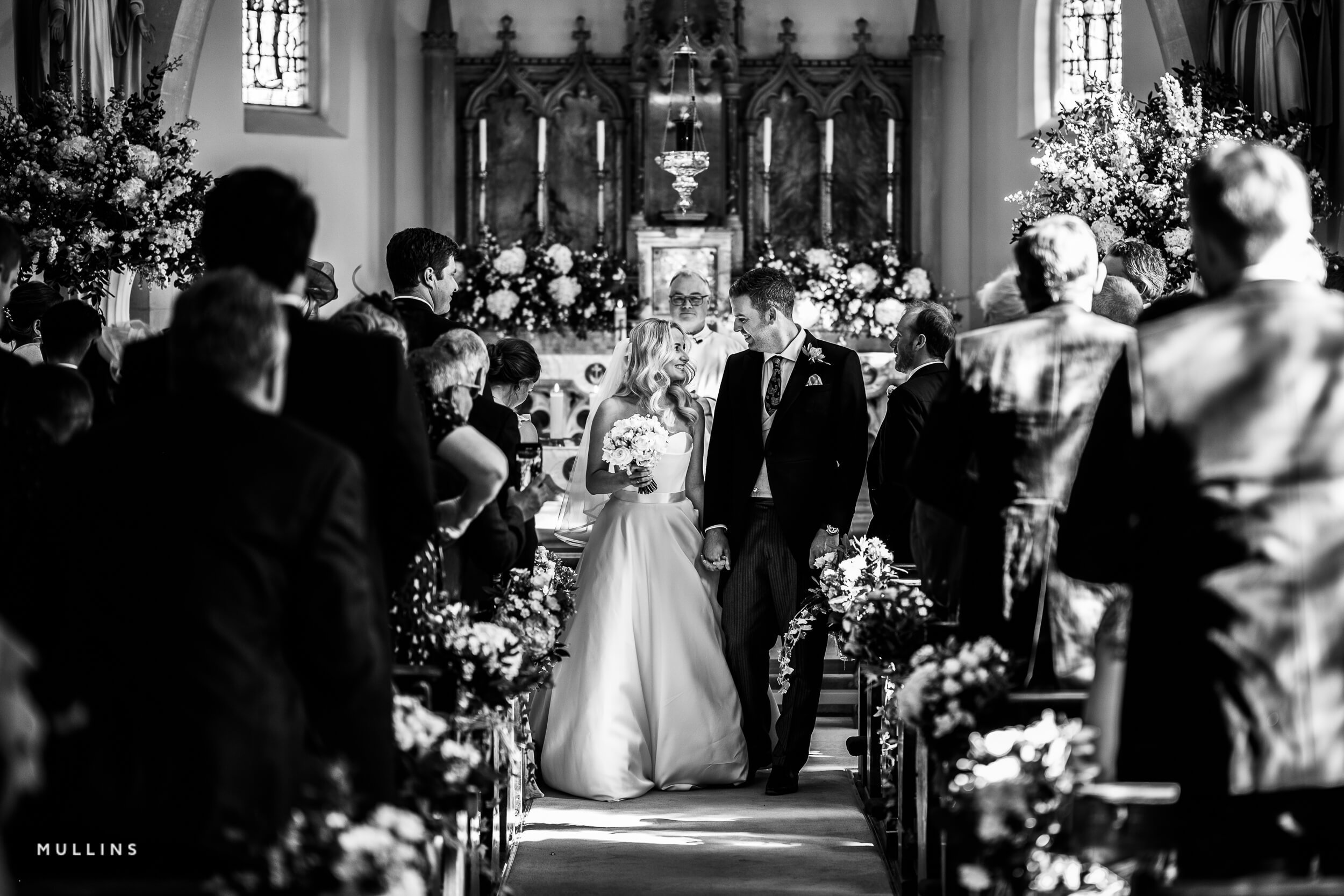
This is the recording of a live broadcast where I chat with UK-based documentary wedding and street photographer Kevin Mullins. We talk about his process and his approach when photographing a wedding to capture those special moments, along with his kit, his style and everything else that goes into turning a passion into a successful business. If you're drawn to a documentary way of working, whether at weddings or out on the street, Kevin's experience is well worth hearing.

Links mentioned in the video

Kevin Mullins website: www.kevinmullinsphotography.co.uk

Kevin’s Lightroom Presets: LINK

Royal Photographic Society Retouching Workshop: LINK


Black and white photo of a bride and groom walking down a church aisle past guests
Black and white photo of a smiling bride and groom during their wedding ceremony
Black and white photo of an older man hugging a bride in a veil
Black and white photo of a smiling woman washing up beside a toddler sitting by the kitchen sink
Black and white photo of a couple dancing in a dark, sweeping modern interior

ADAPT - A Short Film

I was reminded not to underestimate how what we do can positively impact others when I received an email from someone who subscribes to my newsletter. Battling cancer over the past three years, and unable to drive, they'd struggled to get out with their camera, and for them, as for so many of us, photography provides escapism. Seeing my Adapt video lifted them and gave them the drive to plan to go out that weekend with their camera, staying local, because there's always something to photograph. I originally made Adapt as a form of self-medication during a very testing and uncertain time for all of us, when Covid restrictions forced me to try other genres of photography, and that has 100% made me a better photographer.

DISPLAY 123 - Screen Calibration SIMPLIFIED but IT'S NOT FOR EVERYONE

The Display 123 from Calibrite takes the technical side out of screen calibration, making it possible for everyone with a simple three-step process, but it's not aimed at the professional. It isn't suitable for displays using newer LED technology, such as the Apple MacBook Pro M3 and the Apple Pro Display XDR, where a device like the Calibrite Display Pro HL would be needed; the Display 123 could profile those only in sRGB. For displays using backlit technology it'll calibrate the screen, albeit without the additional parameters that more expensive, high-end devices offer, which is why it's more of a consumer device.

NOTE

The Display 123 is NOT suitable for the new LED technology Displays such as in the New Apple Macbook Pro M3 and Apple Pro Display XDR; for these a device like the Display Pro HL from Calibrite would be needed. The display 123 COULD prolfile these displays however only in sRGB. For all other displays using Backlit technology (which is currently the majority of displays on the market, the Display 123 will Calibrate the screen albeit without the additional parameters that more expensive / high end devices can. The display 123 is more aimed at the Consumer as opposed to the Professional.

For more information check out the Calbrite website ( LINK )
Calibrating my iPad Pro for Photography

One thing I always do when taking portraits is shoot tethered, and while that used to be with my camera connected to my MacBook Pro, it had changed to my iPad because it's way more portable and convenient. I use the Capture One app for tethering, which works incredibly well: open the app, plug in your camera, or connect wirelessly, and you're up and running. The only problem is that out of the box the iPad screen is too contrasty; it's set up to give the richest colours and deepest blacks for apps, movies, games and looking at pictures, which isn't ideal for tethering. My 6th generation 12.9-inch iPad Pro has Reference Mode, and in this video I go step by step through calibrating the screen for the best results when tethering, editing and viewing photographs.

Mastering Concert Photography: Insider Tips & Techniques from a Pro | Scott Diussa

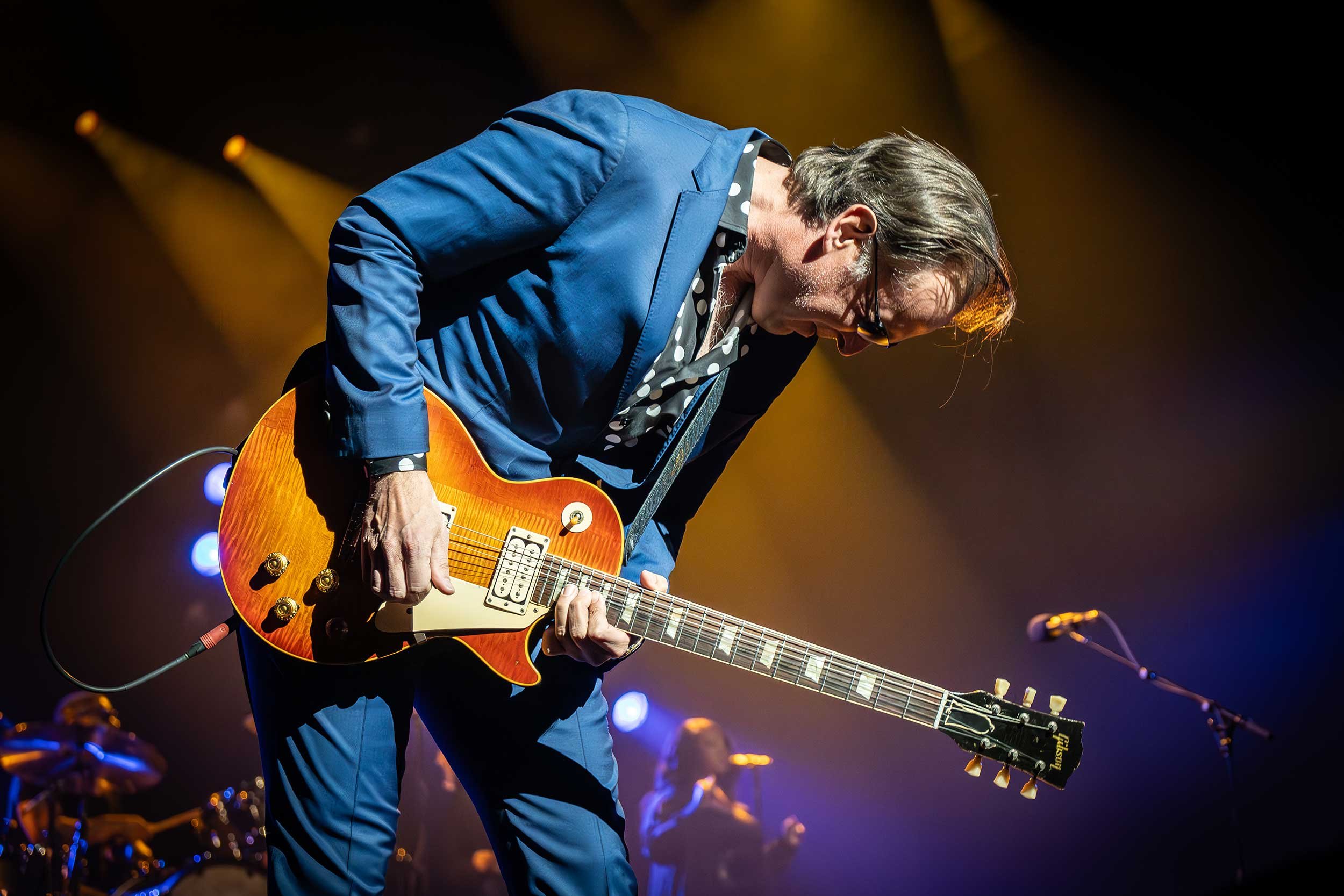
This is the recording of a live broadcast where I chat with concert photographer Scott Diussa and discover his process, his kit and his tips and tricks for photographing live music and events, including some of the biggest names in the industry, and all with limited time and space. Scott also shares some of his Lightroom editing techniques for bringing out the best in images taken in challenging lighting conditions, which is useful well beyond the concert hall.

links mentioned in the video

Scott Diussa’s Link Tree: imagesrock.com

KelbyOne Lightroom Conference: bit.ly/lrconf2024

Royal Photographic Society Workshop: bit.ly/rps-editing

Smiling guitarist kneeling on stage pointing at the camera under purple and blue lights
Black and white silhouette of a performer with arms outstretched in front of bright stage lights
Guitarist in a blue suit leaning over a sunburst electric guitar under stage lights
Two rock musicians performing together on stage, one playing a flying V guitar
Drummer leaping on stage between bursts of flame beneath a Lamb of God backdrop

The Art of CINEMATIC TOY PHOTOGRAPHY | Jesse Feyereisen

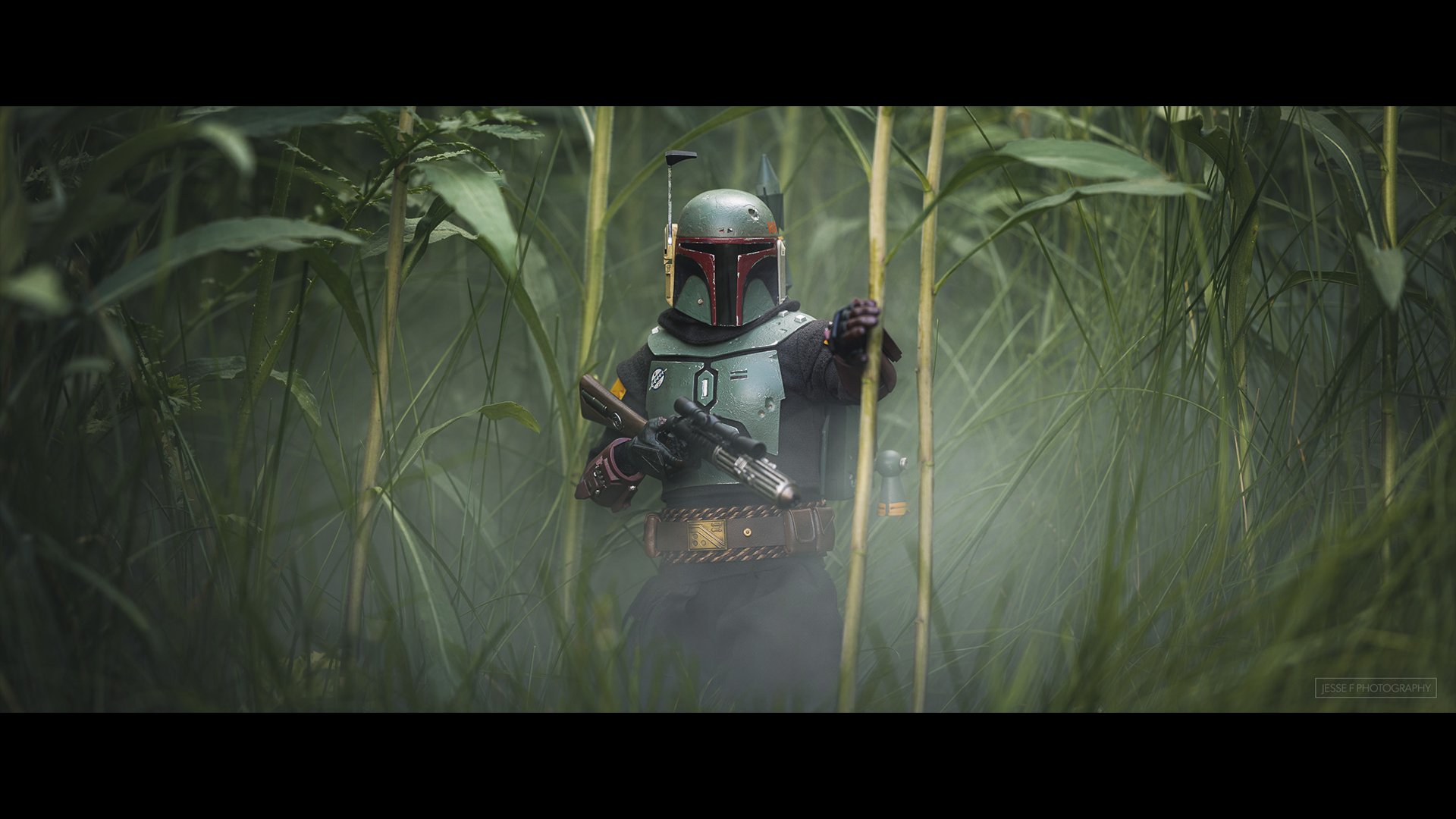
This is the recording of a live broadcast where I chat with the wonderful talent that is Jesse Feyereisen and go behind the scenes of his cinematic toy photography. Jesse shows how he lights, photographs and edits to create such incredible imagery of toys and action figures, turning small figures into scenes that look like stills from a film. If you've ever wanted to try toy photography, or you simply enjoy seeing a creative idea taken all the way through, there's a lot to enjoy here.

Toy starfighter model on a dark surface with two small figures in a beam of red light
Toy figure in green armour and a helmet standing among tall grass
Hooded toy figure holding a glowing green lightsaber in a dark scene
Mandalorian action figure walking through snow carrying Grogu, cinematic toy photograph
Master Chief action figure running away from a fiery explosion, cinematic toy photograph